MaxCommunicator Manual 29
Using
MaxCommunicator
After the dialed party answers, click Yes in the dialog box. If the dialed
party does not answer, click the No button.
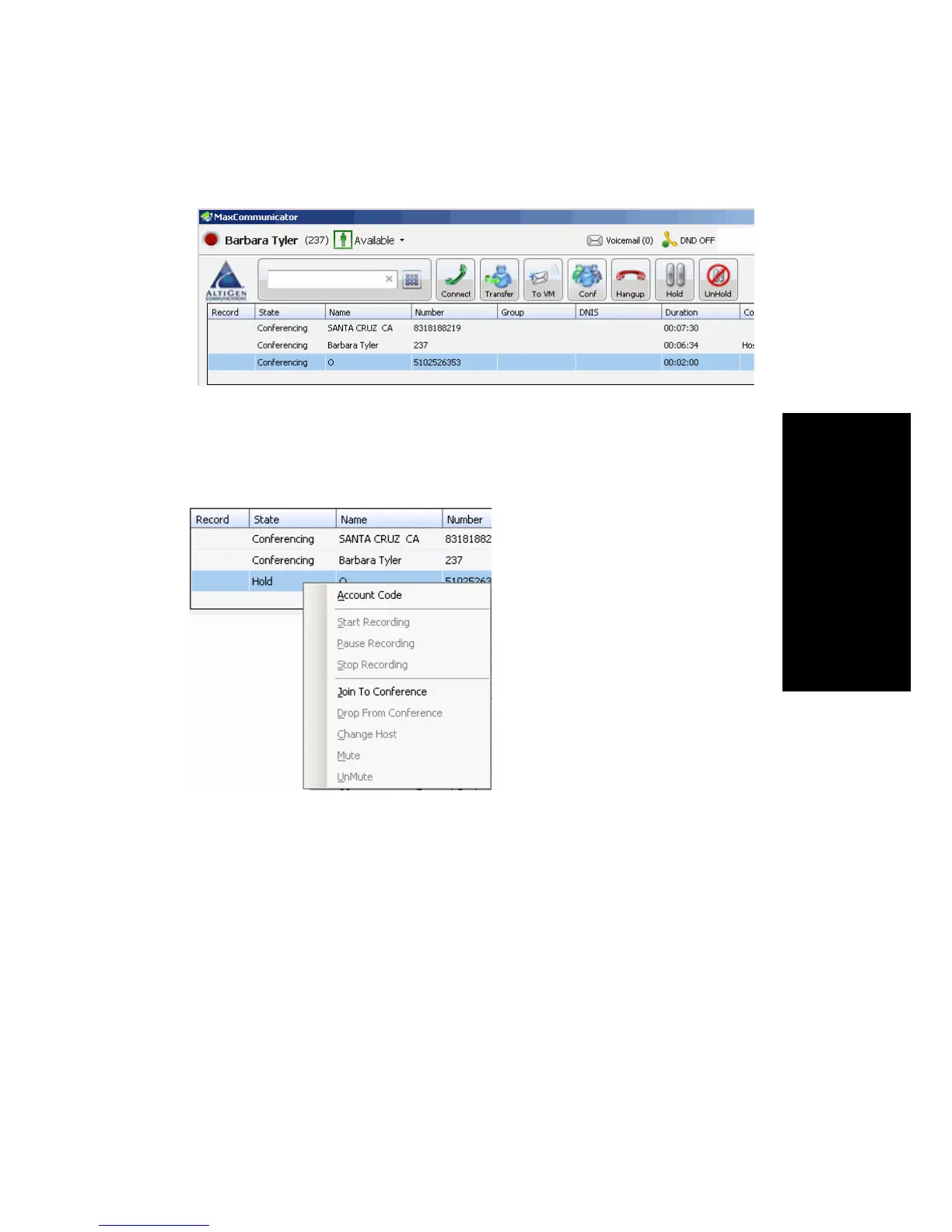
• Selecting from Menu—When a call is on hold, you can add it to the
conference by right-clicking the call and selecting Join to
Conference:
Canceling Conference Calls
You can cancel the conference using any of the following methods:
• Click the No button in the conference confirmation dialog box.
• Close the conference confirmation dialog box.
• Click the FLASH button.
• Right-click the appropriate call and select Drop From Conference.
Normally, after canceling you will be reconnected automatically to the
initial call. If you are not automatically reconnected and want to reconnect
to the first call, click the call’s Hold Pending state cell.



 To Next Page