MaxCommunicator Manual 57
Configuration
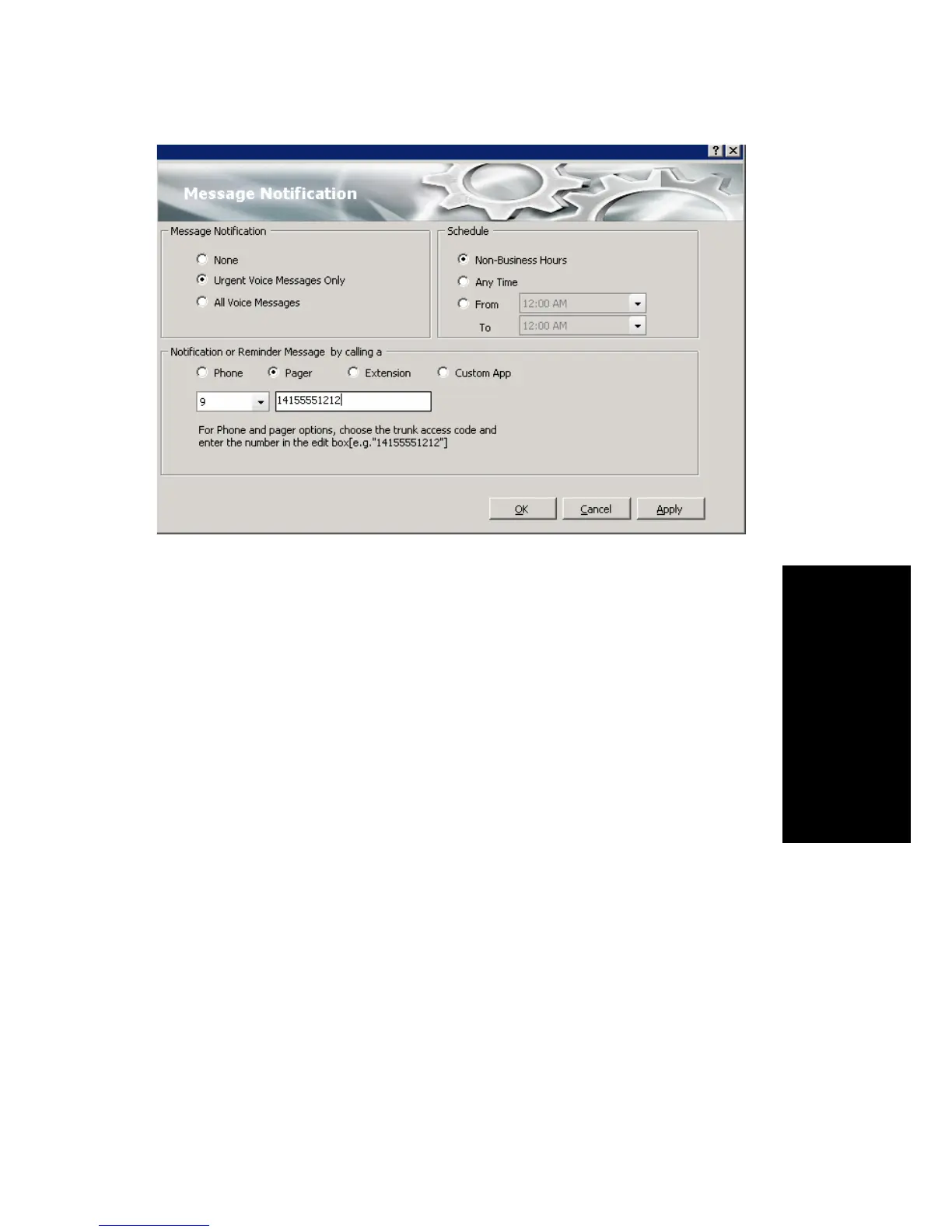
You can set these notification options:
• The types of messages about which you want to be alerted: none,
urgent voice messages only, or all voice messages.
• Schedule—Select during what hours you want to be alerted.
• How and where to notify you—Select an option in the Notification
or Reminder Message by calling section. If you want to use an
outside number, use the drop-down list to select the trunk access code,
and then type in the number.
Note: You can also configure Message Notification through the AltiGen
Voice Mail System.
Call Alert Options
If you want MaxCommunicator to inform you when you have a call,
specify your desired method(s) in the Configuration window’s Options >
Alert screen.



 To Next Page