40 MaxCommunicator Manual
8. In the Account Code dialog box, select an account code if a list is
displayed, and click OK. If a list is not displayed, enter an account
code in the Enter Account Code field and click OK.
Note: Do not enter an account code while recording; doing so will
disconnect the call.
To change the account code for a call in progress, repeat the steps above,
entering the new account code to assign the call to.
Using Voice Mail
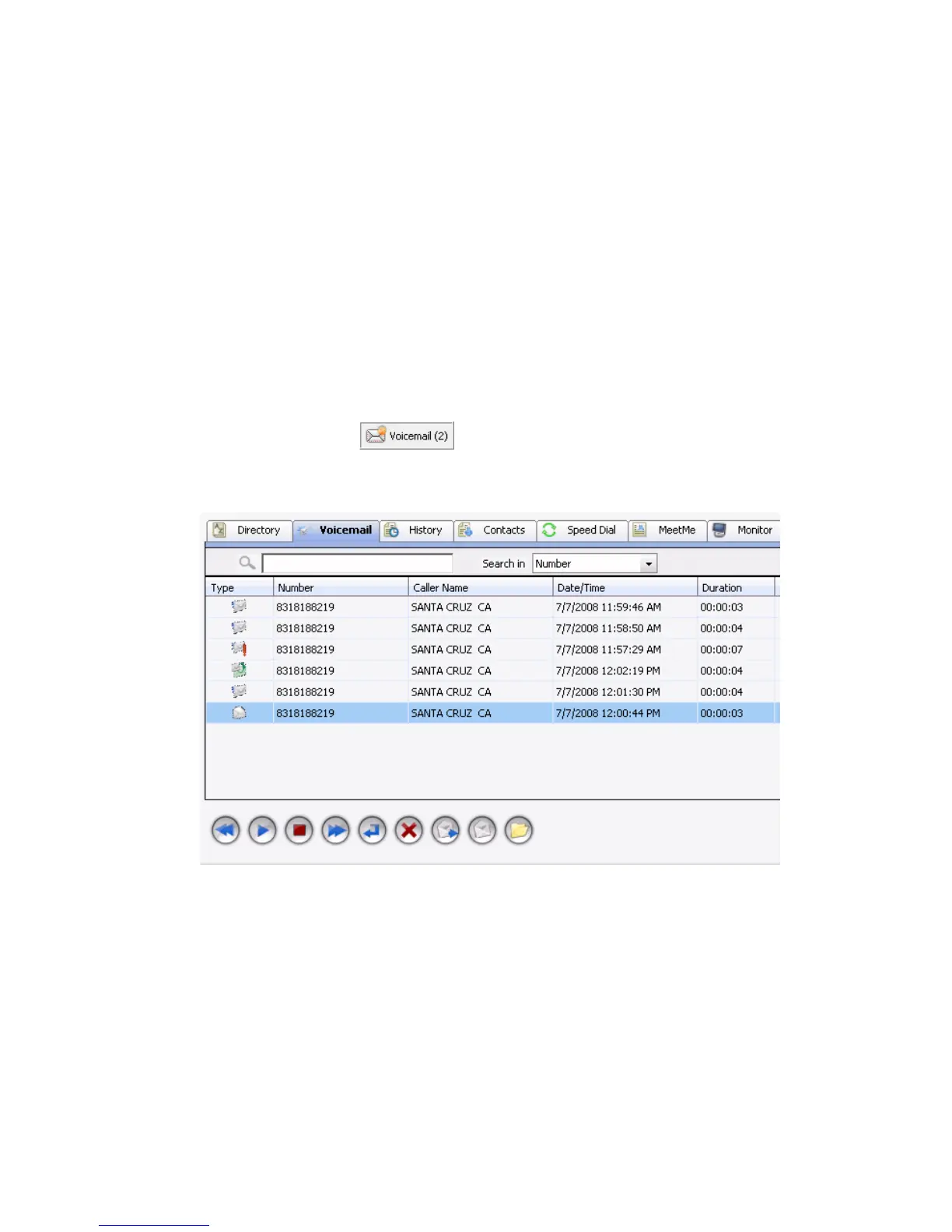
Click the Voicemail tab in the main window to see a list of your voice mail
messages. Clicking in the status bar also displays the
Voicemail tab.
• New voice mail messages are indicated by a white, closed envelope.
• Heard voice mail messages are indicated by a white, open envelope.
• If the new message is marked urgent, a red exclamation point is
displayed beside the envelope. When you have a message marked
urgent, the MaxCommunicator icon in the Windows tray becomes a
red envelope, the Voicemail indicator in the status bar bears a red
circle, and the Missed Calls indicator in the status bar has a red
exclamation point.
• If the message is saved, the open envelope has a green disk behind it.



 To Next Page