MaxCommunicator Manual 63
Configuration
SafetyIPTalk
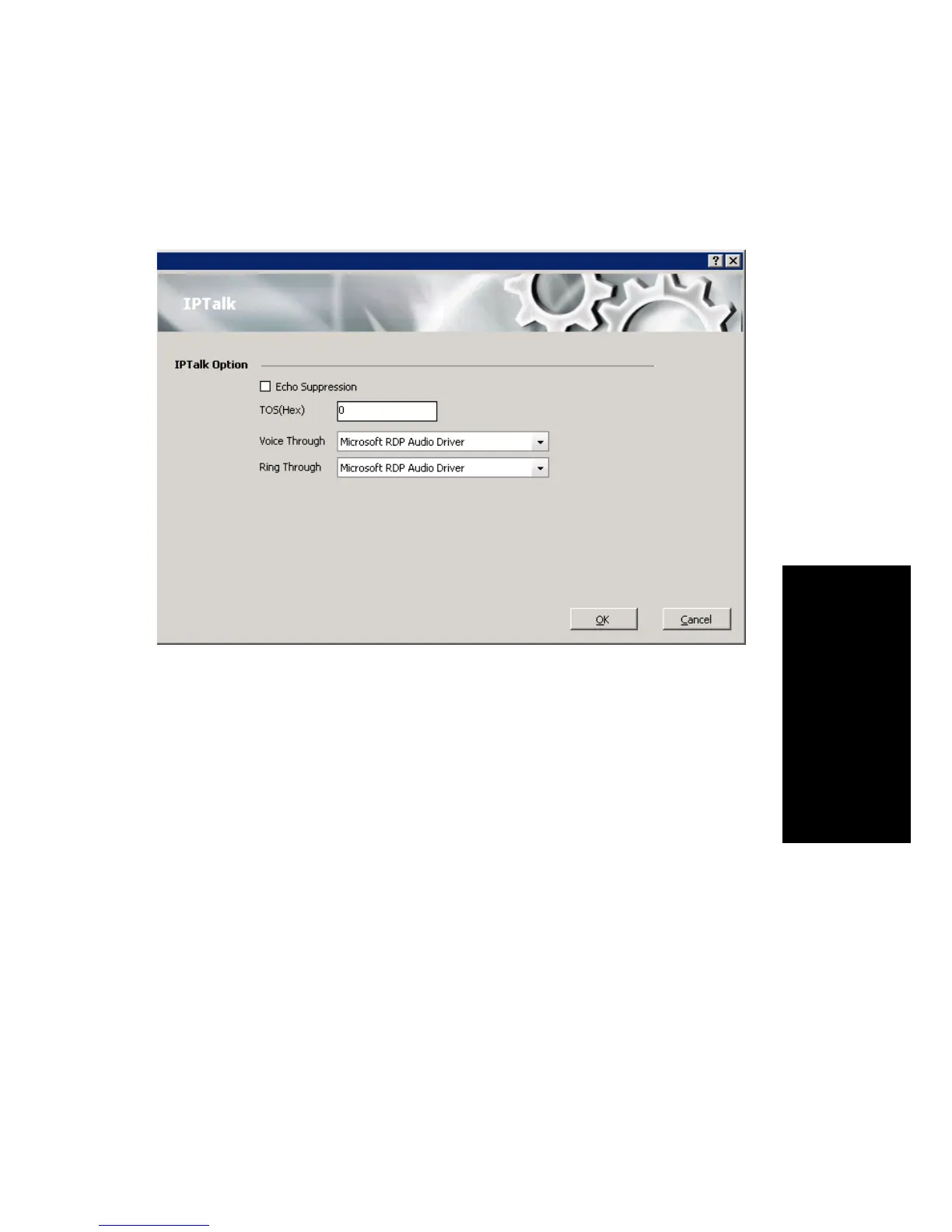
If you’re using IPTalk, set the options in the IPTalk configuration screen:
• Echo Suppression—Check this check box if you are experiencing
echo.
• ToS(Hex)—The ToS byte indicates the type of service. For IPTalk,
you need high priority service, and the default of “0” set here indicates
high priority service. However, if your company router supports DSCP
EF, then set this field to “A0”. The ToS value is gateway-based. For
guidance, see your system administrator.
•From the Voice Through drop-down list, choose the sound card that
will carry the incoming and outgoing voice. It could be a sound card in
your PC, or it could be a USB-based sound card in your headset
system.
•From the Ring Through drop-down list, choose the device that will
carry the incoming ring. When you’re away from your desk, you may
prefer the ring to come through your PC speakers, rather than your
headset system.



 To Next Page