IS-300A
4. How to Operate Screens
4-12
(j) GAIN
Sets the amount of feedback correction in the primary constant-current effective
value control, secondary constant-current effective value control, secondary
constant-power effective value control, and secondary constant-voltage effective
value control. Though 1 is normally used, the larger value will give the shorter
rise time. (Invalid in the primary constant-current peak value control and the
constant-phase control.)
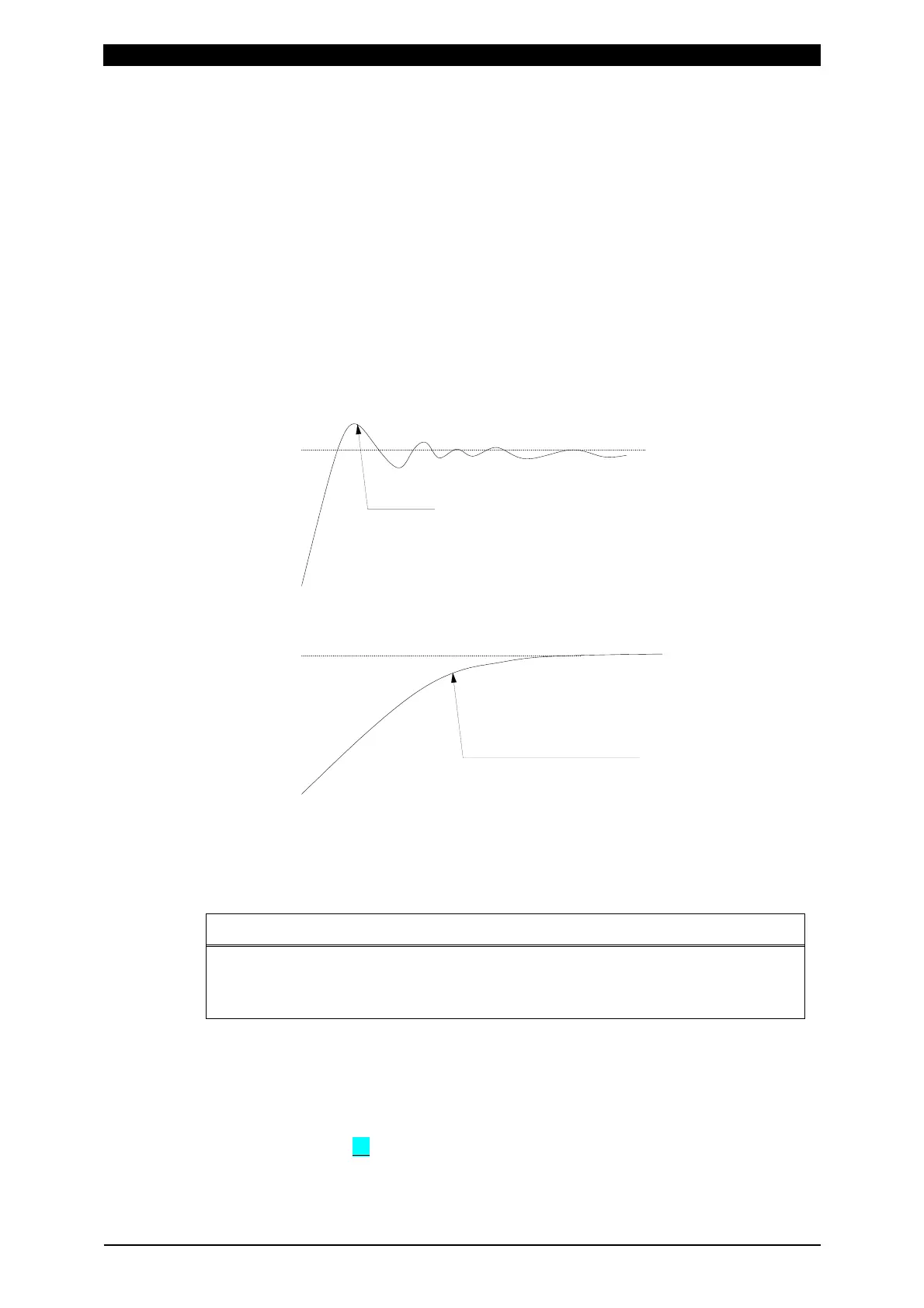
(Note) Control gain refers to a correction amount in feedback control.
Although the current rises more rapidly with greater control gain, the current
waveform may experience overshoot. On the other hand, a smaller control
gain suppresses current waveform overshoot but causes a slower increase in
current. The Power Supply offers nine (9) choices of gain levels (1–9).
Large control gain
Setting
Small control gain
Setting
Overshoot
Slow increase in current
(k) TURN RATIO
Set the welding transformer turns ratio.
The turns ratio can be set in a range from 001.0 to 199.9.
ATTENTION
When using the primary constant-current effective value control or primary
constant-current peak value control, always set the correct turns ratio.
An incorrect ratio will result in malfunction.
(l) TRANS #
Sets the transformer number used in each schedule. The setting range is 1 to 5.
Functions when the transformer selector MA-650A is used.
(m) PREV
When the cursor ( ) is displayed, pressing the ENTER key will change the
display to Current and time setting screen.



 To Next Page