AMADRIVE control terminal
BAG0166.5 12.18
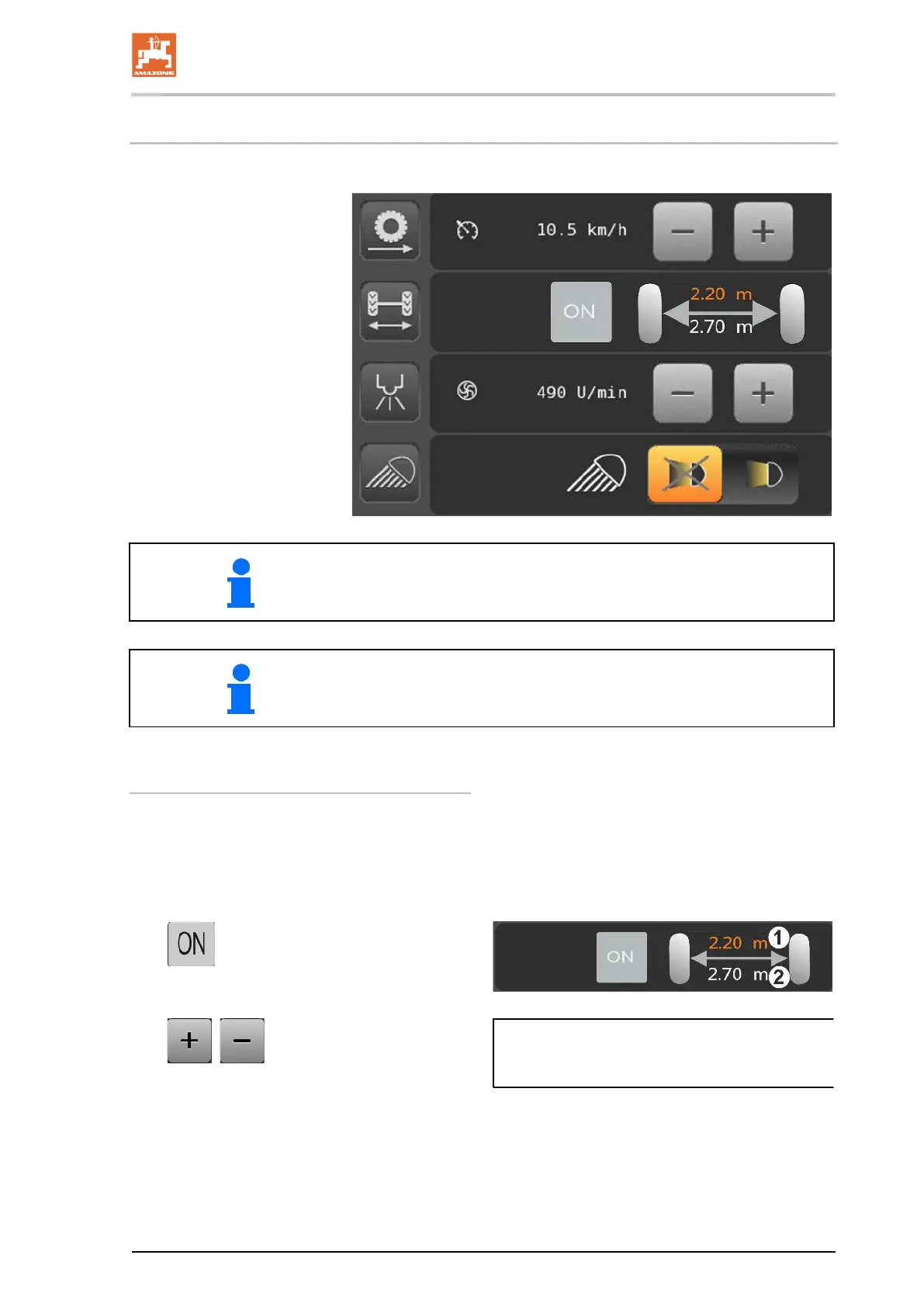
7.4 Main menu
Drive sub-menu with display
and cruise control adjuster
Running gear sub-menu with
display and setting of the track
width.
Sprayer sub-menu with display
and setting of the pump speed.
Lighting sub-menu with opera-
tion of the work lights.
Back to the main menu: activate submenu function field
Quick access in the main menu allows the spontaneous switching of
several functions without having to call up the respective sub-menu.
Adjusting the track width in the main menu
(1) Target track width
(2) Actual track width
While driving on the field:
1. Switch on the track width adjustm
2. , Enter the setpoint track
width.
→ The track width will be adjusted while driv-
ing.



 To Next Page