v.early.1.03 – published on December 20, 2021
39
RETURNING HOME
To bring ANAFI Ai back to its take-off position, press the button on your Parrot
Skycontroller 4, or tap the icon on the screen of your device.
ANAFI Ai rises to 30 meters over its take-off point – or to the altitude you have set,
through FreeFlight 7, between 20 and 100 meters – and flies back over its take-off
position – by default.
Refer to the “ADVANCED SETTINGS – Safety” section of this guide for instructions
on RTH height configuration.
In the Follow Me mode, when the button or icon is activated, ANAFI Ai flies back
to the position of the pilot.
Precise Home Setting
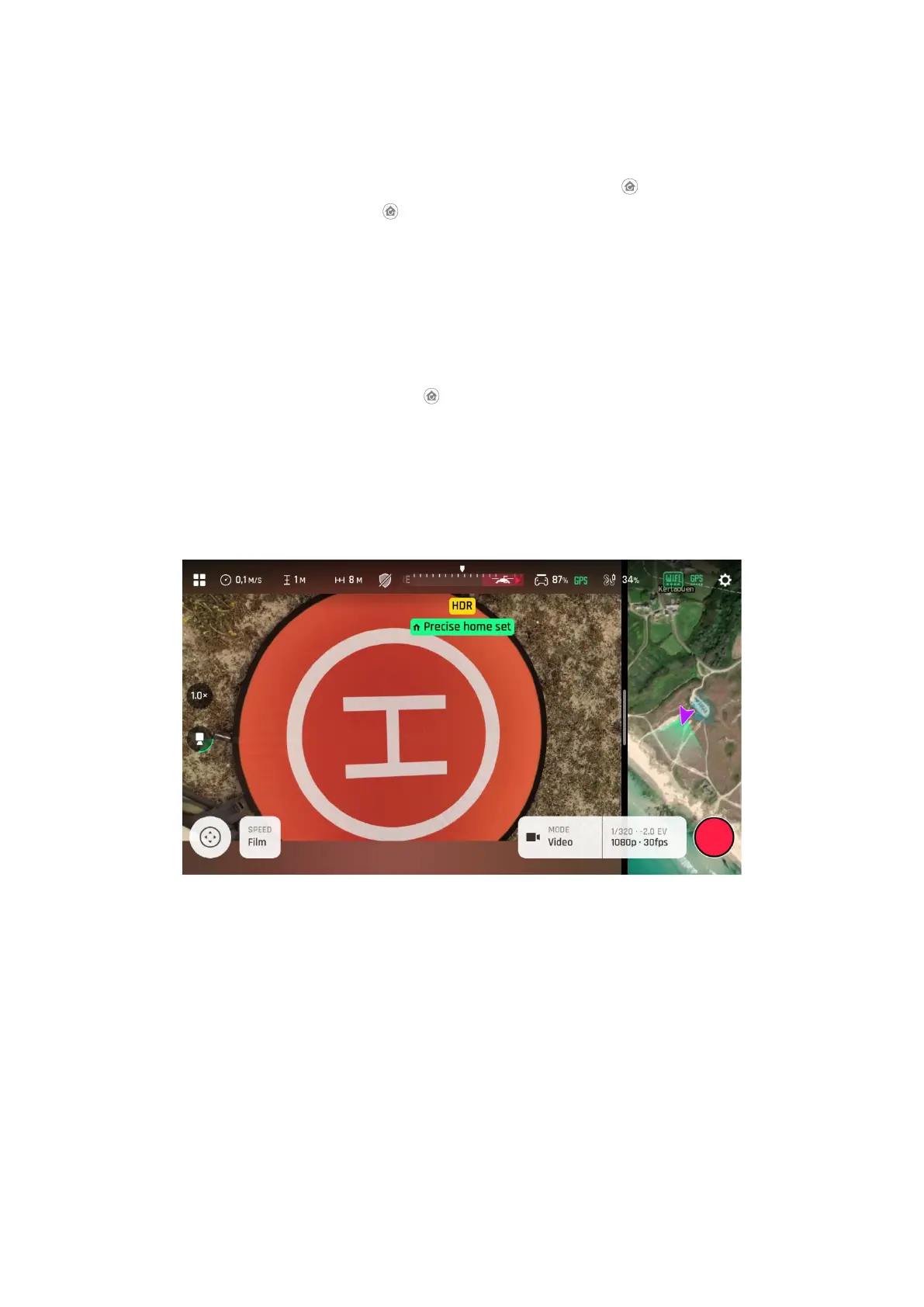
When flight conditions are optimal at take-off, ANAFI Ai can set a “precise home” for itself,
through its vertical camera. In that case, a pop-up on the screen of FreeFlight 7 confirms a
precise home has been set, and the home icon of the map turns green.
Precise Home Set” pop-up
SMART RTH
ANAFI Ai features a Smart RTH capability: considering its altitude and its distance from
its take-off point, the drone computes in real time the power it needs to return home – or to
the pilot, or to a custom location (refer to the “PREFERENCES / Safety / Advanced RTH
settings” of this guide for additional details on this feature). When short on battery power,
FreeFlight 7 alerts you that it will enter Smart RTH mode.
If you feel confident you can bring ANAFI Ai back to its take-off point or if you wish to land
it at a different location, you can cancel the Smart RTH directly from the alert pop-up.



 To Next Page