v.early.1.03 – published on December 20, 2021
49
Piloting modes: Manual flight
Cameraman
Photogrammetry
Vehicle
Flight Plan
Touch & Fly: Waypoint & POI
Imaging modes: Video
Single photography
Time lapse
GPS lapse
Panorama
Burst
Bracketing
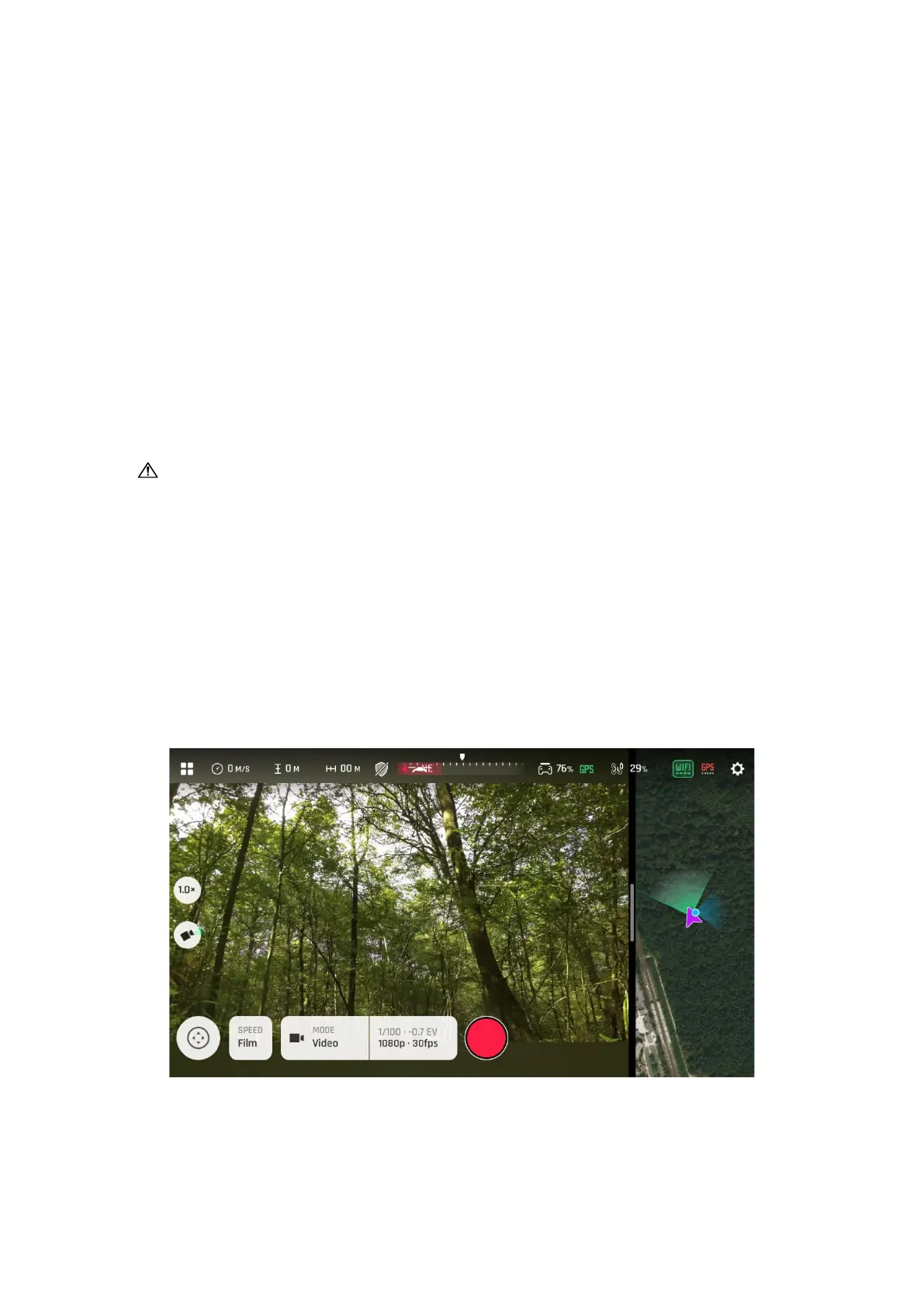
Note that both GPS icons are green, on the presentation screenshot. This
means that the device and ANAFI Ai are both synchronized to enough GPS,
Glonass and Galileo satellites to optimize the stability of the drone, especially
at higher altitudes.
Parrot therefore recommends you always check both your FreeFlight 7 HUD’s
GPS icons are green (and not red), before you make your ANAFI Ai take off.
HUD Slider Management
The slider which separates the video feed from the map (or 3D view) enables you to
configure your screen to your liking or to the specifics of your mission.
Slider: default view
Touch and slide the slider to the left to increase and adjust the size of the map (or
3D view).



 To Next Page