ANAFI Ai
74
HDR
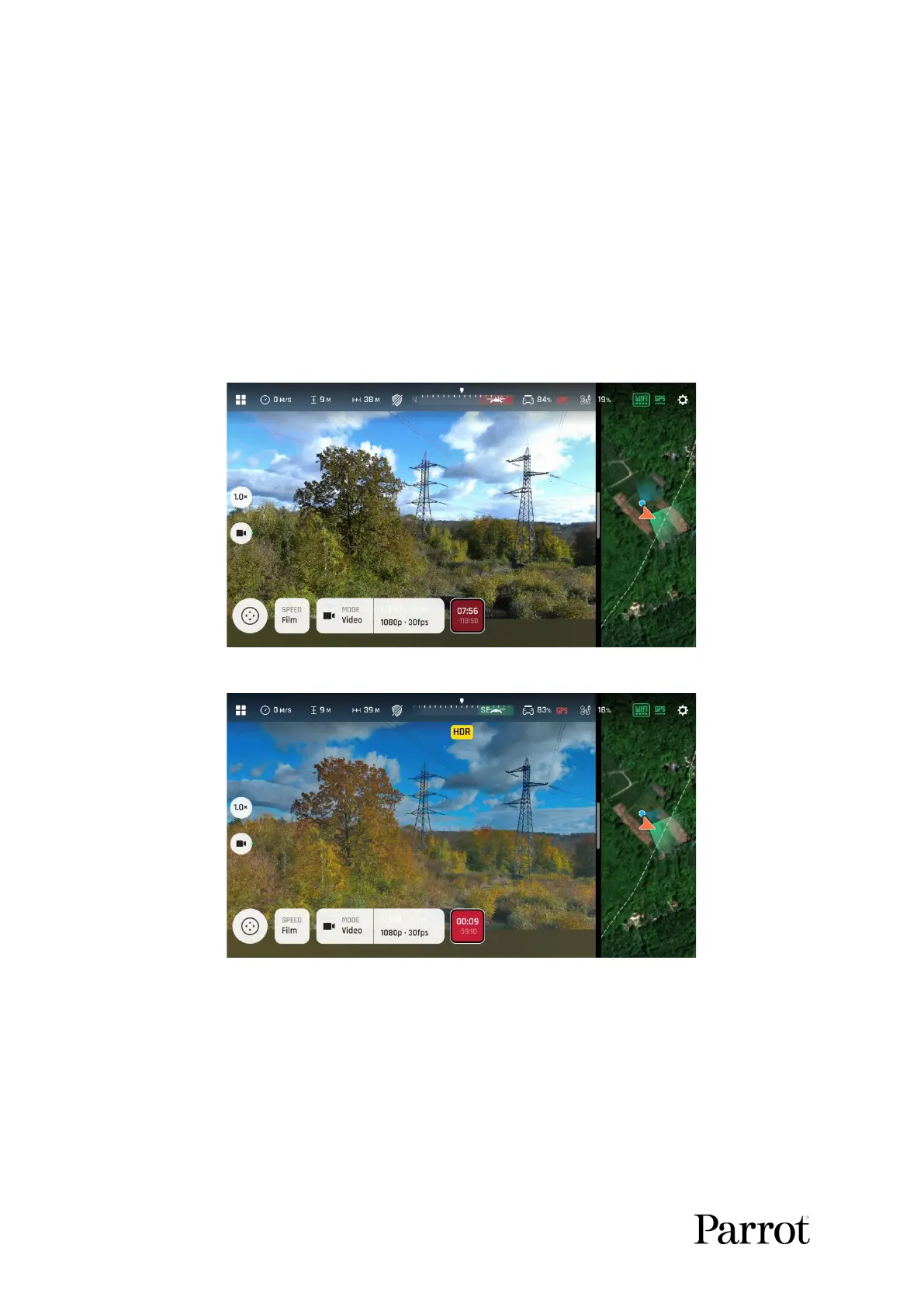
HDR (high dynamic range) is another great way to enhance a video or a photo. The HDR
option is available for videos (no lossless zoom and limited to 30 fps max in 4K,
lossless zoom limited to 2x and limited to 30 fps max in 1080 p) and 12MP photos.
To activate the HDR option, tap the “Imaging” box from the lower bar of the
HUD, then tap the “HDR box”.
Select “HDR On”: a HDR notice appears in black inside a yellow box, at the
center of the top of the HUD. Press the hard shutter button on your Parrot
Skycontroller 4 (or the soft shutter button of the HUD) to start filming in HDR or to
take an HDR photo.
HDR Off
HDR On
Follow the same procedure and select “HDR Off” to revert.
• Note that you cannot modify “EV”, “s” or “ISO” values when the HDR mode is
activated. However, you always keep control over your white balance (“WB”).
• Note that activating (or deactivating) HDR halts any ongoing video recording,
and starts a new recording with the new setting, after 5 seconds.
• ANAFI Ai features 2 HDR options: HDR-8 and HDR-10. HDR-10 is only available
through H265 video encoding – refer to the “ADVANCED SETTINGS/Recording”



 To Next Page