ANAFI Ai
92
Resetting the Skycontroller 4
Resetting the Skycontroller 4 reverts the controller back to its latest firmware update: it
cleans all logs and credentials, and restores the original ecosystem’s Wi-Fi SSID and
password.
To reset the Skycontroller 4, make sure no drone is connected to the controller,
or the drone will initiate a take-off sequence.
Press and hold the controller’s Take-off/Landing, Optics rest and Media recording
buttons for 15 seconds, then release the 3 buttons – note that the LED starts flashing
after 10 seconds, but hold the buttons for 5 seconds more.
The Skycontroller 4 reboots. The reset is successful.
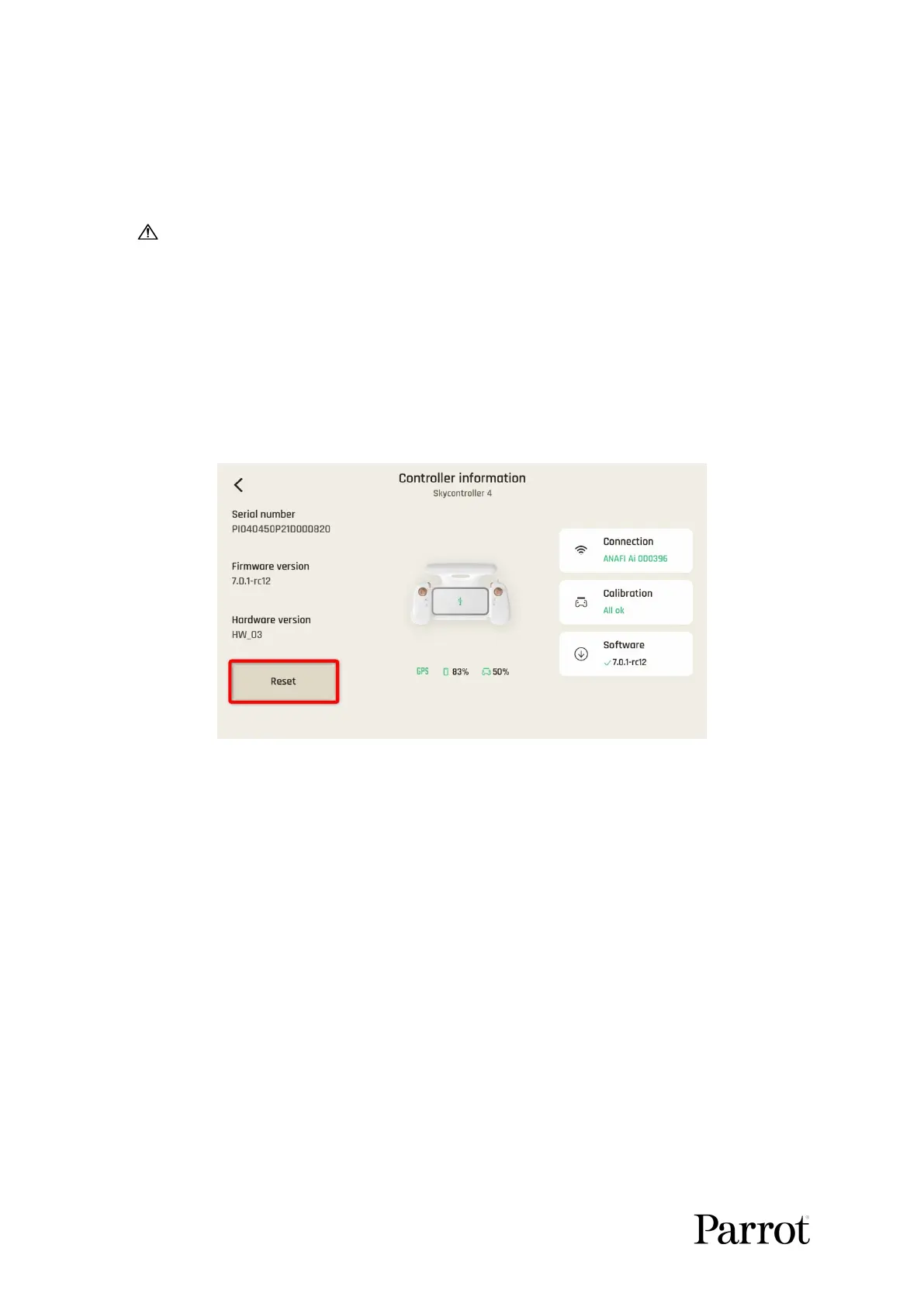
The same procedure can be carried out safely, even with a drone connected,
through the “Reset” button of the Skycontroller 4 page, in FreeFlight 7.
FreeFlight
7:
Position of the reset button on the
Skycontroller 4
page
Resetting the smart battery (reminder)
If the behavior of your battery is not consistent with the elements contained in the “SMART
LIPO BATTERY” section of this guide, and if you cannot get it to power your ANAFI Ai,
you must reset your battery: plug it to a power source with one of the enclosed cables, then
keep the battery’s power button pressed for 15 seconds (regardless of the behavior of the
LEDs), and release the button.
The battery’s LEDs flash quickly, one after the other, alternating green and red: the reset is
successful.
If you have feedback or comments about the v.early.1.03 of this guide, please reach out to:
technical.writer@parrot.com



 To Previous Page