ANAFI Ai
78
Touch & Fly: Waypoint
The Waypoint (WP) “Touch & Fly” mode enables you to fly ANAFI Ai to any point
on the map. Tap “Touch & Fly” from the “PILOTING MODE” box menu. The map of
your surroundings opens full screen. The live image captured by ANAFI Ai is
minimized in the top right corner of your screen.
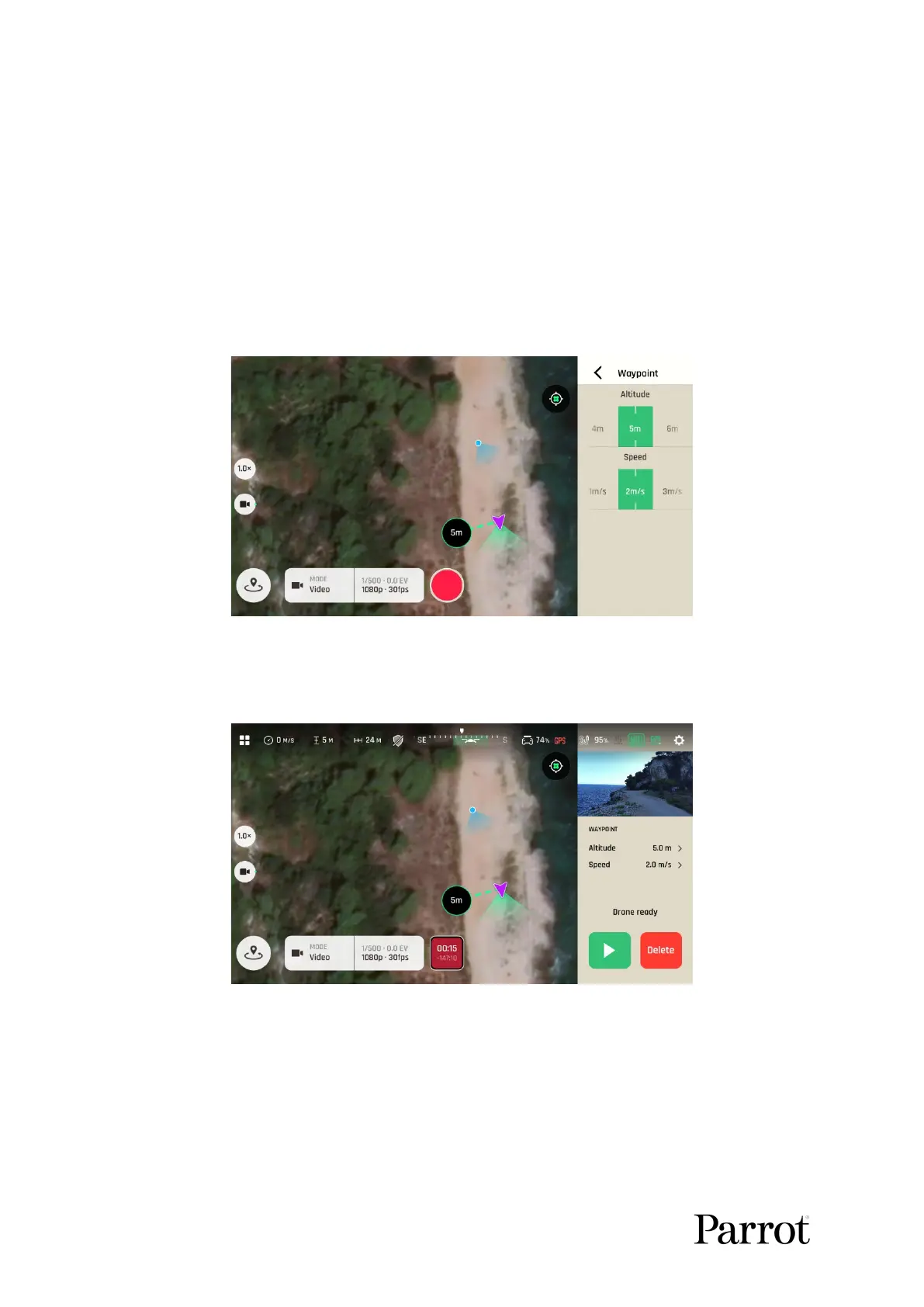
Single tap a point on the map to select a destination for ANAFI Ai: this point is
marked as a black circle with a green border. Use the sliders on the right of the
screen to set the drone’s altitude and speed. Tap “<” from the top right of the
interface to exit the WP settings options.
Touch & Fly WP configuration
Tap the green “Play button” on the bottom right of the interface to send
ANAFI Ai toward its defined Waypoint (position and height) at the defined speed.
Touch & Fly WP: Drone ready



 To Next Page