ANAFI Ai
76
PILOTING MODES
Tap the “PILOTING MODE” icon in the left bottom corner of the HUD of FreeFlight 7 to
access the piloting modes options.
Tap a mode to select it. Each mode is associated with a specific behavior., which this
section and the following describe.
Manual flight
The Manual flight mode is ANAFI Ai’s default mode. It enables you to pilot the drone and
fully control its camera tilt and zoom.
When you release the commands in Manual flight mode, ANAFI Ai stays in position,
hovering.
Cameraman
The Cameraman mode enables you to keep an object or a subject in the center of your
frame, while you pilot ANAFI Ai around it/him/her.
Frame the object or subject you want to film and fly around.
Tap the “PILOTING MODE” icon in the left bottom corner of the HUD of
FreeFlight 7 to access the piloting modes options. Tap “Cameraman” to select this
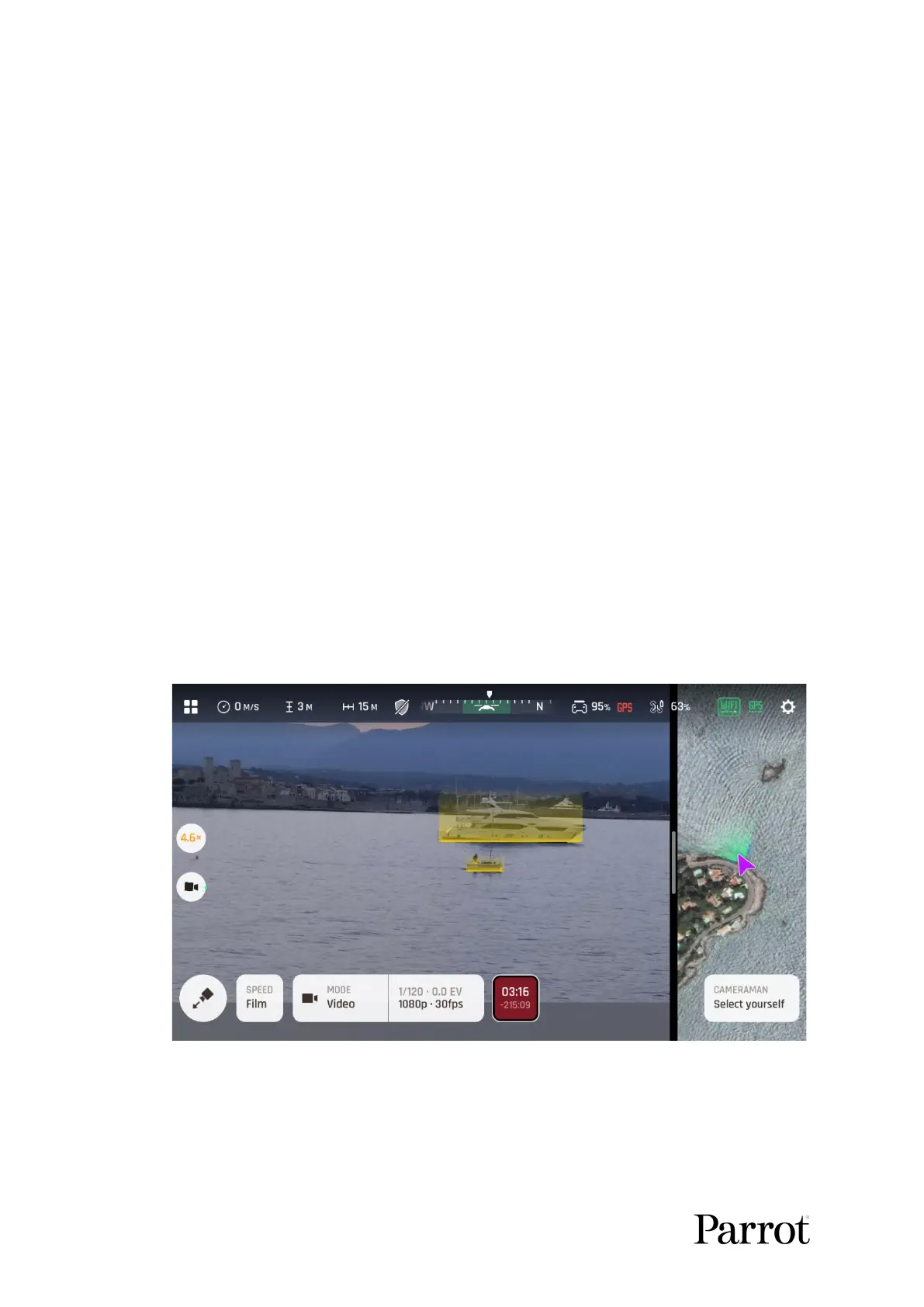
piloting mode. Potential targets (people, vehicles) are highlighted in yellow as in the
screenshot below.
Cameraman: potential target selection
Tap a potential target to select it, or draw a rectangle with your finger on the screen
of your device, around the object subject you want ANAFI Ai to follow. When your
target is locked, it appears highlighted in green, as in the next screenshot.



 To Next Page