ANAFI Ai
54
Tap “RESET GEOCAGE PREFERENCES” on the bottom of the page to reset to default.
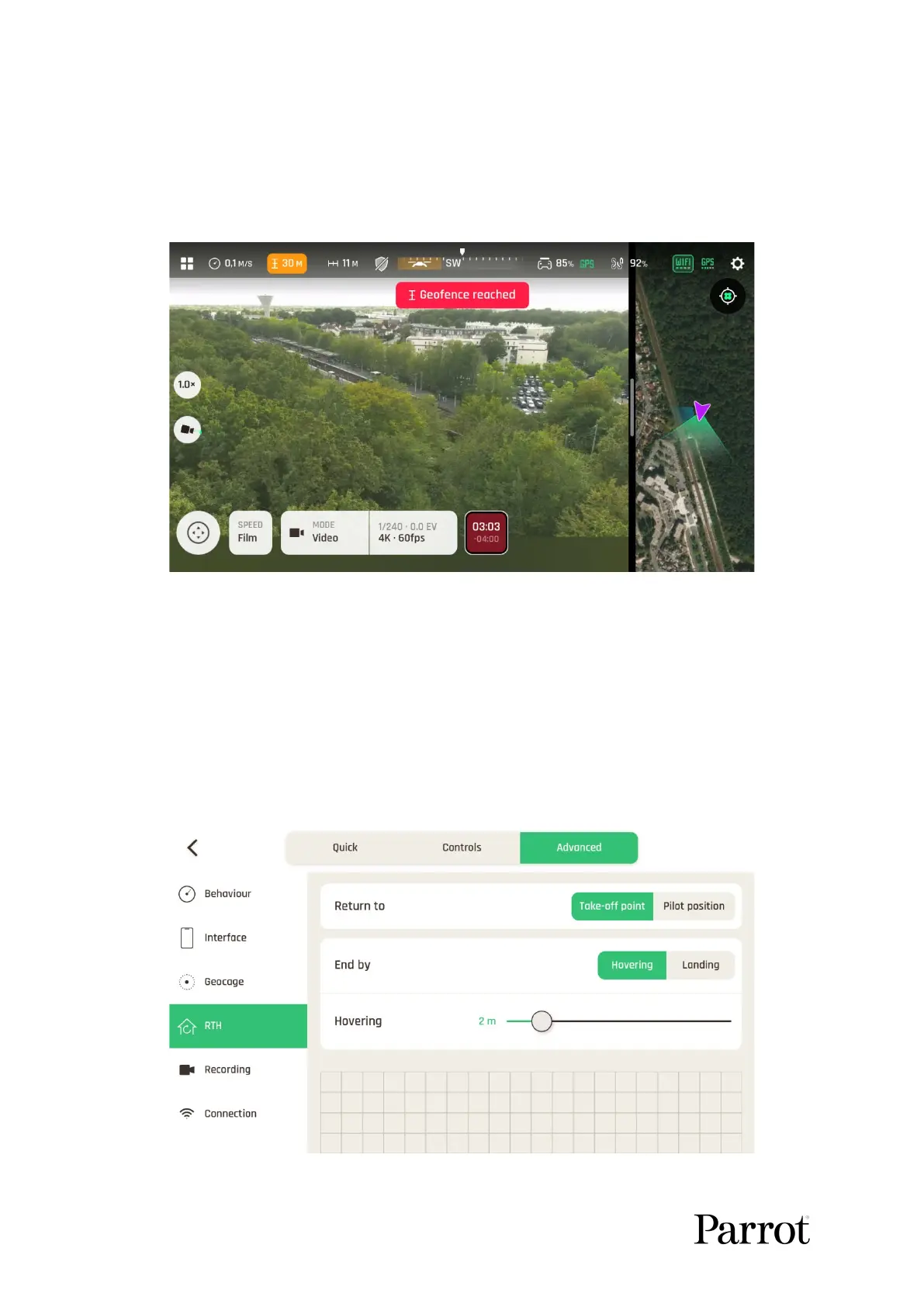
When the Geocage is activated, FreeFlight 7 displays an alert when the drone approaches
the set limit, and it stops when it reaches them, as in the screenshot below.
The Geofence of the Geocage is reached
RTH
Through RTH settings, you define the behavior of your drone when the RTH feature is
activated..
The following screenshot displays the default values of the menu. The Hovering slider is set
at 2 m and it is configurable between 1 m and 10 m. The RTH minimum height is set at 30 m
and it is configurable between 20 m and 100 m.
RTH settings



 To Next Page