v.early.1.03 – published on December 20, 2021
55
Tap “RESET RTH PREFERENCES” on the bottom of the page to reset to default.
Recording
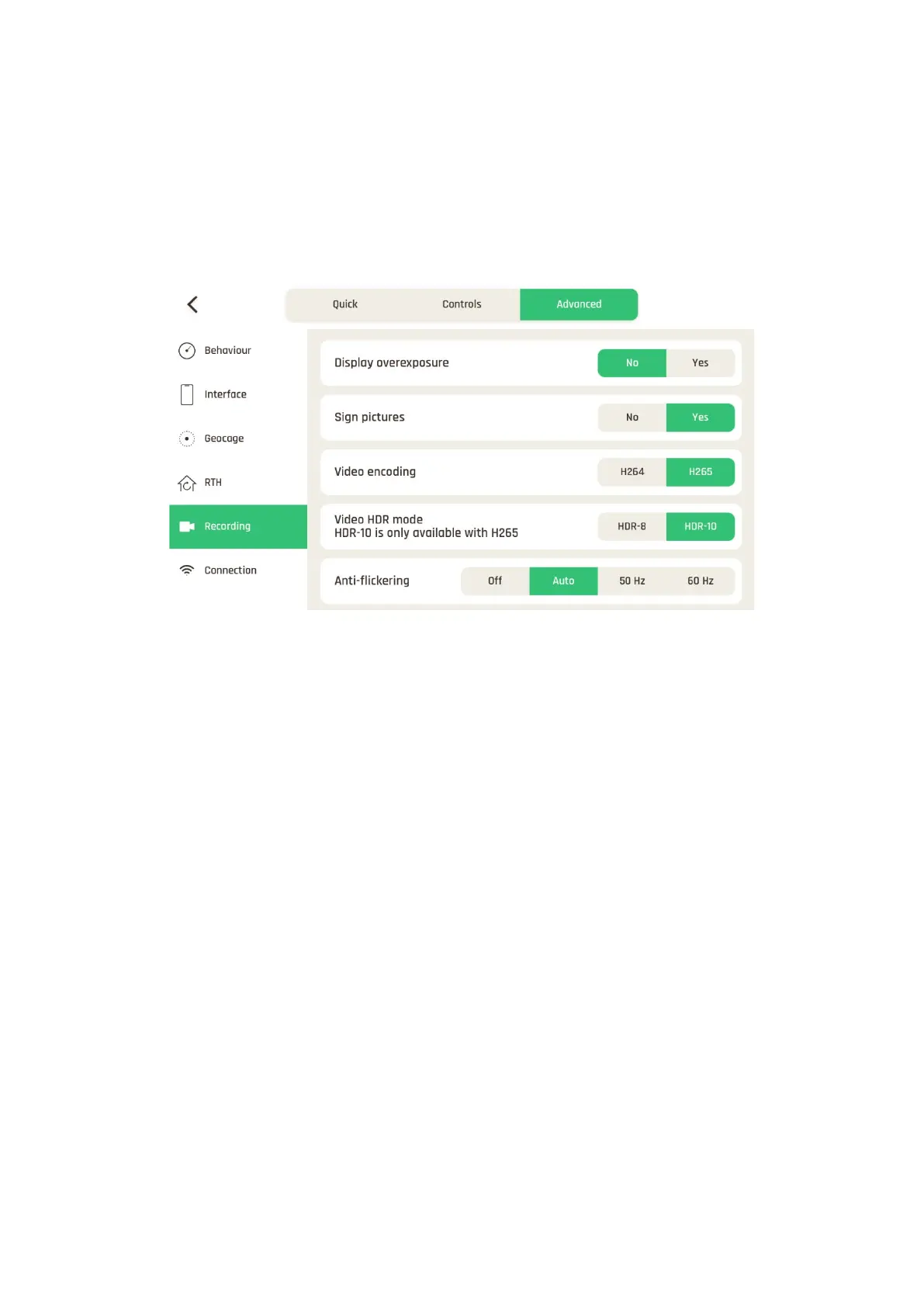
Recording settings enable you to select camera options, both in photo and video modes.
The default values are displayed in the following screenshot.
Recording settings
About Overexposure display: when this setting is activated, the HUD of FreeFlight 7
shows all overexposed areas of the screen as hatched, which enables you to fine-tune your
framing, your EV settings, or both.
About Picture signatures: this feature allows authentication and proof of integrity of files
produced by ANAFI Ai (to serve as evidence, for example), but it can increase the
achievable time interval between photos in Timelapse and GPS-lapse modes.
About Anti-flickering: this setting and the associated technology aim at eliminating the
flicker effect which can arise due to some artificial lights. The “AUTO” option should work
for most users, but depending on your country, you can try other settings if you feel
bothered by a flicker effect on your device’s screen, your artificial light videos, or both.
Tap “REINITIATE CAMERA SETTINGS” on the bottom of the page to reset to default.



 To Next Page