v.early.1.03 – published on December 20, 2021
59
Tap the video settings box again to close the sub-boxes and confirm your
choices.
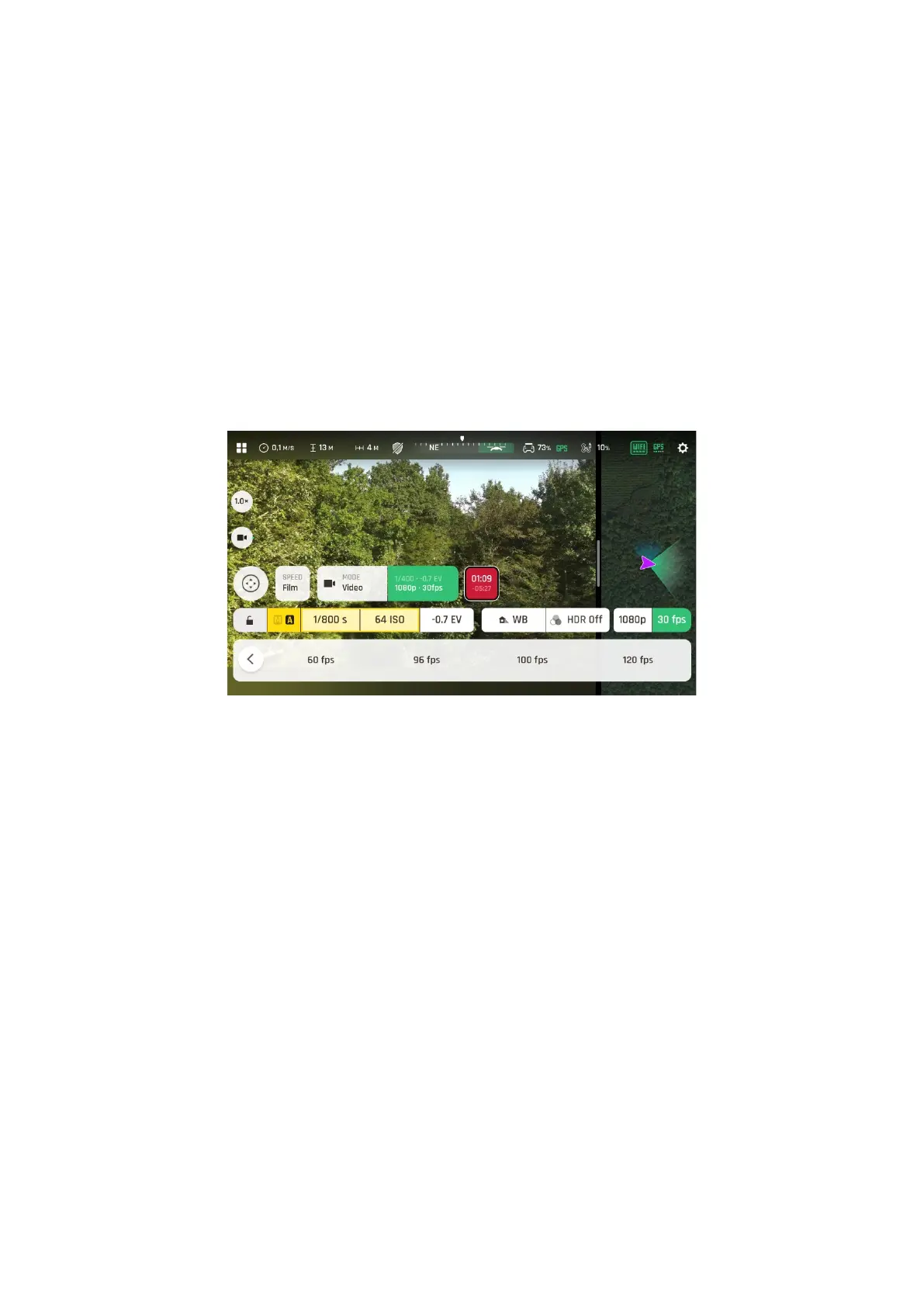
Available fps values depend on the resolution you have selected, and on whether you
have activated the HDR option:
4K: 24, 25, 30, 48, 50 or 60 fps
4K HDR: 24, 25 or 30 fps
P-Log 4K: 24, 25, 30, 48, 50 or 60 fps
1080 p: 24, 25, 30, 48, 50, 60, 96, 100 or 120 fps
1080 p HDR 24, 25 or 30 fps
P-Log 1080 p: 24, 25, 30, 48, 50, 60, 96, 100 or 120 fps
Video fps menu
When you are happy with your settings and your framing, press the hard shutter button on
the right of Parrot Skycontroller 4 (or tap the soft shutter button of the HUD) to start
filming.
The round soft shutter button of the HUD turns into a square and displays a double timer:
time since the video started (main timer, top) and remaining filming time (small timer,
bottom).
Press the hard shutter button of the controller (or tap the soft shutter button of the HUD)
again to end the recording. The soft shutter button of the HUD comes back to steady, red
and round. The timer disappears.



 To Next Page