• Do not expose the instrument to strong light sources (e.g. direct sun-
light)
4.2.1 Plugging analyzer in
Only use the power supply adapter included with the unit. Connect the
analyzer to grounded power outlets only.
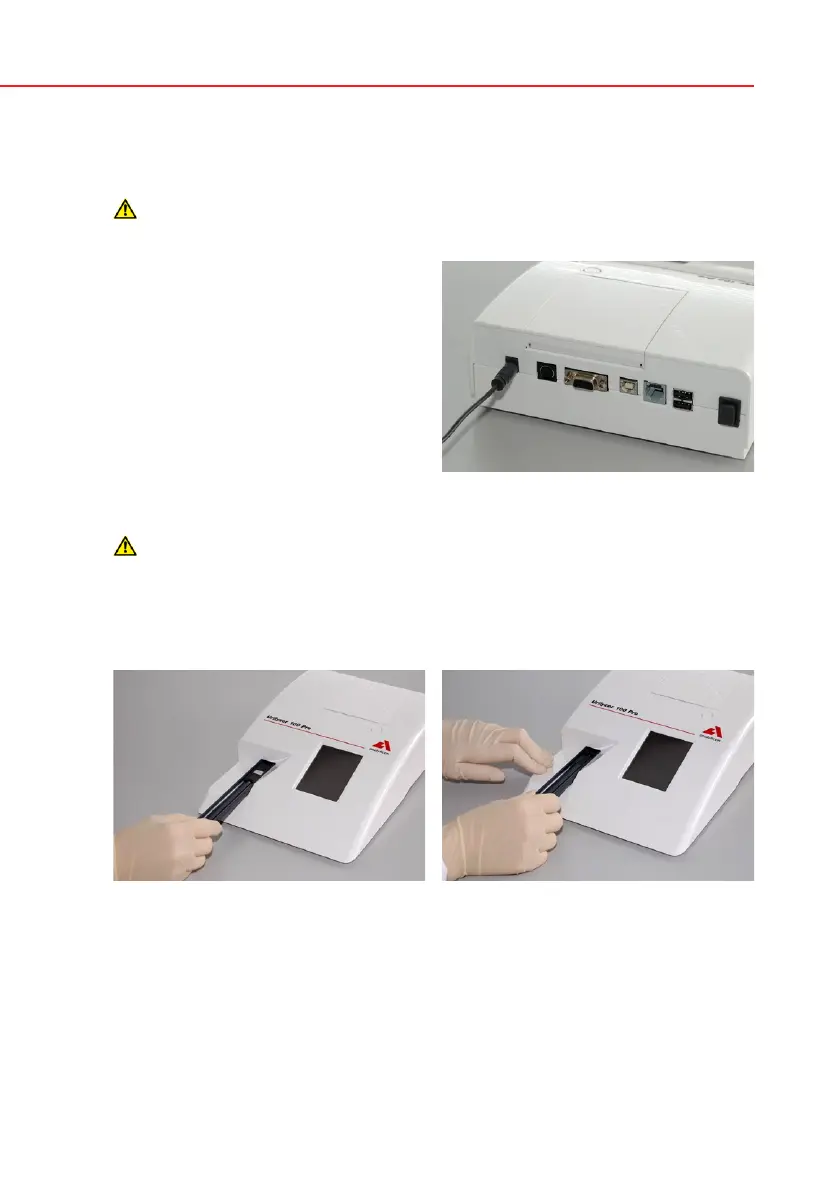
1. Plug the cable of the power supply
into the power inlet socket located
on the rear of the Urilyzer 100 ana-
lyzer.
2. Plug the appropriate end of the pow-
er cord into the power supply.
3. Plug the other end of the power cord
into a readily accessible AC electri-
cal wall outlet.
4.2.2 Inserting test strip tray
Do not touch the reference pad.
Insert the test strip tray into the analyzer by holding it by the end with the open-
ing (opposite the reference pad) and with the channel facing up. Push the test
strip tray into the analyzer, pushing it in until the reference pad disappears into
the housing.
Analyzer plugged in
Loading test strip tray


 To Next Page