Do not use damaged strip.
Do not push or pull the test strip tray.
Urilyzer 100 will perform a sequence of checks: reference pad, strip detections
(position of, slipped strip, dry strip, etc.) each time a test is run. See
7.2.3
Strip checking events for more information
A warning message displays if you are not using CombiScreen Plus
urine strips, or the strip is not positioned correctly or the strip is
( partially) dry. See
7.2.3 Strip checking events for more information
The strip position is
checked before measure-
ment.
A timer will count down
the time remaining for an-
alyzing the strip.
The analysis of the
strip pads will begin.
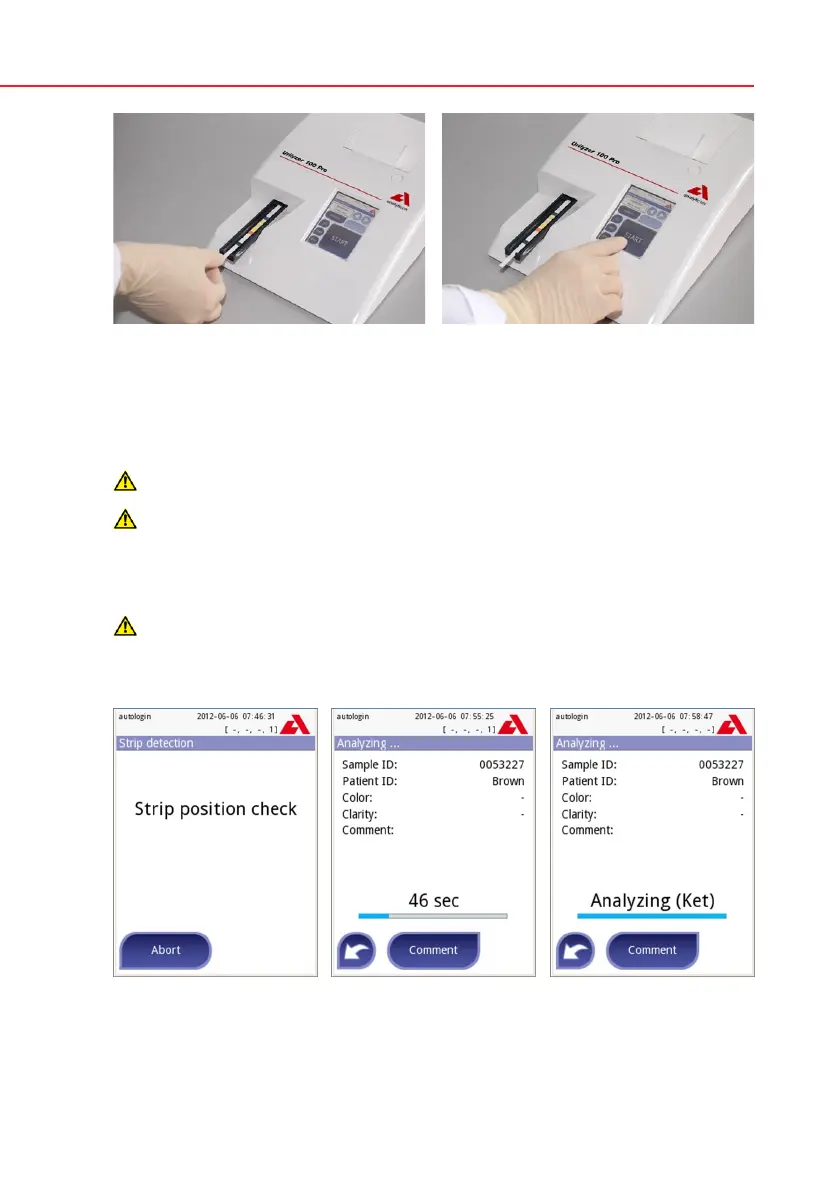
Place the reagent strip in the chan-
nel of the table with the test pads fac-
ing up. Slide the strip to end of the
channel.
The instrument will automatically de-
tect an applied strip. The measurement
cycle will be started.
If “Autostart” feature is deactivated,
the measurement must be started us-
ing the Start button.


 To Next Page