2-24 IQ Waveform Capture (Option 24) Spectrum Analyzer
2-38 PN: 10580-00349 Rev. H Spectrum Analyzer MG
8. Press the Frequency/Amplitude submenu key to set up the frequency parameters of the
waveform to be captured. The Freq/Amp menu opens. Set the frequency, span,
reference level and scale for the y-axis, and attenuation settings for the waveform
capture.
Capturing a Waveform
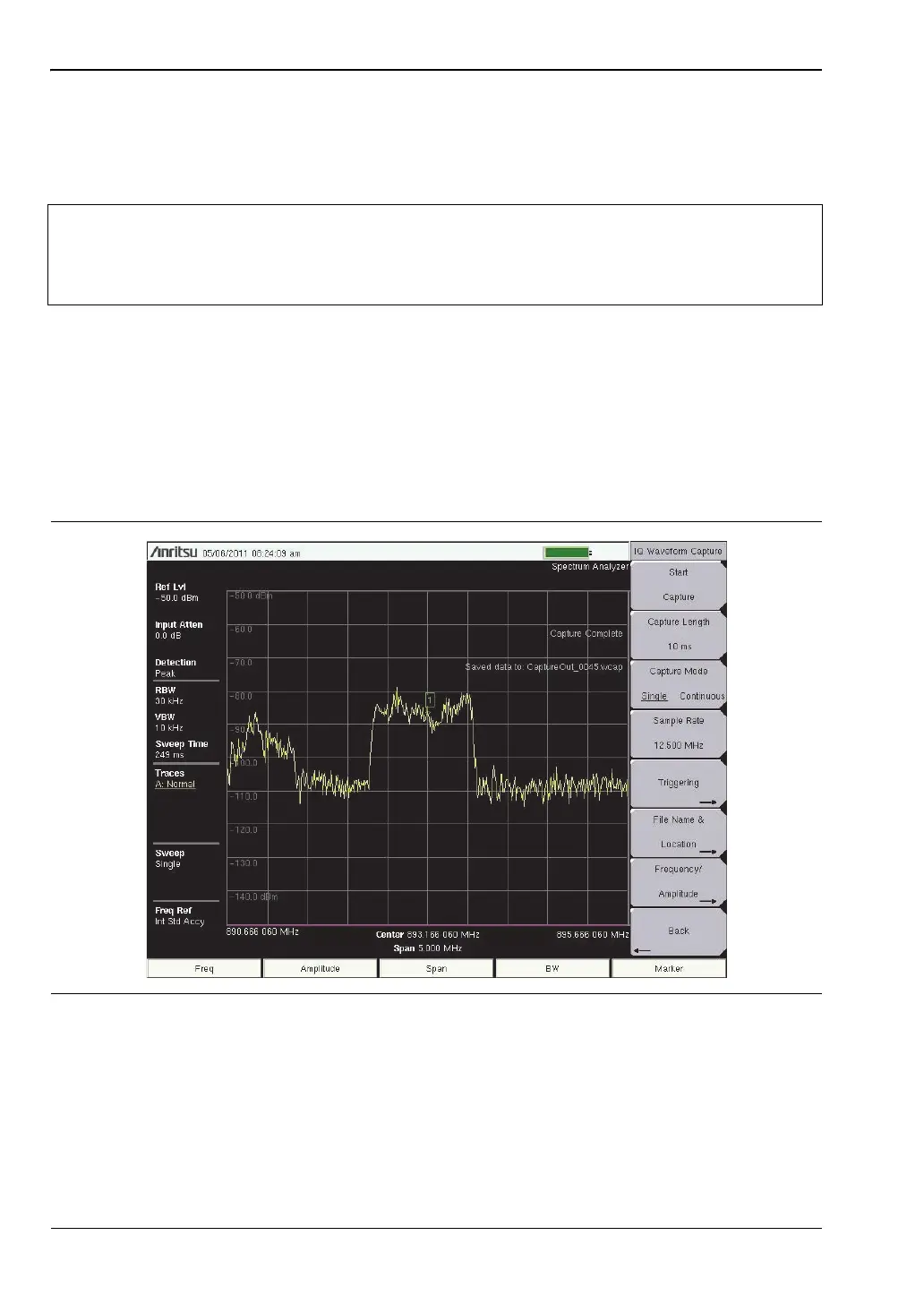
Press the Start Capture submenu key. If Capture Mode was set to Single, a single waveform
capture will be taken. If Continuous is selected, waveform capturing ends when the
Stop Capture (initial state Start Capture) button is pressed. When Stop Capture is pressed,
the current capture cycle will be completed and then IQ capture will end. The captured
waveform is named and stored in the file location set by File Name (Prefix) and
Capture Location.
Note
When setting the Span, set it slightly larger than the captured bandwidth. This
allows you to see what you are capturing within the display. A good value to start
with is 125% of the captured bandwidth. Setting the Span this way does not affect
the bandwidth of the captured signal.
Figure 2-23. IQ Waveform Capture
ООО "Техэнком" Контрольно-измерительные приборы и оборудование www.tehencom.com

 To Next Page
 Loading...











