3-4 Transmission Measurements Chapter 3 — T-Series Tracking Generator
3-4 PN: 10580-00339 Rev. C Tracking Generator MG
3-4 Transmission Measurements
Each Tracking Generator option includes normalized transmission measurements.
1. Set the frequency and amplitude parameter required for the DUT.
2. Press the Shift key, then the Measure (4) key. Press the Generator key. Set the
Generator Mode to Tracking and turn Generator Output On.
3. Connect a through cable between the RF OUT and RF In connectors. From the Generator
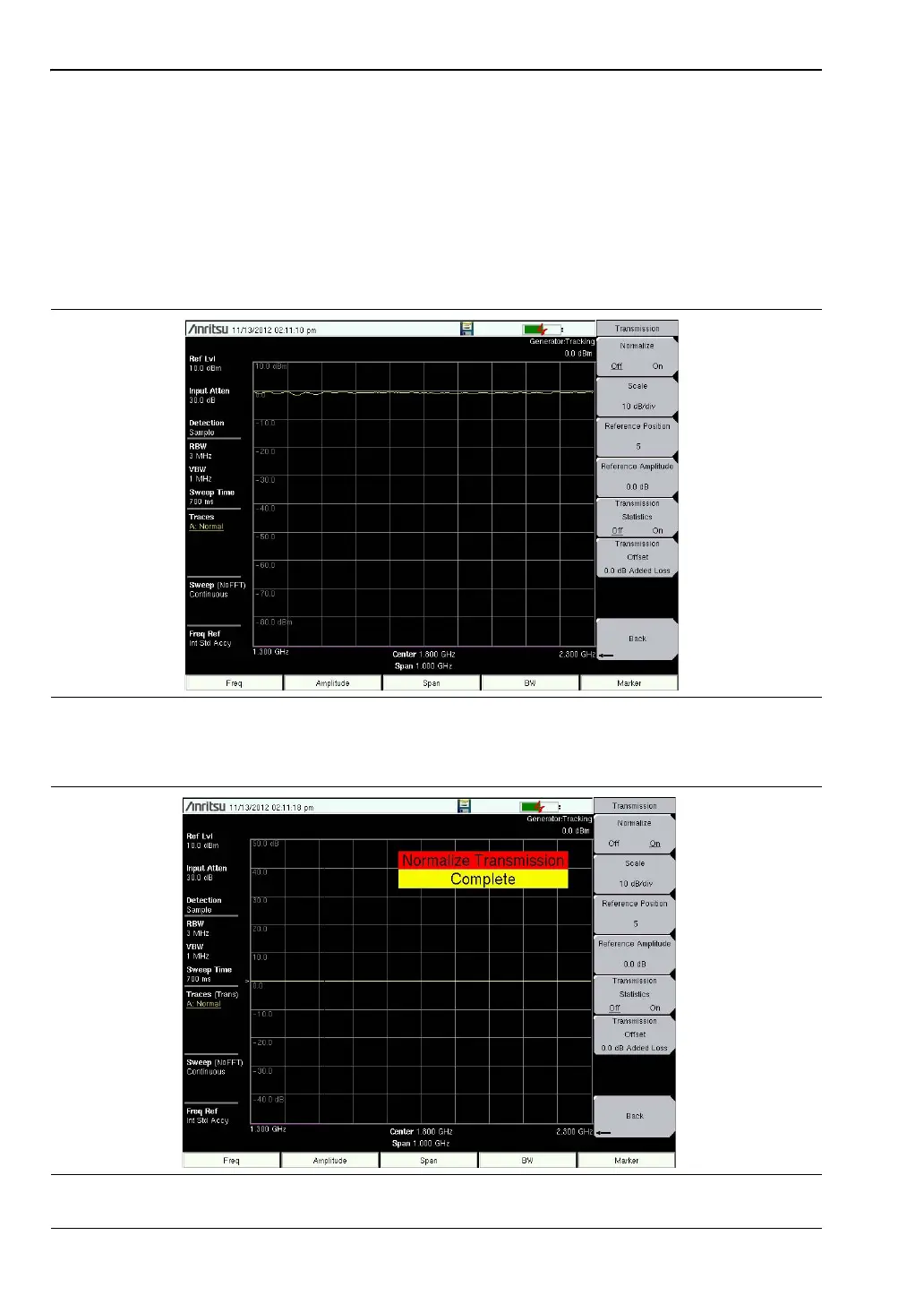
submenu, press the Transmission Measurement submenu key (Figure 3-3).
4. Toggle Normalize On (Figure 3-4). A message will flash when the process is complete.
Figure 3-3. Normalize Off (Trace at ~0 dBm)
Figure 3-4. Normalize On (Trace at 0 dB)
ООО "Техэнком" Контрольно-измерительные приборы и оборудование www.tehencom.com














 To Next Page