8
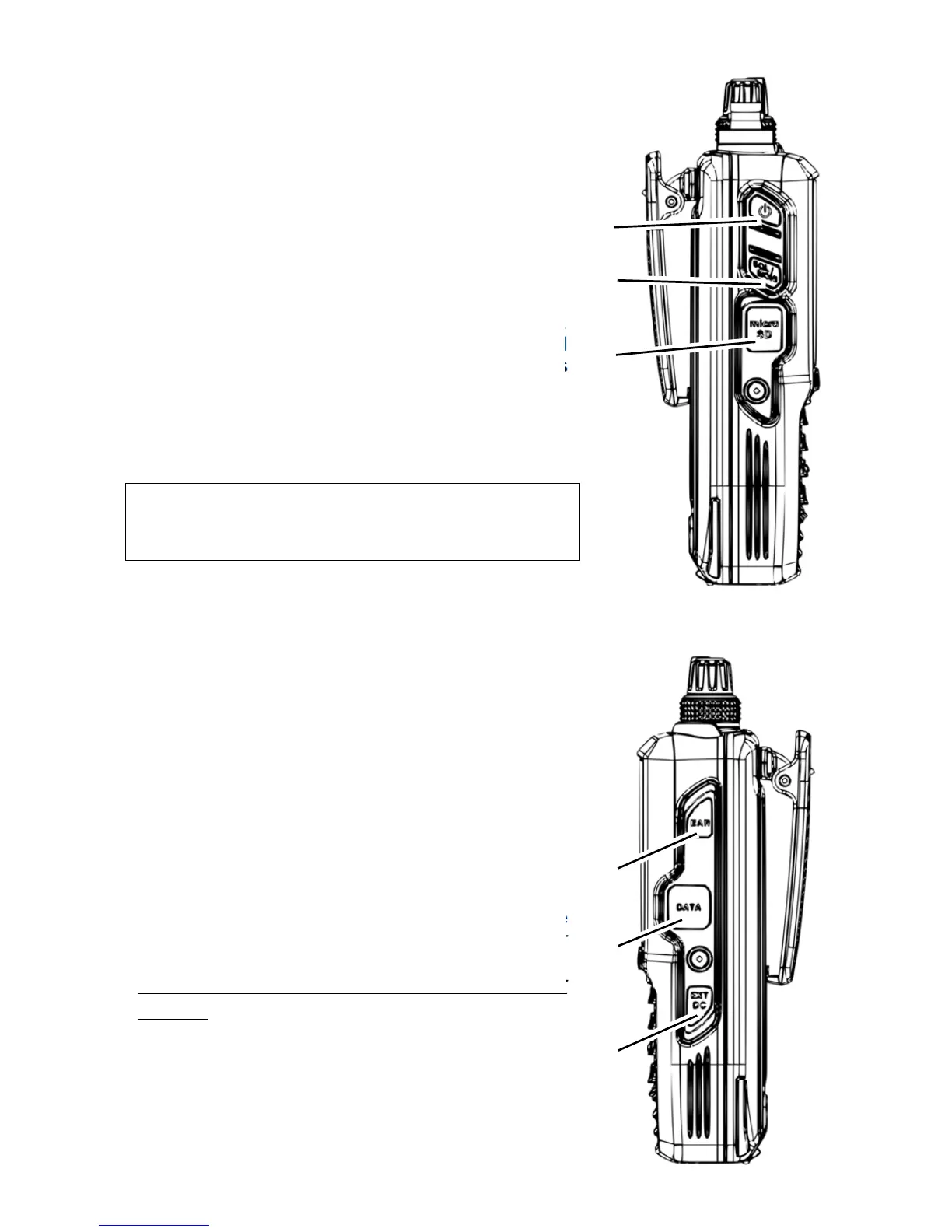
2.3. LEFT SIDE
(14) POWER switch
Press briefly to switch on. Press and hold for 3
seconds to turn the receiver off.
(15) SQL/MONI (squelch/monitor) switch
Press to select the squelch value to be adjusted with
the DIAL. Press again to validate.
Press and hold to open the squelch manually,
allowing to listen for weak signals. That is the
MONITOR function.
(16) microSD card slot
Lift the rubber cover to install the supplied SD card.
Used for audio recording & playback, backup and
restauration of memory/bank/system/CSV data, as
well as firmware updates.
All rubber covers must be closed and
the battery pack installed for
the receiver to be waterproof (IPX5).
2.4. RIGHT SIDE
(17) EARPHONES jack
(3 pin 3.5mm, mono output)
Lift the rubber cover to connect earphones. A setting
allows the earphones cable to act as an antenna for
FM (64-107.99999MHz, IF bandwidth 100kHz only).
(18) DATA jack
(USB mini- B socket)
Lift the rubber cover to connect a USB cable for
command control. (No AOR software supplied.)
(19) EXT DC jack
To power from an external source, connect either the
supplied AC power adapter or the cigarette lighter
DC/DC converter.
For safety reasons, only use the supplied power
sources.
(14)
(15)
(16)
(17)
(18)
(19)



 To Next Page