38
PROTECT: Rotate the dial selector knob to toggle the protect ON or OFF, and press [ENT].
If set to ON, this search bank cannot be erased.
(on page 2/2)
SQL N/L: Rotate the dial selector knob to chose between LEVEL, NOISE or AUTO
squelch.
SQL TYPE: Rotate the dial selector knob to chose between CTCSS, DCS, reverse tone and
OFF.
CTCSS: Rotate the dial selector knob to set the CTCSS tone frequency manually, or in
automatic discovery mode (SRCH), or OFF.
DCS CODE: Rotate the dial selector knob to set the DCS tone code manually, or in
automatic discovery mode (SRCH), or OFF.
AGC: Rotate the dial selector knob to set automatic gain control to FAST, MID, SLOW
or RF-G.
OFFSET F.: Set the offset frequency function as described in chapter 10.8 “OFFSET
RECEPTION”.
V.SCR: Set the voice descrambler function as described in chapter 10.6 “ANALOG
VOICE DESCRAMBLER”
Finally save all your settings: Use the [▶] button to go to the last line [MEM CH PARAM SET]
and press [ENT].
9.2. RUN A SEARCH
The search mode tunes the receiver through all frequencies between the two frequency
limits you have set previously, looking for active frequencies.
It is crucial to correctly set the SQUELCH level for the search function to operate. In order to
do that, tune to a none-active frequency and increase the squelch level to the point where
the sound will mute. We want the squelch to only open when the signal becomes active.
To scan a search bank:
11. Go to [MENU],use the [▶] button to select [SRCH] and
press [ENT].
12. Use the [▶] button to select [BANK] and press [ENT].
13. Enter the bank number you wish to search with the
keypad. Search will start immediately.
If search stops on a non-active frequency, it means that the squelch level needs
to be increased, as follows:
Press the SQL/MONI switch and turn the dial selector knob clockwise until
sound mutes and search resumes. Press SQL/MONI again to keep that squelch
value.
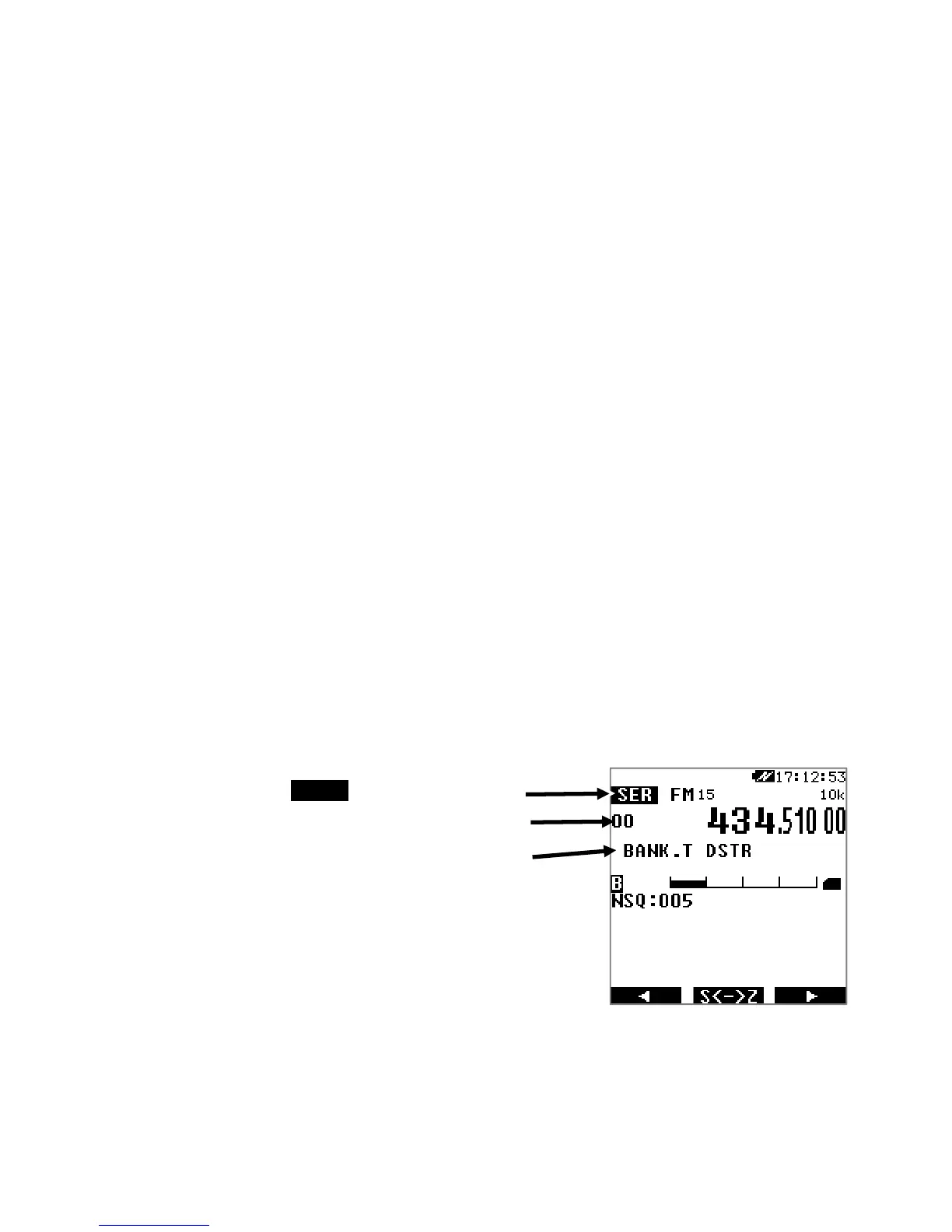
SER Search mode
Search bank numbe



 To Next Page