48
5. Press [ENT] again select the desired carrier frequency
(between 2000 and 7000Hz) with the dial selector.
6. Press [ENT] twice to save your settings.
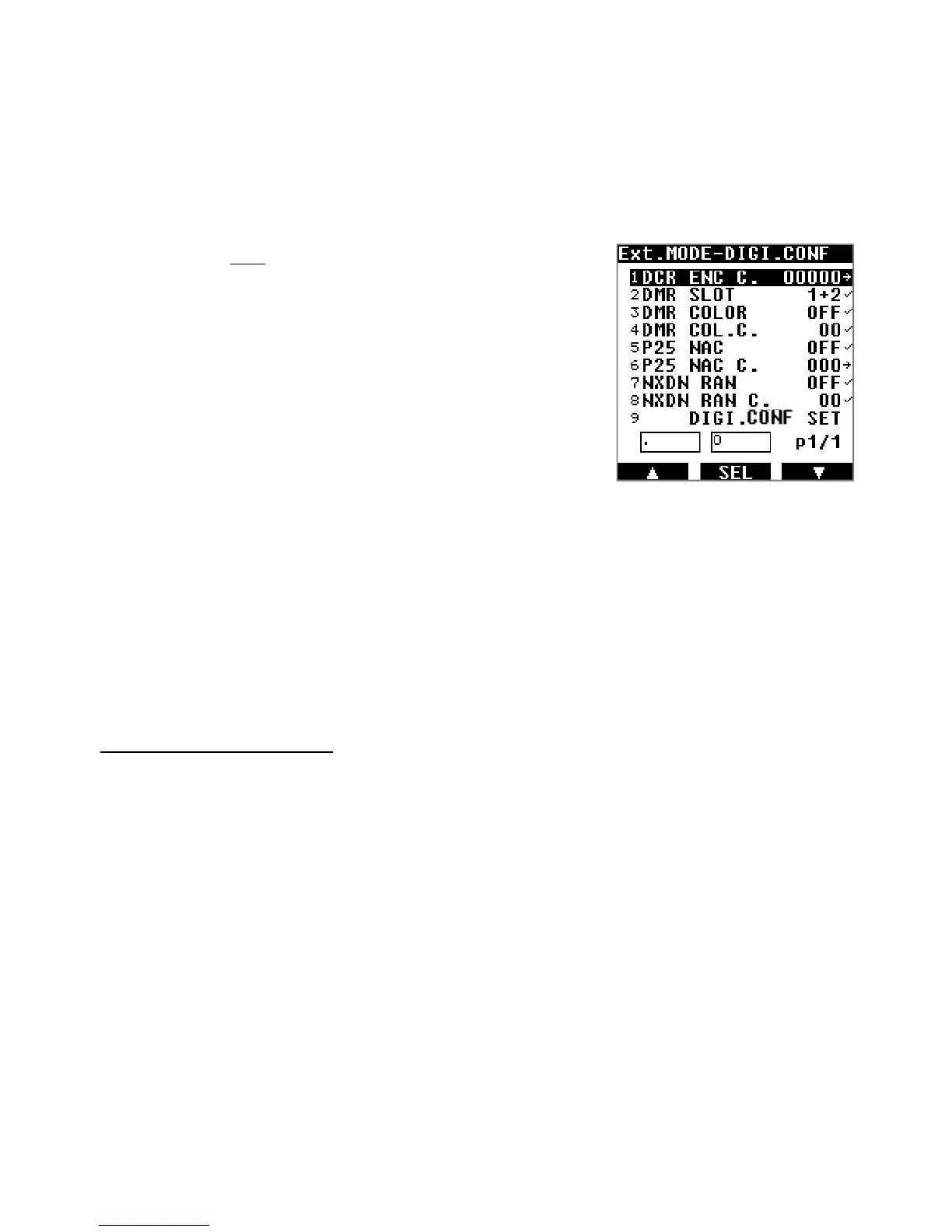
10.7. ADVANCED DIGITAL MODE SETTINGS
These are advanced settings for the digital modes.
1. Access by a long press on [MODE] then use [▶] to select
[DIG CONF].
2. Select the desired column with the arrows [◀] or [▶],
followed by [ENT].
3. Change values:
・ For the DCR ENC C. line, input the code directly
with the keypad and validate with [ENT].
・ For columns with the check mark [✓], change
settings with the DIAL selector knob and validate
with [ENT].
・ For the P25 NAC C. line, chose numbers with the
DIAL selector knob, go to the next digit with
[
▶
]
and
finally validate with [ENT].
4. Activate all previous settings by going to line DIGI.CONF
and press [ENT].
Details for individual modes:
・DCR ENC C. (15 bit digital scramble code setting, also for NXDN)
There are only 32767 possible combinations, between 00001 and 32767.
00000 is for no scramble code used.
Note: AR-DV10 also has an exclusive scramble code auto detect feature. While receiving a
scrambled signal, press the key-lock key and “D-CR ENC.CODE” with a blinking “?” will
appear on the bottom of the screen. It usually takes 2 or 3 seconds for the code to be found
and for the audio to be descrambled.
This feature only works with NXDN/D-CR’s 15 bit digital scramble signals. A “scrambled”
signal is not an “encrypted” signal. AR-DV10 cannot decode encrypted signals of any kind.
・DMR slot selection
Only the selected slots will be decoded.
1+2 Both slots but priority on SLOT1
2+1 Both slots but priority on SLOT2
1 SLOT1 only
2 SLOT2 only



 To Next Page