36
8. PRIORITY RECEPTION
The PRIORITY feature enables you to carry on scanning, searching or monitoring
while the AR-DV10 checks a selected frequency for activity (taken from one of the
2000 memory channels). The priority checking is accomplished by momentarily
tuning the receive circuit to the priority frequency to see if it is active. If activity is
found, the AR-DV10 will remain on the active frequency until the signal disappears.
If no activity is detected, the receiver returns to the VFO frequency, scan channel or
search bank from where it originated.
The priority facility has a large number of applications and is particularly useful for
keeping an eye on a distress frequency while scanning or searching another
frequency band.
Note: Depending upon the frequency and mode stored as priority, an audible click
may be heard when the priority facility is in operation. This is quite normal and is
caused by the internal switching of circuitry necessary to accomplish the frequency
change (as two frequencies cannot simultaneously be monitored).
The priority mode is automatically suspended during entry of frequencies via the
numeric keypad, this prevents the AR-DV10 from changing frequency while you
are busy programming.
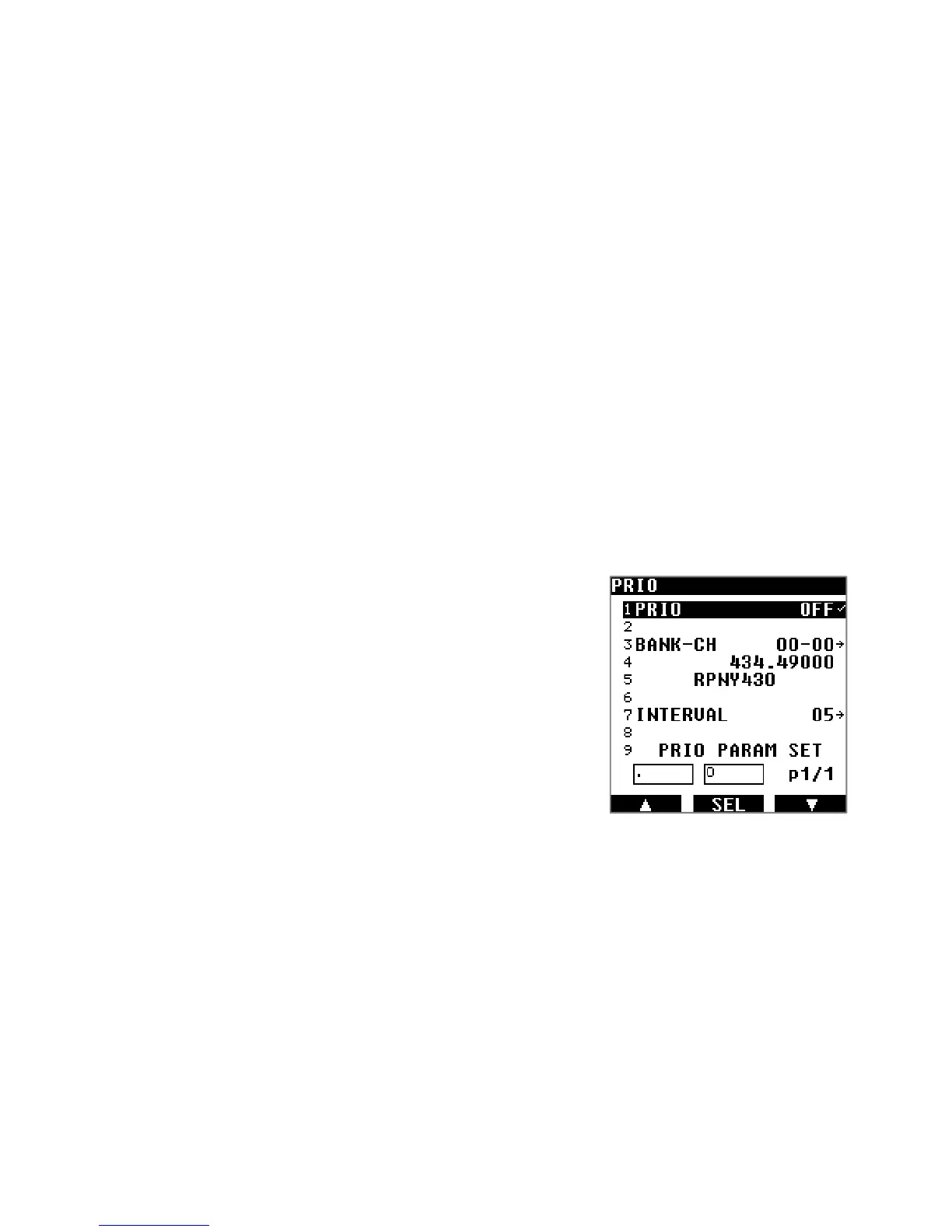
How to setup the priority channel:
Press
[MENU], use the
[▶] key
to select [MEM] and press ]ENT].
Use the
[▶] key
to select [PRIO] and press ]ENT].
Press [ENT] and turn the dial selector knob to toggle the priority
function ON or OFF.
Use the
[▶] key
to select [BANK-CH] and press ]ENT].
Enter the priority channel’s bank number and channel number in
the xx-yy format.
Press [ENT] and rotate the dial selector knob to set the interval time
in seconds, between 1 and 99 seconds.
Press [ENT] to start this function.



 To Next Page