32
7.5. EDIT A MEMORY CHANNEL
A memory channel which already contains a saved frequency, can be edited as follows:
1. Press [MENU] and use the [▶] button to go to [MEM] and press [ENT]
2. Use the [▶] button to go to [CH EDIT] and press [ENT] twice.
3. Use the keypad to enter the bank number and channel number, followed by [ENT]. For
ex. [0110] + [ENT] for bank 01 and channel 10.
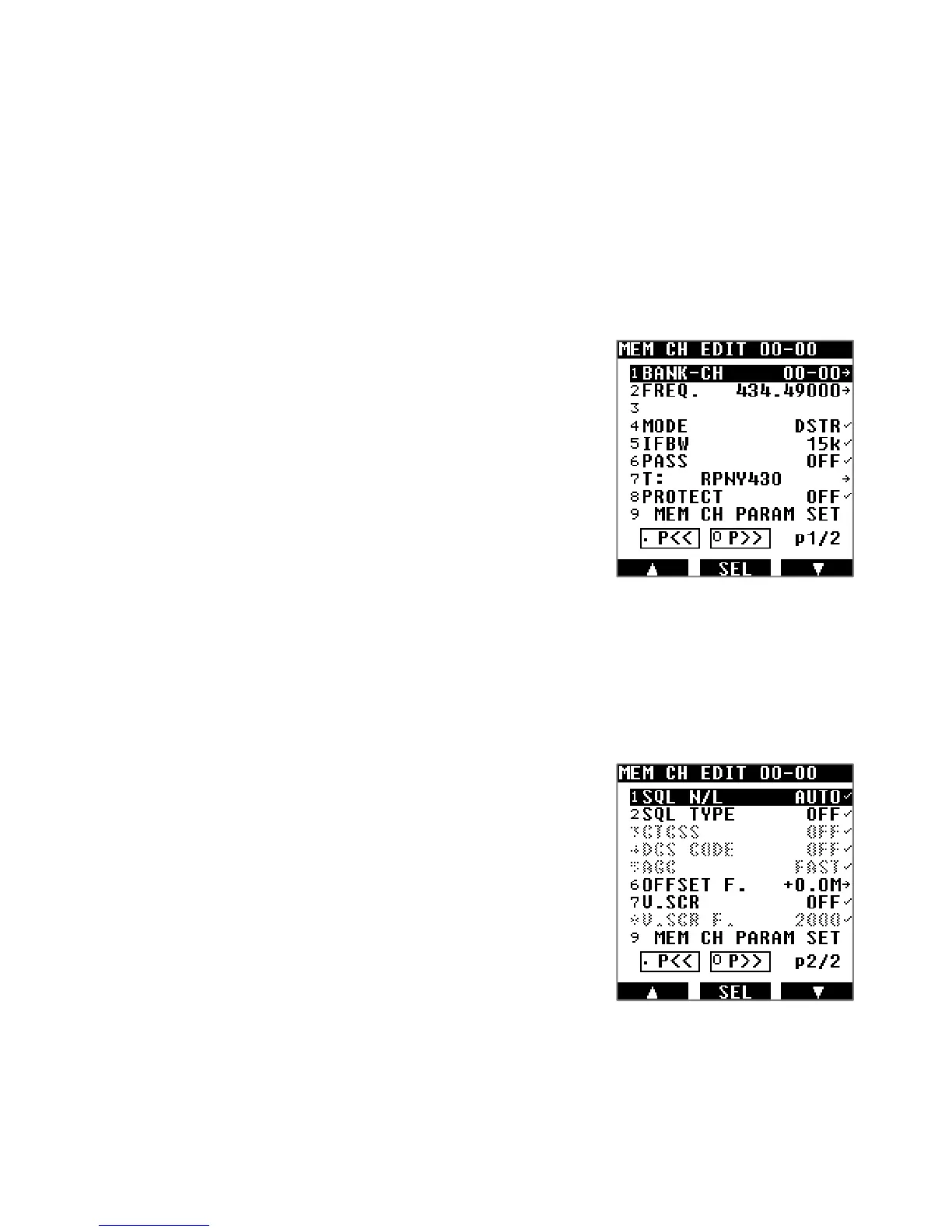
4. To edit any of the parameters, just use the [▶] button to highlight the parameter to
change, and press [ENT] to edit as follows:
BANK-CH: Use the keypad to enter the bank number and
channel number, followed by [ENT]. For
ex. [0110] + [ENT] for bank 01 and channel 10.
FREQ: Use the keypad to enter the frequency in MHz,
followed by [ENT].
MODE: Rotate the dial selector knob to select the
desired demodulation mode, and press
[ENT].
IFBW: Rotate the dial selector knob to select the
desired IF bandwidth, and press [ENT].
PASS: Rotate the dial selector knob to toggle the
frequency pass ON or OFF, and press [ENT]. If set to ON, this
memory channel will be ignored when its memory bank is scanned.
T: Input a name as described in chapter 10.3 “INPUT CHARACTERS &
SYMBOLS”.
PROTECT: Rotate the dial selector knob to toggle the protect ON or OFF, and press
[ENT]. If set to ON, this memory channel cannot be erased.
(on page 2/2)
SQL N/L: Rotate the dial selector knob to chose between
LEVEL, NOISE or AUTO squelch.
SQL TYPE: Rotate the dial selector knob to chose between
CTCSS, DCS, reverse tone and OFF.
CTCSS: Rotate the dial selector knob to set the CTCSS
tone frequency manually, or in automatic
discovery mode (SRCH), or OFF.
DCS CODE: Rotate the dial selector knob to set the DCS
tone code manually, or in automatic
discovery mode (SRCH), or OFF.
AGC: Rotate the dial selector knob to set automatic gain control to FAST, MID, SLOW
or RF-G.
OFFSET F.: Set the offset frequency function as described in chapter 10.8 “OFFSET
RECEPTION”.
V.SCR: Set the voice descrambler function as described in chapter 10.6 “ANALOG
VOICE DESCRAMBLER”



 To Next Page