24
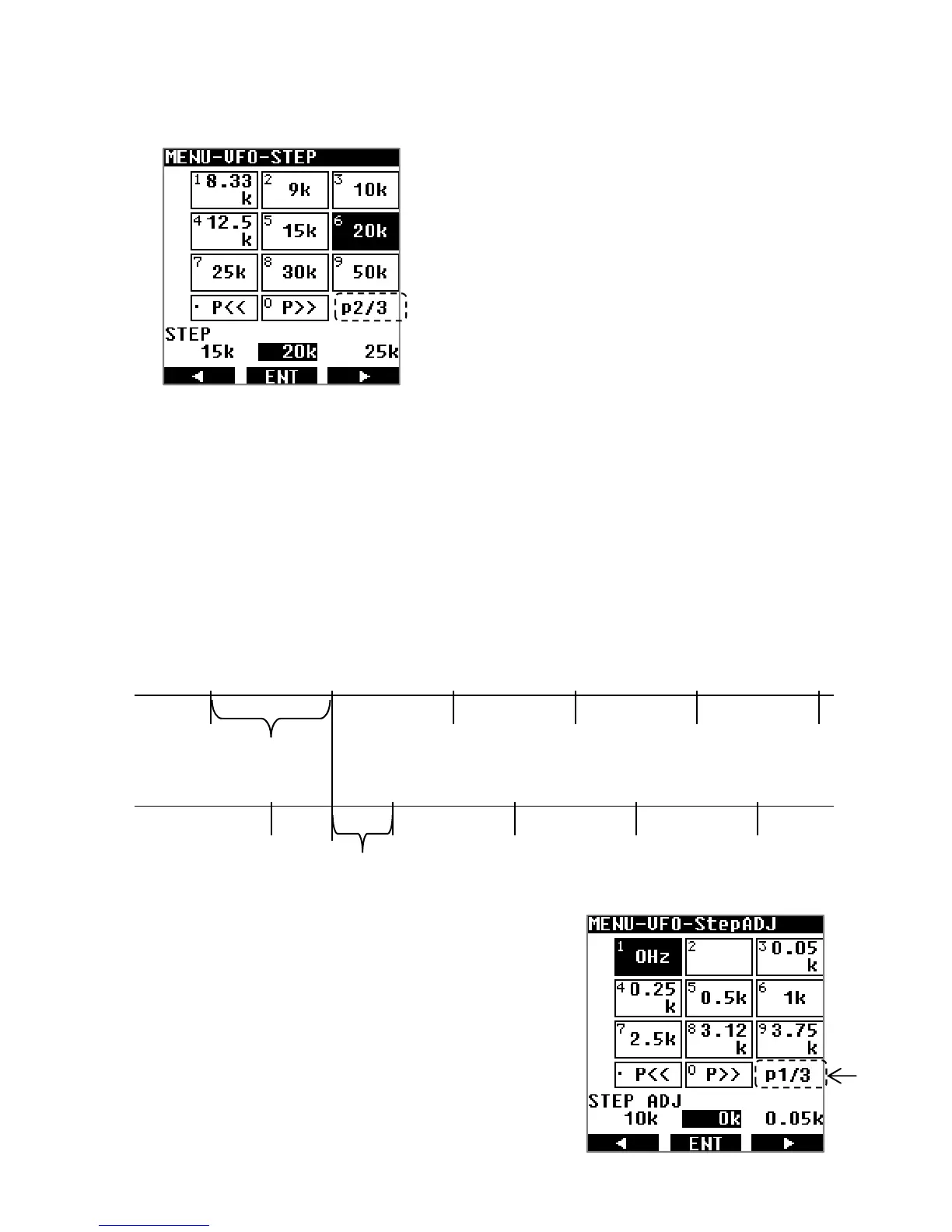
The tuning step value can be changed as follows:
1. Press [MENU], then [ENT].
2. Use [▶] to select [STEP], then press [ENT]
←
3. Use the arrows [◀] or [▶] to select the desired step and validate with [ENT].
5.9. STEP-ADJUST
This function is useful in the case of a special frequency array where the received frequency
is not divisible by the step frequency. Step-adjust allows to adjust the step accordingly.
The following example describes a situation of a 20kHz frequency step which needs to be
adjusted by 10kHz.
The step-adjust value can be set as follows:
Press [MENU], then [ENT].
Use [▶] to select [STEP ADJ], then press [ENT]
439.00 439.02 439.04 439.06 439.08 439.10
439.01 439.03 439.05 439.07 439.09
20kHz step
10kHz step-adjust
Note that there are 3 pages for values from 10Hz
up to 500kHz.
Note that there are 3 pages for values from
0.05kHz up to 250kHz. Select 0Hz to disable the
function.



 To Next Page