21
The incremented step per click is 10 times the frequency step displayed at the top right
corner of the screen. (See chapter 5.8 “TUNING STEP” on how to change this step
value.)
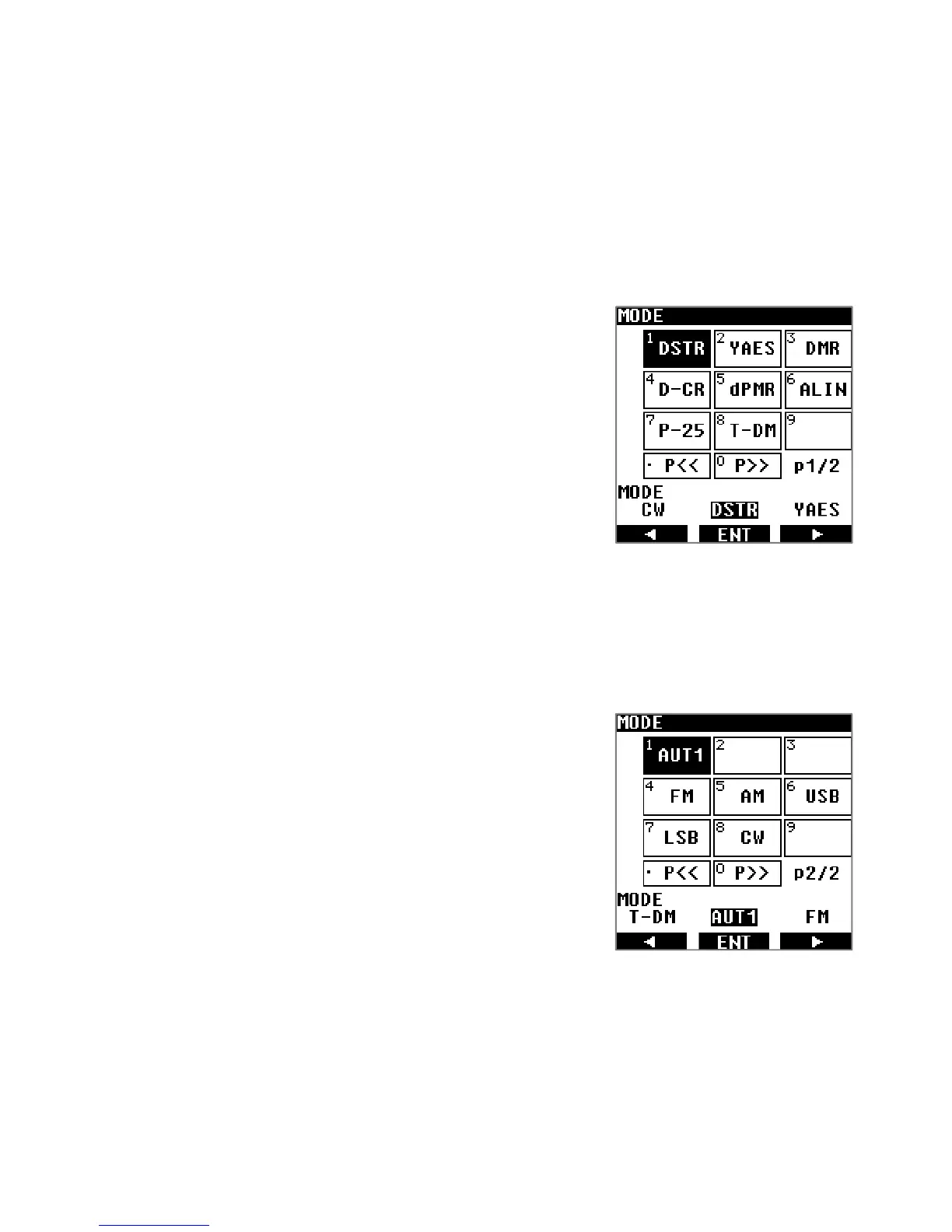
5.5. RECEIVE MODE SELECTION
Press [MODE] and use the arrows [◀] or [▶] to select the desired receive mode and validate
with [ENT].
The first page lists the digital modes:
DSTR: D-STAR
YAES: YAESU (C4FM)
DMR: DMR (Tier 1 / Tier 2 / MOTOTRBO)
D-CR: Japanese D-CR & NXDN (6.25k)
dPMR: dPMR (446 Tier 1)
ALIN: ALINCO (EJ47U)
P-25: APCO25 (Phase 1)
T-DM: TETRA (Direct mode, mobile to mobile)
・ When a digital mode is selected, sound will be
muted until the receiver can detect a signal of this
mode.
・ Please note that some restrictions apply for each
mode.
The second page lists the analog modes with the
exception of AUT1.
AUT1 corresponds to automatic detection of digital
modes listed above, except Tetra.
AUT1 is particularly useful when you are DXing for digital
signals, but don’t know in advance which kind of digital
signals you might meet.
・ Squelch remains open for AUT1, therefore you
will hear radio noise even when no actual digital
mode is received.
5.6. IF BANDWIDTH SELECTION
The appropriate IF bandwidth needs to be set manually for each analog demodulation mode.
However for digital modes, the IF bandwidth is automatically selected and cannot be
changed.



 To Next Page