45
An alternative way to cycle though characters and symbols is by rotating the dial selector
knob. This method gives access to a wider choice of symbols than through key entry.
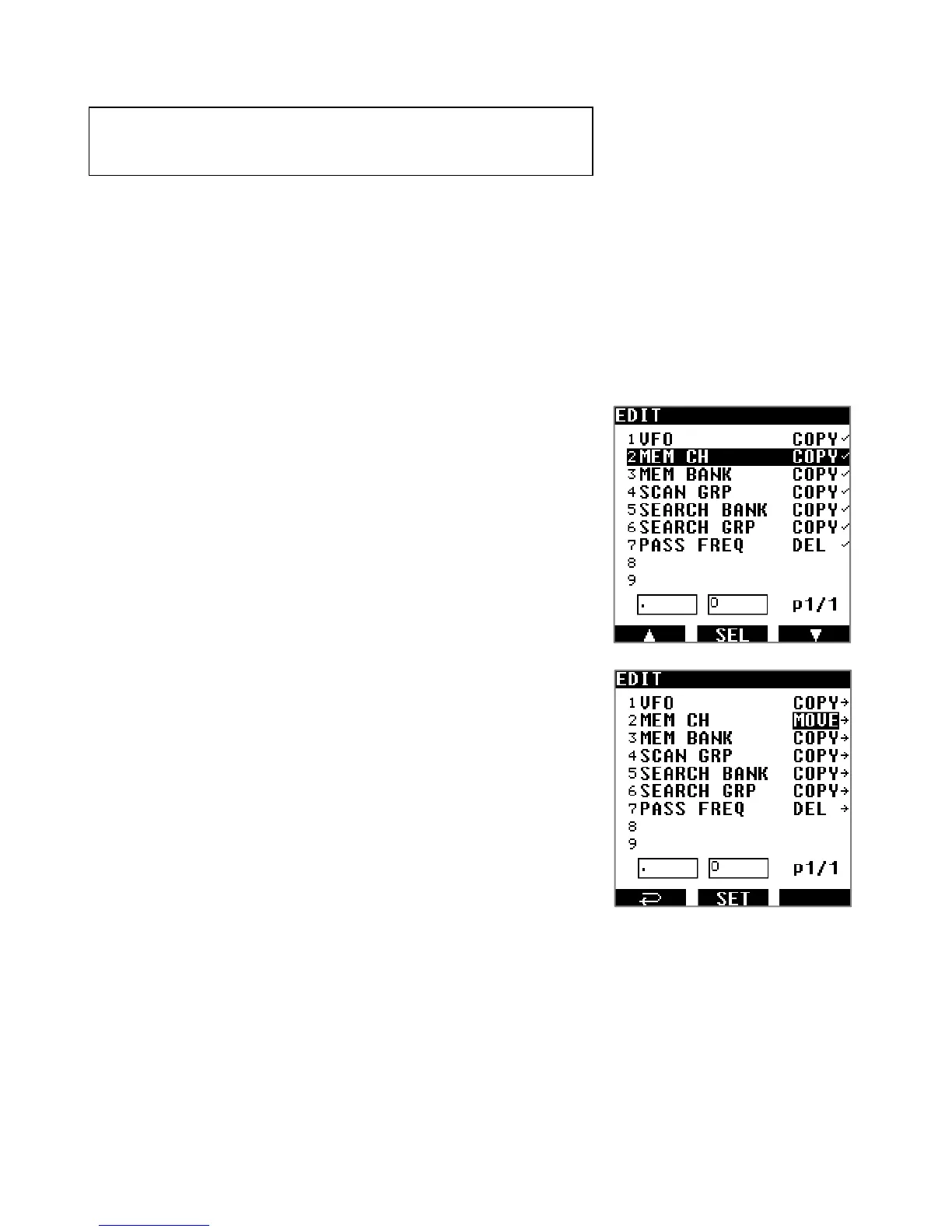
10.4. DATA EDITOR (COPY, MOVE, DELETE)
You can copy, move, and erase the contents of memory channels, memory banks, scan
groups, search banks, and search groups.
8. Press [MENU].
9. Use [▶] to select [EDIT] and press [ENT].
10. Use [▶] to select any of the following categories on which
you would like to perform data COPY, MOVE or ERASE:
MEM CH: For just a single memory channel.
MEM BANK: For an entire memory bank.
SCAN GRP: For a scan group.
SEARCH BANK: For a search bank.
SEARCH GRP: For a search group
11. Press [ENT] and rotate the dial selector to chose either]:
COPY To copy data
MOVE To move data (the original will be lost)
DEL To delete data
12.
Press [ENT] to enter the data input screen.
13. Using the dial selector, select either the data to be erased, or
the data to be copied or moved to a target location and go to
the next selection with the
[▶] key
.
14. Once you have entered all the data, initiate the copy/move/erase procedure by
selecting: [XXX EXEC] and press [ENT].
◯ 「WRITING MEMORY...」will be displayed for a short time until the procedure is over.
ABCDEFGHIJKLMNOPQRSTUVWXYZ[
\
]^_`
abcdefghijklmnopqrstuvwxyz{|}~
(blank space)
!”#$%&’()*+,-./0123456789:;<=>?@



 To Next Page