10
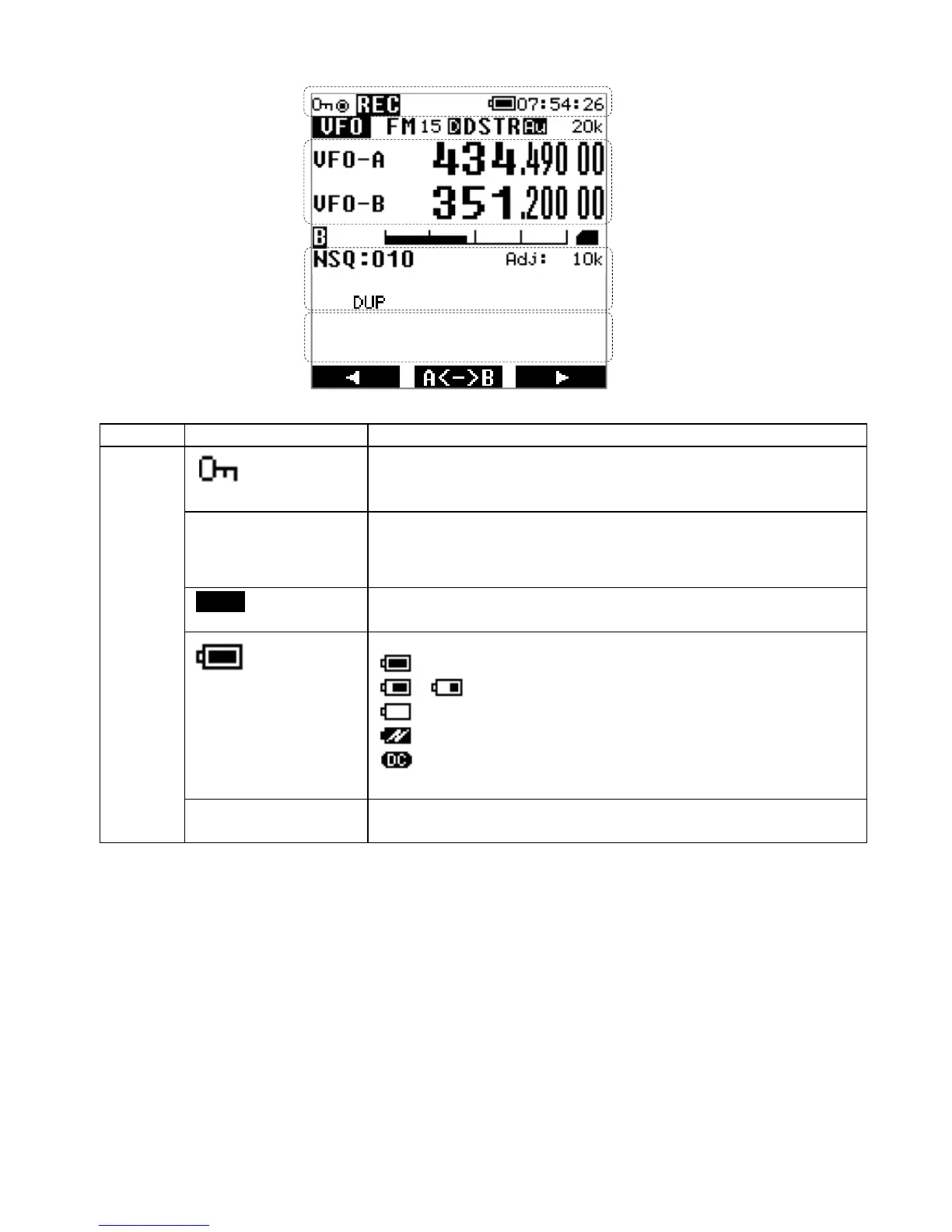
2.7. LCD DISPLAY
Section Icons
1
Key lock status
All controls except VOL and PWR are disabled.
Press and hold to enable/disable the lock feature.
◉
Remote control status
All controls except VOL and PWR are disabled.
Press the ENT key to stop remote control.
[REC]
Currently recording on SD card.
Press the [ ● ] key to toggle recording on or off.
Battery status
:Fully charged
〜:Partially full
:Battery almost empty (urgently recharge the battery)
:charging*
:Running on external power*
(
*: Not displayed when charging through the charger cradle
)
07:54:26
Time(HH:MM:SS in 24 hour format )
1 →
2 →
3 →
4 →
5 →
6 →
7 →



 To Next Page