47
in FM mode with IF bandwidth set to 6kHz or 15kHz.
Basically DCS functions the same way than CTCSS, however as the tone signal is
digital, there are more codes available for DCS.
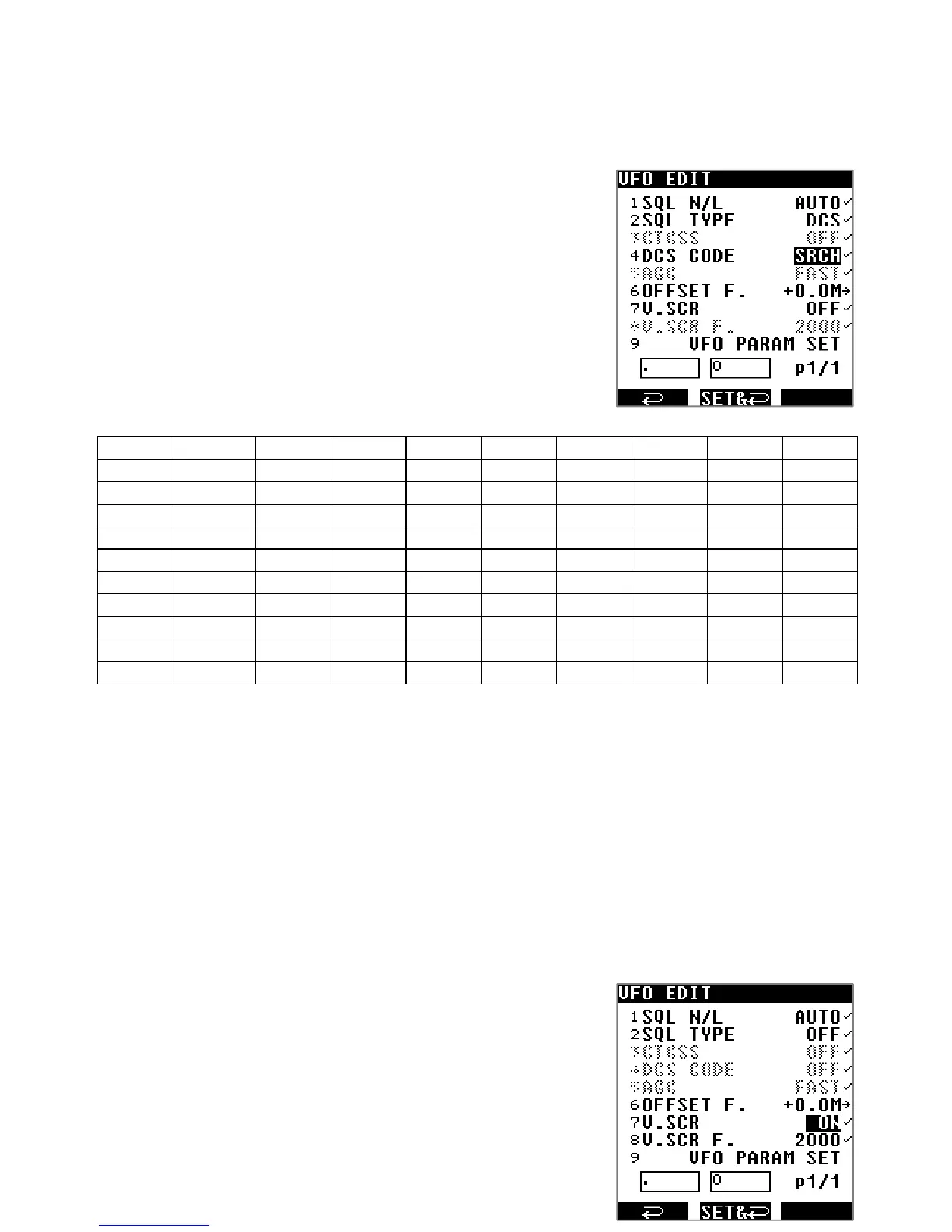
To enable DCS:
1. Press [MENU] then [ENT].
2. Use [▶] to select [VFO EDIT] and press [ENT]
3. Use [▶] to select [SQL TYPE] and press [ENT]
4. Rotate the dial selector until [DCS] is displayed and
validate with [ENT].
5. Use [▶] to select the line [DCS CODE].
6. Press [ENT] again and rotate the dial selector knob to
chose any of the following tone codes at which the
squelch should open.
OFF SRCH* 017 023 025 026 031 032 036 043
047 050 051 053 054 065 071 072 073 074
114 115 116 122 125 131 132 134 143 145
152 155 156 162 165 172 174 205 212 223
225 226 243 244 245 246 251 252 255 261
263 265 266 271 274 306 311 315 325 331
332 343 346 351 356 364 365 371 411 412
413 423 431 432 445 446 452 454 455 462
464 465 466 503 506 516 523 526 532 546
565 606 612 624 627 631 632 654 662 664
703 712 723 731 732 734 743 754
* SRCH does auto-detect the tone code.
7. Press [ENT] then [▶] until you reach the line [VFO PARAMETER SET] and save your
selections with [ENT].
◯ 「DCS」will be displayed on the left side of the LCD when that function is active.
10.6. ANALOG VOICE DESCRAMBLER
Analog voice scrambled transmissions can be decoded with the V.SCR function. It is
sometimes used in public service radio, automobile racing and cordless telephones. This
function is limited to FM mode with IF bandwidth of 6kHz and 15kHz. (V.SCR not available in
the U.S consumer version)
To enable V.SCR:
1. Press [MENU] then [ENT].
2. Use [▶] to select [VFO EDIT] and press [ENT]
3. Use [▶] to select [V.SCR] and press [ENT]
4. Turn the dial selector know until [ON] appears and press
[ENT].



 To Next Page