33
5. Finally save all your settings: Use the [▶] button to go to the last line [MEM CH PARAM
SET] and press [ENT].
7.6. ASSIGN TITLES TO MEMORY BANKS
You can assign a title to each memory bank, and set a protection so the bank is not
accidentally erased.
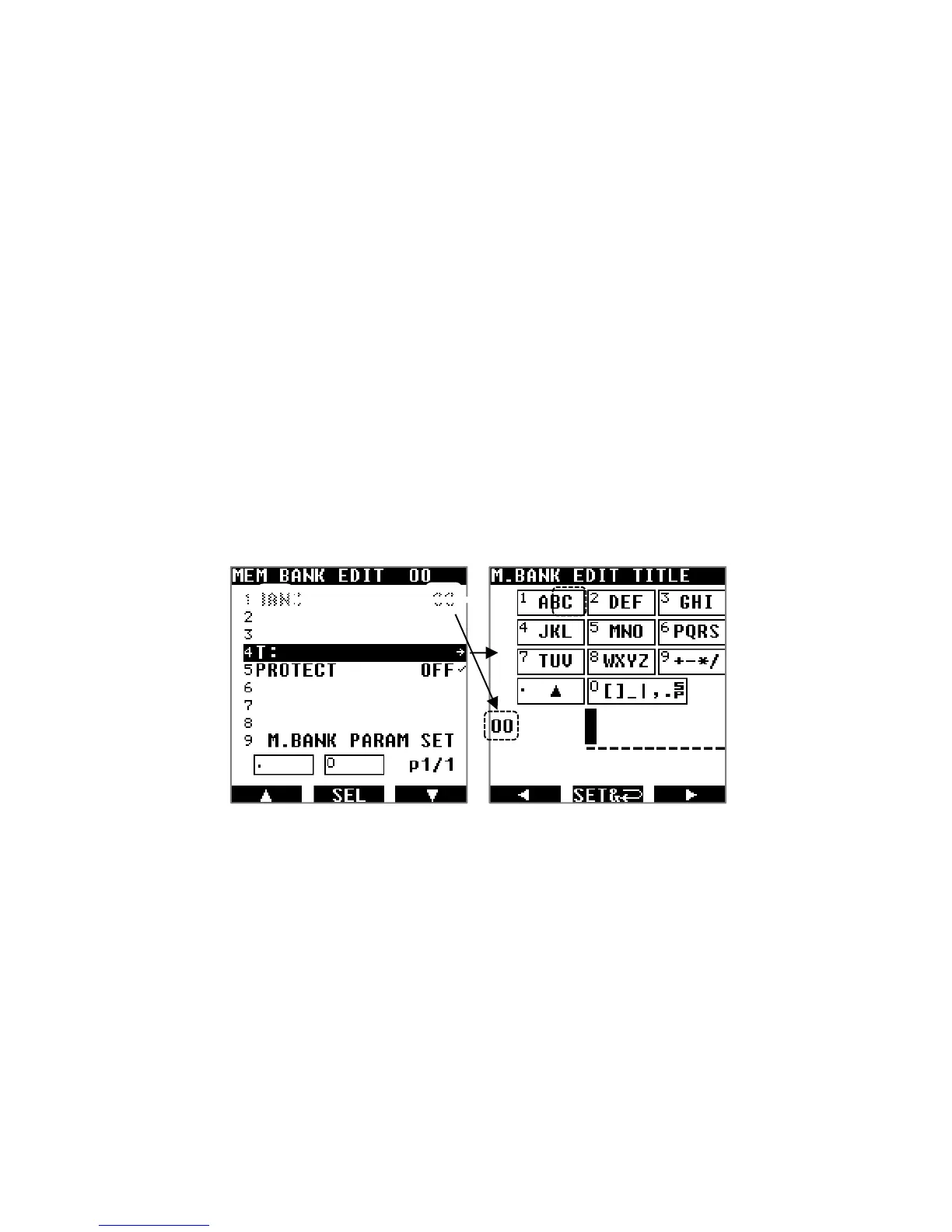
1. Press [MENU], use the [▶] button to select [MEM] and press [ENT].
2. Use the [▶] button to select [BANK EDIT] and press [ENT].
3. To edit any of the parameters, just use the [▶] button to highlight the parameter to
change, and press [ENT] to edit as follows:
T: Input a bank title as described in chapter 10.3 “INPUT CHARACTERS &
SYMBOLS”.
PROTECT: Rotate the dial selector knob to toggle the protect ON or OFF, and press
[ENT]. If set to ON, this memory bank cannot be erased.
4. Finally save all your settings: Use the [▶] button to go to the last line [MEM CH PARAM
SET] and press [ENT].
7.7. CREATE A GROUP OF LINKED MEMORY BANKS
There are 10 scan groups (numbered 0 to 9) that you can set up individually to scan a group
of linked memory banks. Each scan group can be setup with its own squelch behavior as
follows:
Delay time, which is the time between signal interruption and squelch closing, for scan
to resume.
Free time, which is the time after which scan will resume, no matter if the signal was
interrupted or not.
Create a scan group:
1. Press [MENU], use the [▶] button to select [SCAN] and press [ENT].



 To Next Page