23
Squelch is adjusted as follows:
1. Press the [SQL/MONI] switch on the left side of the receiver, that will select the
[NSQ:006] area pictures above.
Rotate the DIAL selector to set the squelch threshold so that the receiver is just
silenced. The squelch is now “closed” as no audio is let through.
2. Press the [SQL/MONI] again to return to normal operation.
Note: Do not set the squelch value too high, as a higher number indicates that a higher
signal level is required in order to open the squelch.
Monitor function:
Squelch can be temporarily fully opened by keeping the [SQL/MONI] switch pressed. That is
useful to listen to weak signals, where the signal level is close to the noise level.
There are 2 types of analog squelch:
NSQ (noise squelch) used for FM mode (including all digital modes).
LSQ (level squelch) used for AM, LSB, USB, CW modes.
The receiver automatically selects the appropriate squelch type for optimal performance.
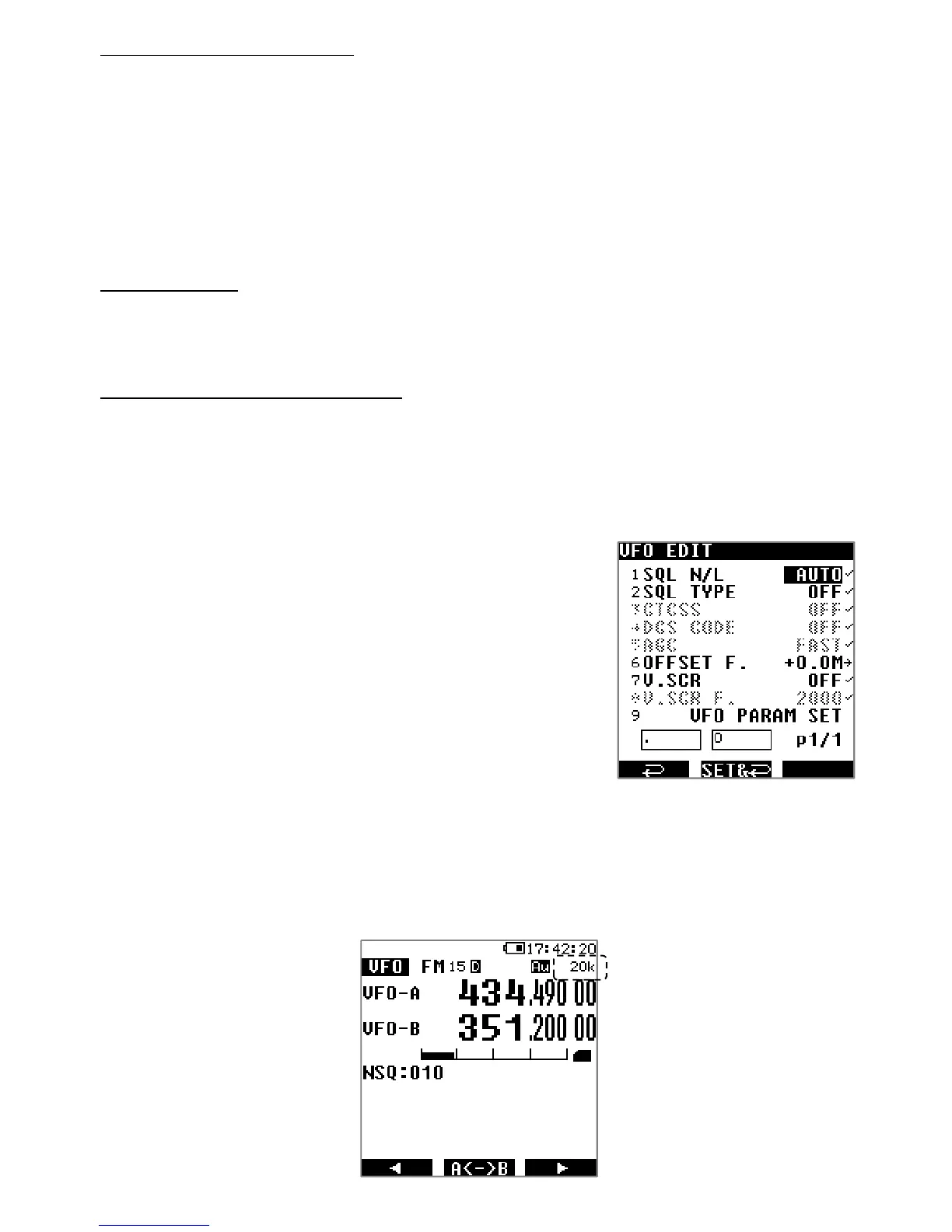
However if needed you can force the squelch type as follows:
1. Press [MENU], then [ENT].
2. Use [▶] to select [VFO EDIT], followed by [ENT] twice.
3. Rotate the dial selector knob to select NOISE or LEVEL.
4. Validate with [ENT].
5. Activate your settings by going to line VFO PARAM SET
using [▶] and press [ENT].
5.8. TUNING STEP
A tuning step is the value by which the frequency will be incremented per click when rotating
the dial selector knob.
←Tuning step value



 To Next Page