35
7.8. SCAN A GROUP OF LINKED MEMORY BANKS
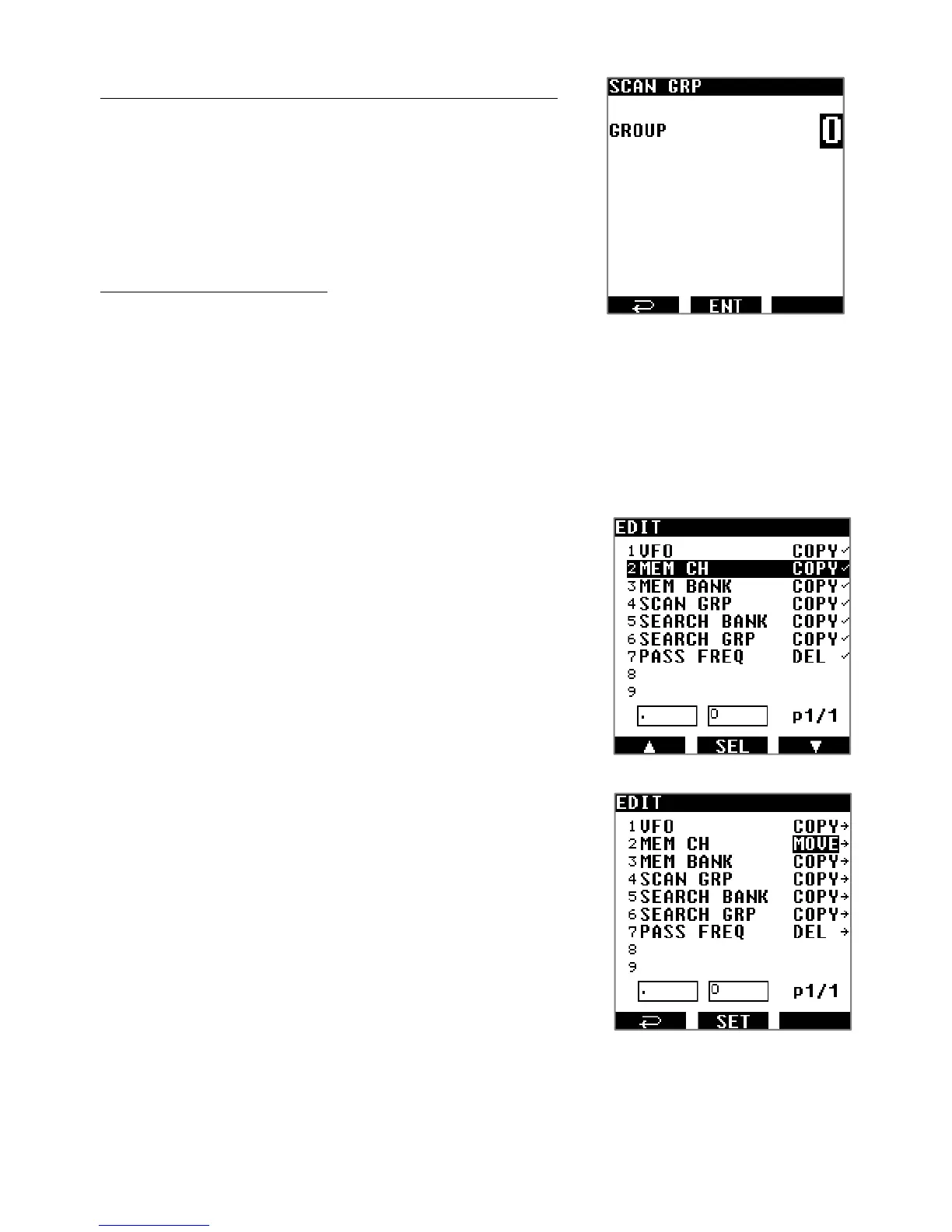
Select the scan group of linked memory banks to be scanned:
1. Press [MENU], use the [▶] button to select [SCAN] and
press [ENT].
2. Use the [▶] button to select [GRP] and press [ENT].
3. Input the scan group number with the keypad and press
[ENT].
Start the scan of this group:
4. Press [MENU] use the [▶] button to select [SCAN] and
press [ENT].
5. Press [ENT] again.
7.9. COPY/ERASE/MOVE CHANNELS, BANKS AND GROUPS
You can copy, move, and erase the contents of memory channels, memory banks and
scan groups as follows.
1. Press [MENU].
2. Use [▶] to select [EDIT] and press [ENT].
3. Use [▶] to select any of the following categories on which
you would like to perform data COPY, MOVE or ERASE:
MEM CH: For just a single memory channel.
MEM BANK: For an entire memory bank.
SCAN GRP: For a scan group.
4. Press [ENT] and rotate the dial selector to chose either:
COPY: To copy data
MOVE: To move data (the original will be lost)
DEL: To delete data
5.
Press [ENT] to enter the data input screen.
6. Using the dial selector, select either the data to be erased, or
the data to be copied or moved to a target location and go to
the next selection with the
[▶] key
.
7. Once you have entered all the data, initiate the copy/move/erase procedure by
selecting: [XXX EXEC] and press [ENT].
◯ 「WRITING MEMORY...」will be displayed for a short time until the procedure is
over.



 To Next Page