44
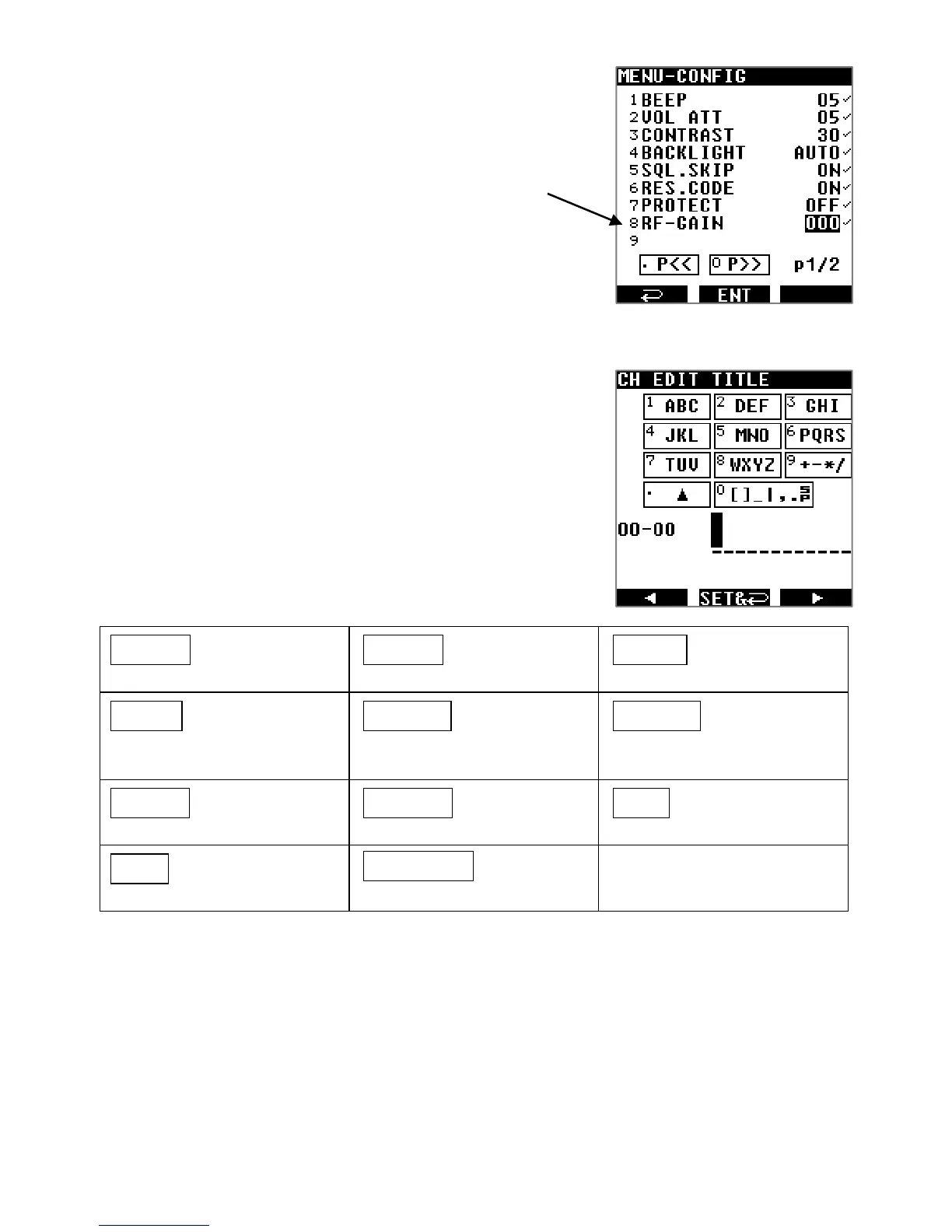
□ If you chose RF-G for manual gain, you then need to set a
gain level as follows:
1. Press [MENU] then [ENT].
2. Use [▶] to select [CONF] and press [ENT]
3. Use [▶] to select [RF-GAIN] and press [ENT]
4. Select the desired gain level (between 000 and 255)
with the dial selector.
Manual gain is particularly effective for CW, LSB and USB signals
where fine tuning often allows reduction of background noise.
10.3. INPUT CHARACTERS & SYMBOLS
The following alphanumeric characters and symbols can be
used to name memory channels, memory banks and search
banks.
Characters and symbols available for each numerical key
1
ABC
ABCabc1
2
DEF
DEFdef2
3
GHI
GHIghi3
4
JKL
JKLjkl4
5
MNO
MNOmno
5
6
PQRS
PQRSpqrs6
7
TUV
TUVtuv7
8
WXYZ
WXYZwxyz8
9
+-*/
+-*/9
.
▲
(reverse character cycle )
0
[ ] _ | , .
[]_|,.
(blank space insert)
0
Use the arrows [◀] or [▶] to position the cursor where you would like to input a character.
Click the numerical key corresponding to the character or symbol of choice. Press that
key until the character you need is displayed.
To go to the next position, press [▶].
To erase a character currently selected, press [CLR].
To insert a new character between two existing characters, place the cursor on the
second character and input the new character.
To save your entries, press [ENT].



 To Next Page