28
7. MEMORY CHANNEL & SCAN OPERATIONS
AR-DV10 can store 2000 memory channels, divided into 40 banks of 50 memory
channels each.
Frequencies can be conveniently stored into “memory channels”, along with the
demodulation, IF bandwidth, etc...
Commonly used frequencies can be stored into “memory banks”, which can be
scanned either individually or in a group of linked banks.
SCAN is a function which allows to find a live signal among the memory channels
registered into a memory bank.
Memory channels are numbered from 00 to 49.
Memory banks are numbered from 00 to 39.
Scan groups are numbered from 0 to 9.
It is crucial to correctly set the SQUELCH level for the scan function to operate. In
order to do that, tune to a none-active frequency and increase the squelch level to
the point where the sound will mute. We want the squelch to only open when the
signal becomes active.
7.1. SAVE A FREQENCY INTO A MEMORY CHANNEL
Frequencies can be conveniently stored into “memory channels”, along with the
demodulation mode, IF bandwidth, pass and protection status, and a name.
To save a frequency into memory (fast way):
1. Tune to the desired frequency with the correct
demodulation mode and IF bandwidth.
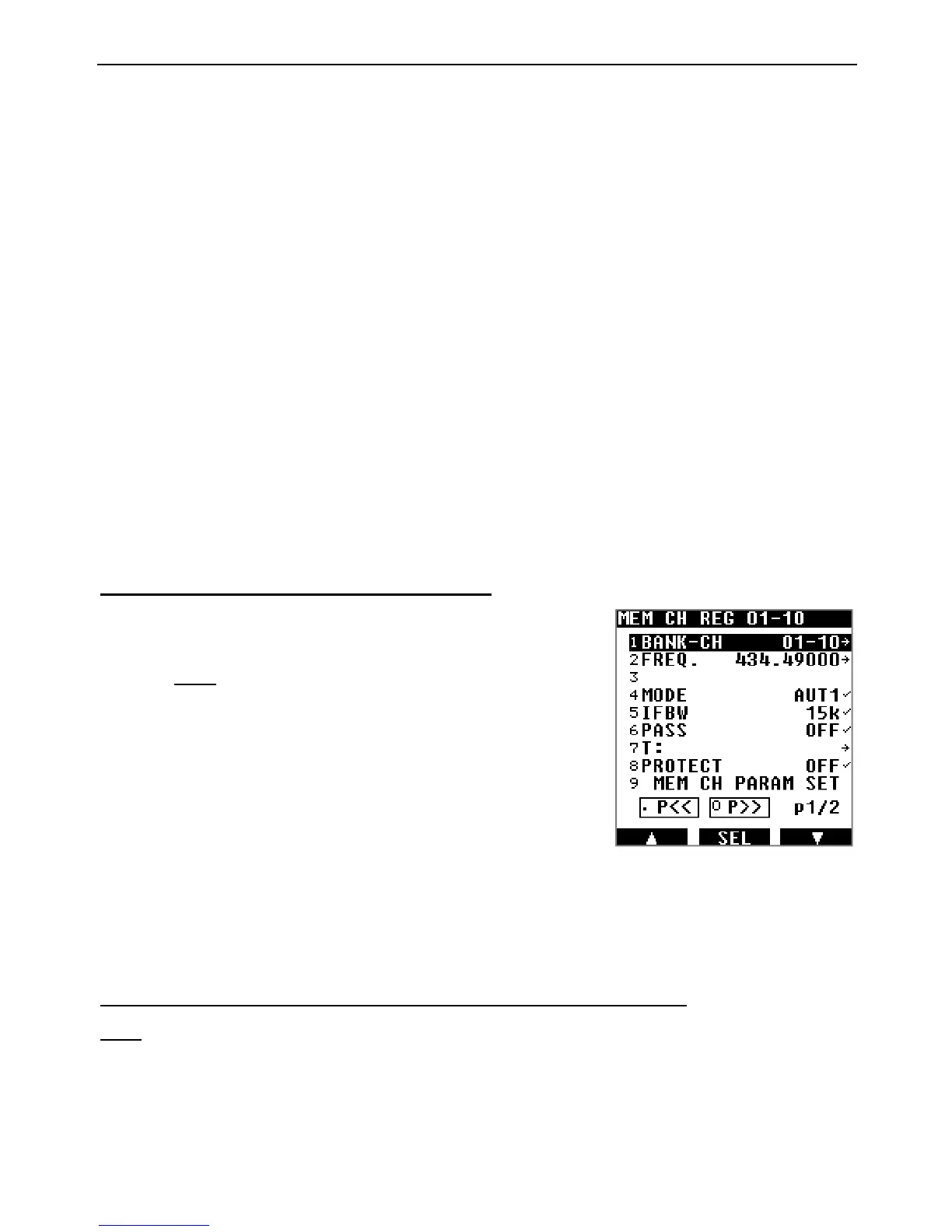
2. Long press [ENT] to access the memory channel
registration page.
The first line [BANK-CH] will be highlighted. The
receiver will automatically assign the next available
memory band and memory channel.
(If it’s the first time you save a frequency into a
memory channel, it will be BANK 00, CHANNEL
00.)
If you previously set the correct MODE and IFBW, and do not wish to set assign a
channel name now, then you just need to save settings as follows:
3. Use the [▶] button to go to the last line [MEM CH PARAM SET] and press [ENT].
To save a frequency into a memory channel (while editing details):
Long press [ENT] to access the memory channel registration page.
To edit any of the parameters, just use the [▶] button to highlight the parameter to change,
and press [ENT] to edit as follows:
BANK-CH: Use the keypad to enter the bank number and channel number, followed by
[ENT]. For ex. [0110] + [ENT] for bank 01 and channel 10.



 To Next Page