18
4. ANTENNA
The AR-DV10 is supplied with a flexible rubber antenna to be attached to the 50 Ohm BNC
jack located at the top of the receiver.
Note:
・ AR-DV10 does not feature any internal AM ferrite antenna.
・ Due to physical limitations, the supplied flexible rubber antenna is not ideal for reception
of LW, MW or SW. Although it does work to some extend, you should connect a
dedicated external antenna for optimal reception of those bands. However as the
receiver’s RF stage is extremely sensitive, if the signal is too strong, it could potentially
overload the RF stage. It is therefore highly advised to use an external antenna signal
attenuator if you connect an external antenna.
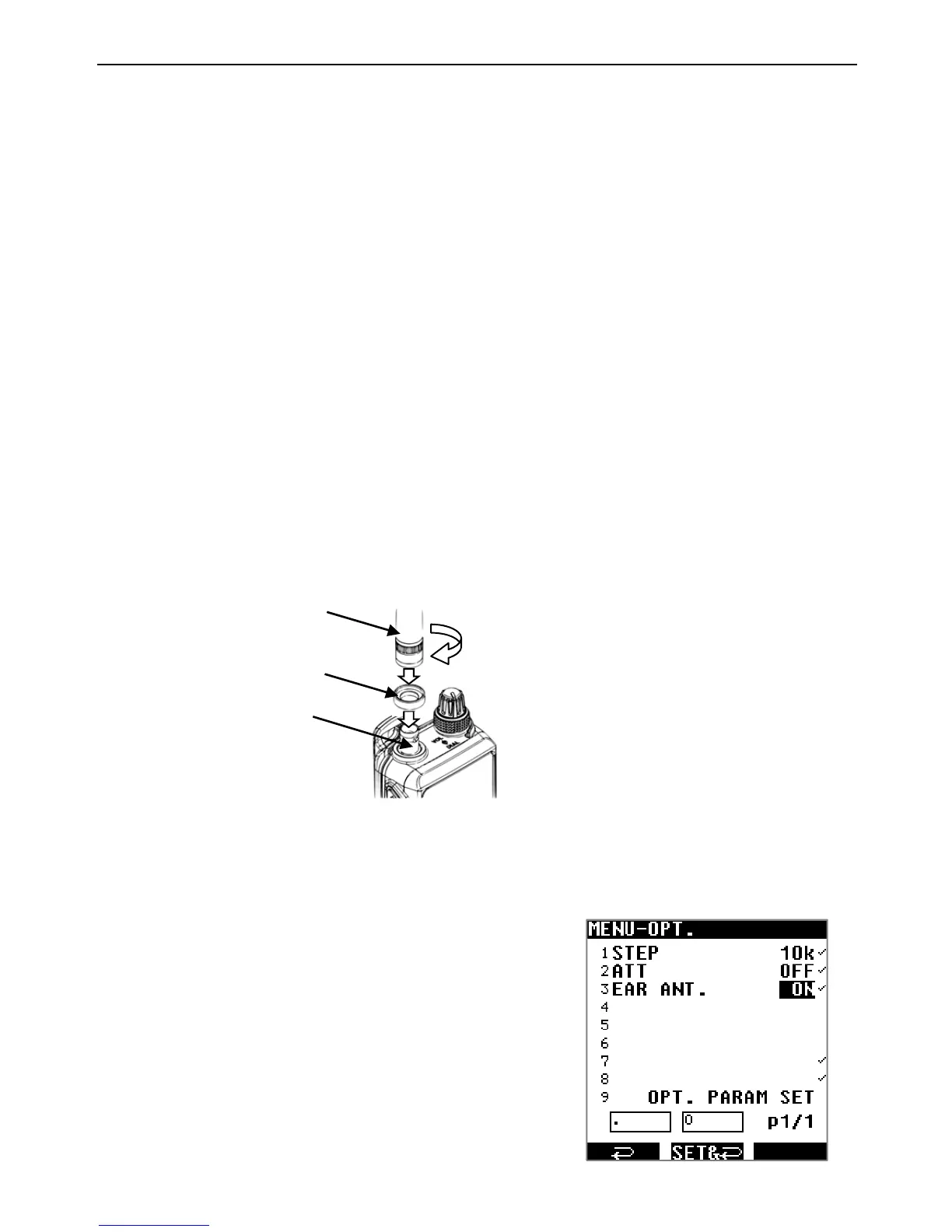
ANTENNA INSTALLATION
1. Make sure that the antenna ring is in place.
2. Align the slots of the supplied rubber antenna to the pins of the antenna jack.
3. Rotate the antenna clockwise ¼ turn to lock the mechanism.
・ To remove the rubber antenna, rotate the antenna anti-clockwise ¼ turn to unlock the
mechanism.
The antenna ring covers the gap between the antenna and the jack. Remains on the jack
when the antenna is removed. The ring does not fulfill any waterproofness function.
4.1. EARPHONES ANTENNA
When this function is activated, the earphones cable acts as an antenna for FM
(64-107.99999MHz, IF bandwidth 100kHz only).
1. Press [MENU]→use the cursor key [▶] to select [OPT]
and press [ENT].
2. Use the cursor key [▶] to select [EAR ANT] and press
[ENT].
3. Select ON or OFF by rotating the DIAL selector knob.
4. Press [ENT] twice.
When set to ON, [EAR] will be displayed on
the main screen.
Rubber antenna
Antenna ring
Antenna jack
RA-10



 To Next Page