16
B:
When the AC power adapter is connected to the fast charger cradle and the receiver
inserted into the cradle, the cradle’s LED will first turn red, indicating a charging status. Once
the battery pack is full, it will turn green.
A flashing red LED indicates a charging error. If this occurs, please check following:
・ Inspect the battery pack and charger cradle electrodes for any stain or obstructive object.
・ The battery pack might be over-discharged. A totally empty battery pack cannot be
charged using the cradle. In that case connect the AC power adapter directly to the
receiver to charge the battery pack for about 10 minutes. Then continue the charge as
usual through the charger cradle.
3.3. POWERING WITH ALCALINE BATTERIES
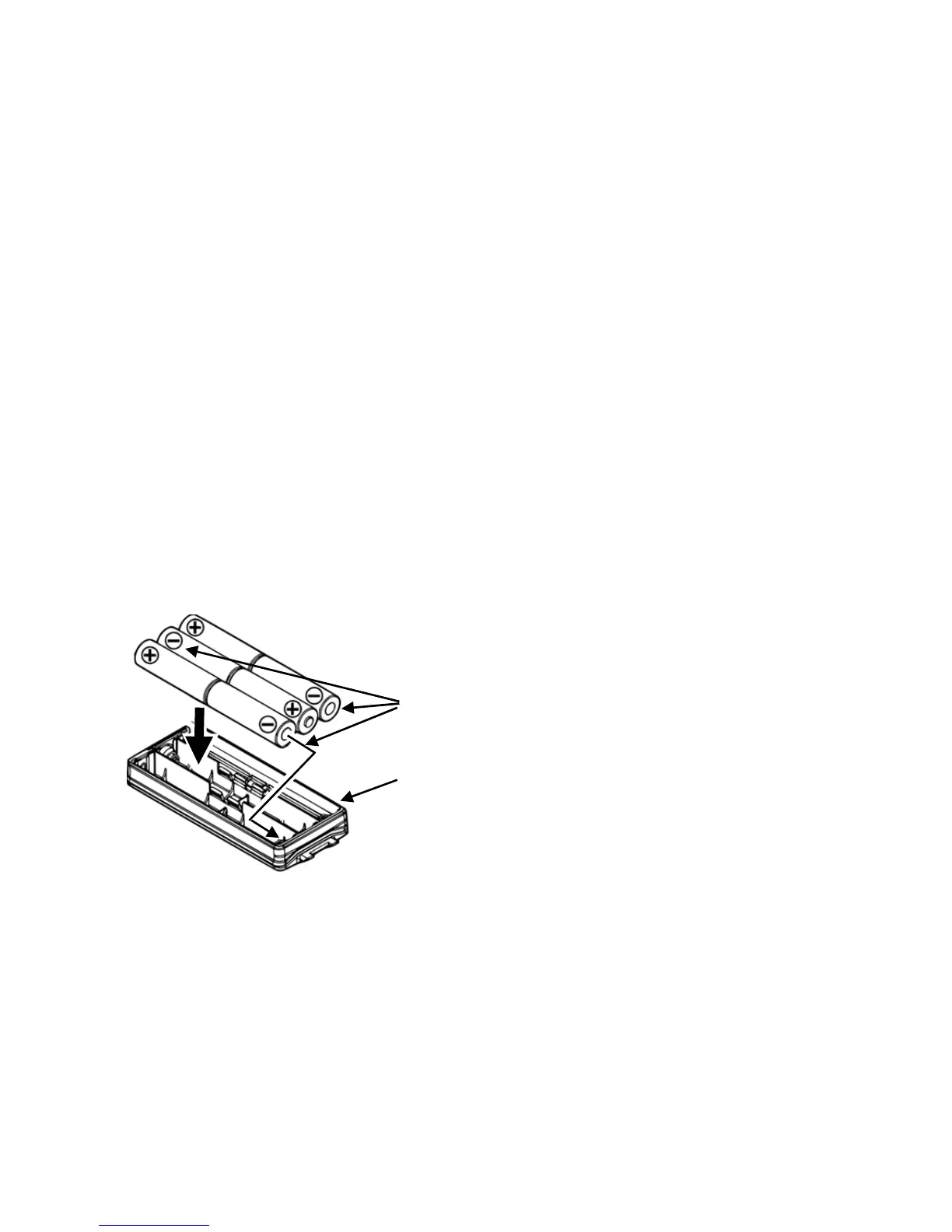
The supplied alkaline battery tray allows operation of the receiver using six “AA” size
alkaline battery cells.
Important:
・ The battery tray must NOT be used with rechargeable cells, as it does not contain the
thermal and over-current protection circuits required when utilizing Ni-Cd and Ni-MH
cells!
When installing the alkaline batteries, insert the (-) end first, then press in the (+) end so
the battery snaps into place. Pay attention to the polarity indicated inside the tray.
Insert (-) ends first.
Alkaline battery tray BT-10



 To Next Page