50
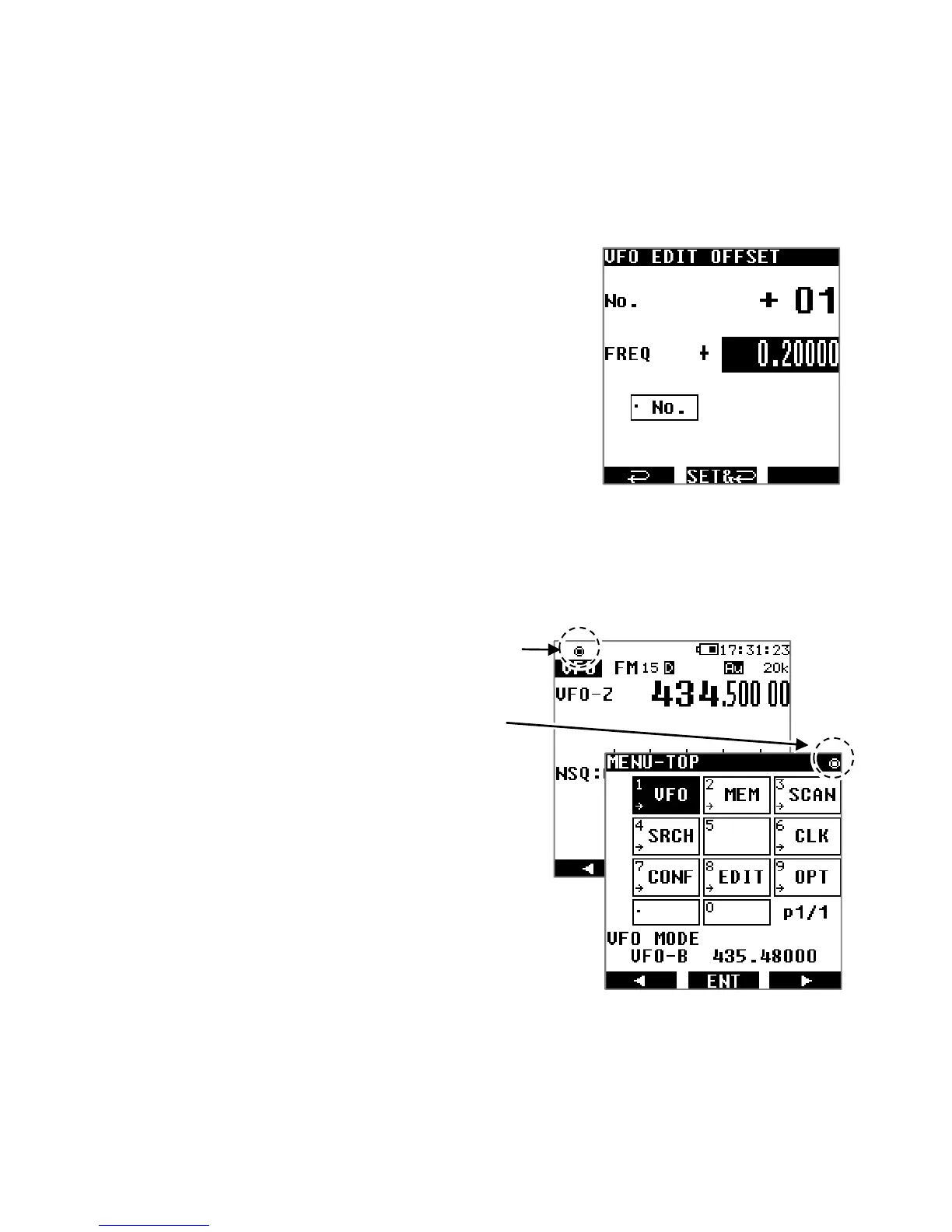
4. By rotating the dial selector knob, select a storage number between 00 and 39,
depending on the following scenarios:
00: Offset is disabled
01〜19: Offset value to be configured manually
20〜39: Preset of common offset values
5. If you wish to enter a negative value, press the [0] key
to toggle [+] into [-].
6. Press the [.] key to select the frequency input area.
7. Input the frequency in MHz, using the keypad
numbers, and validate with [ENT].
8. Use [▶] to select [VFO PARAM SET] and press [ENT]
to save your selection.
10.9. REMOTE MODE
The receiver can be remote controlled from a PC by using serial commands.
The command list can be downloaded on our website.
When the remote mode is active, on the VFO
screen, the [◉] icon is displayed on the top left of the
LCD.
However on the MENU-TOP screen it will be
located on the top right of the LCD.
During remote control, all buttons and switches
except the red power switch and [ENT] will be disabled.
To deactivate remote control, press [ENT].



 To Next Page