54
12. RECEIVER DATA BACKUP & RESTORE
MAKE A BACKUP
Receiver system settings and memory data can be backed up on the microSD card. The
resulting .CSV files can, if needed, be edited on a PC and then uploaded to the receiver.
1. Long press on [ ● ]
2. Select [BACKUP] using the [▶] button and press [ENT].
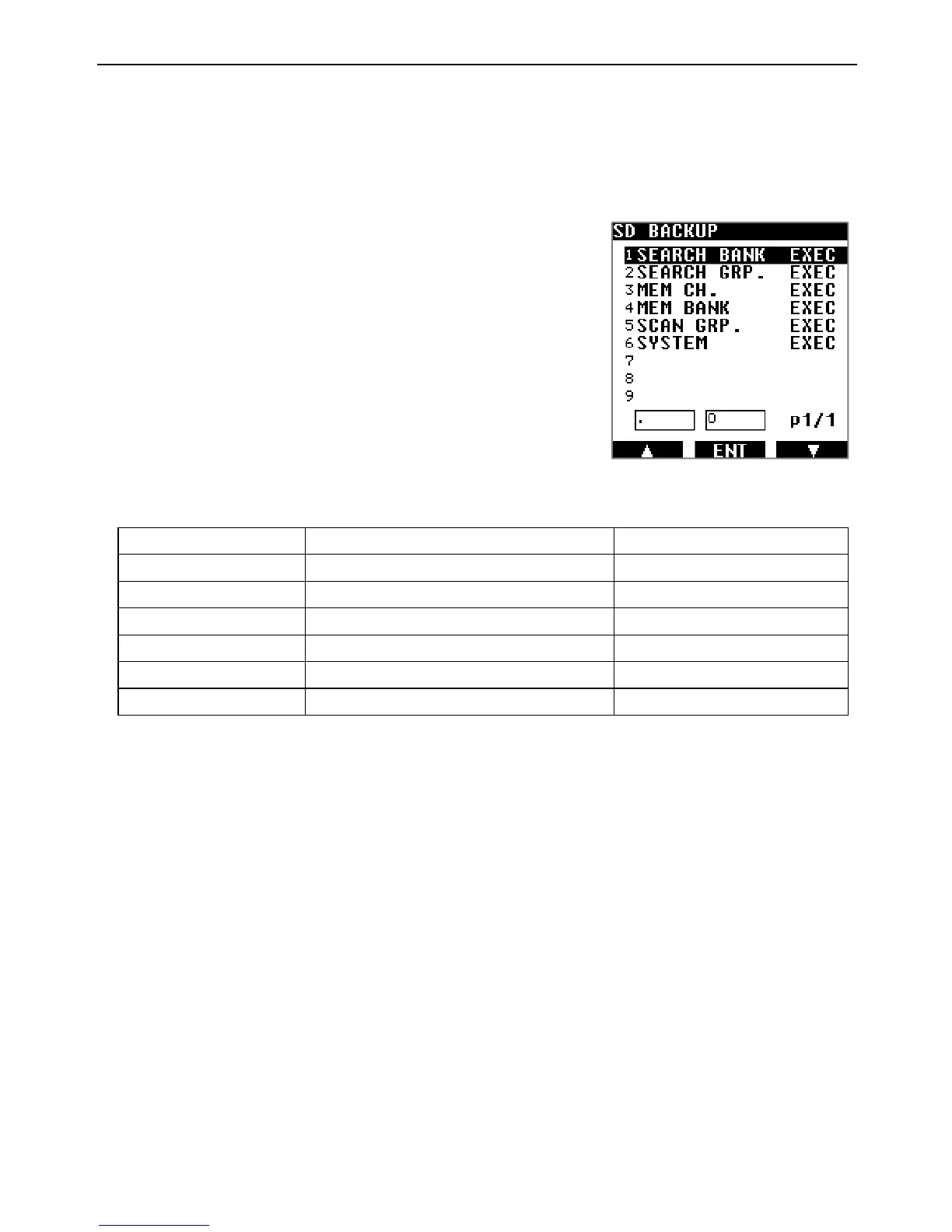
The backup selection menu appears as on the right:
3. Select the desired line using the [▶] button. Content explanation as follows:
Item Explanation File name
1 SEARCH BANK
All search banks contents SRCHBK.CSV
2 SEARCH GRP.
All search groups contents SRCHGRP.CSV
3 MEM CH.
All memory channel contents MEMCH.CSV
4 MEM BANK
All memory banks contents MEMBK.CSV
5 SCAN GRP.
All scan group contents SCANGRP.CSV
6 SYSTEM
All receiver settings SYSTEM.CSV
Note: File names always stay the same. Beware not to overwrite previous backups if
present on the same card!
4. Press [ENT] to backup that selection.
◯[WRITING BACK UP…] is displayed while data is being written to the card.
RESTORE A BACKUP
Backups saved on the SD card can be restored to the receiver. To facilitate the handling of
multiple backups, you can change file names to your liking, as long as it’s up to 8 ASCII
characters. The receiver will recognize the kind of backup, no matter what file name you
assigned.



 To Next Page