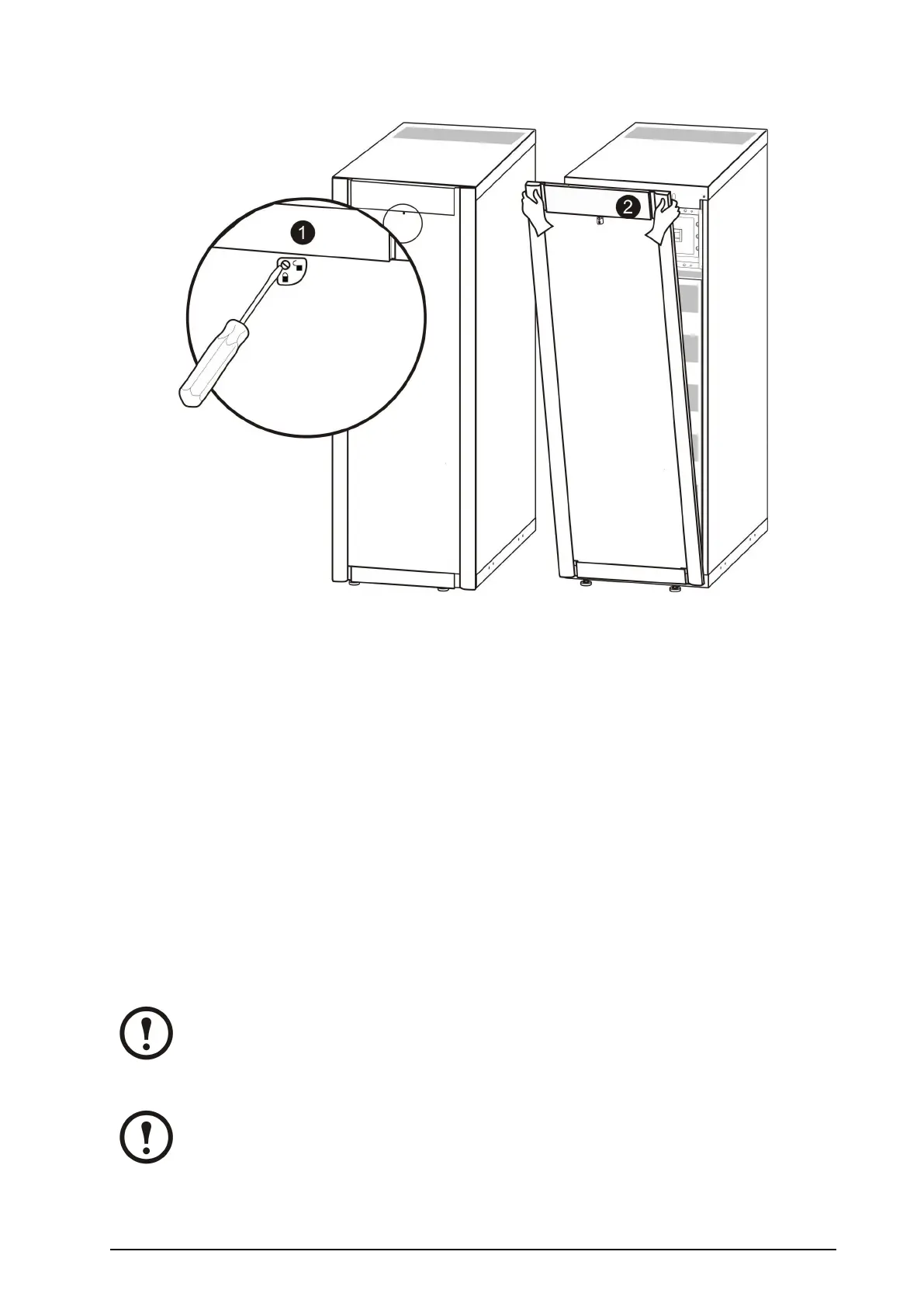
RemovetheFrontPanel
1.Turnthescrewtotherighttotheunlockedposition.
2.PullthetopofthefrontpanelawayfromtheUPS.
3.Liftthefrontpanelfreeofthetwoslotsatthebottomoftheenclosure.
4.Liftthebatterycompartmentcoverfreeofthetwoslotsatthebottomoftheenclosure(only
applicableinJapanesecongurations).
FloorAnchoring
Therearetwoooranchoringoptionsthatcanbeuseddependingontherequirementsintheinstallation
area:
•Forstability:ReusetheL-shapedbracketsthatsecuredtheenclosuretothepalletduringshipment
forastand-aloneUPS.
•Forseismicanchoring:UseabayingkitthatincludesU-shapedseismicanchoringbrackets.
Note:Allowforenoughworkingspacebehindtheenclosureforelectricalworktobecarried
out(e.g.ifyouwanttoinstallanXRBatteryEnclosureatalaterstage).Minimumrear
clearanceis100mm(3.93in)andmustcomplywithapplicablenationalandlocalcodes.
600mm(23.6in)isrecommended.
Note:Holepositionsareguidelinesonly.
990–1598E-001
Smart-UPS™VT10–30kV A208/220VSingleandParallelInstallation
9



 To Next Page
 Loading...

