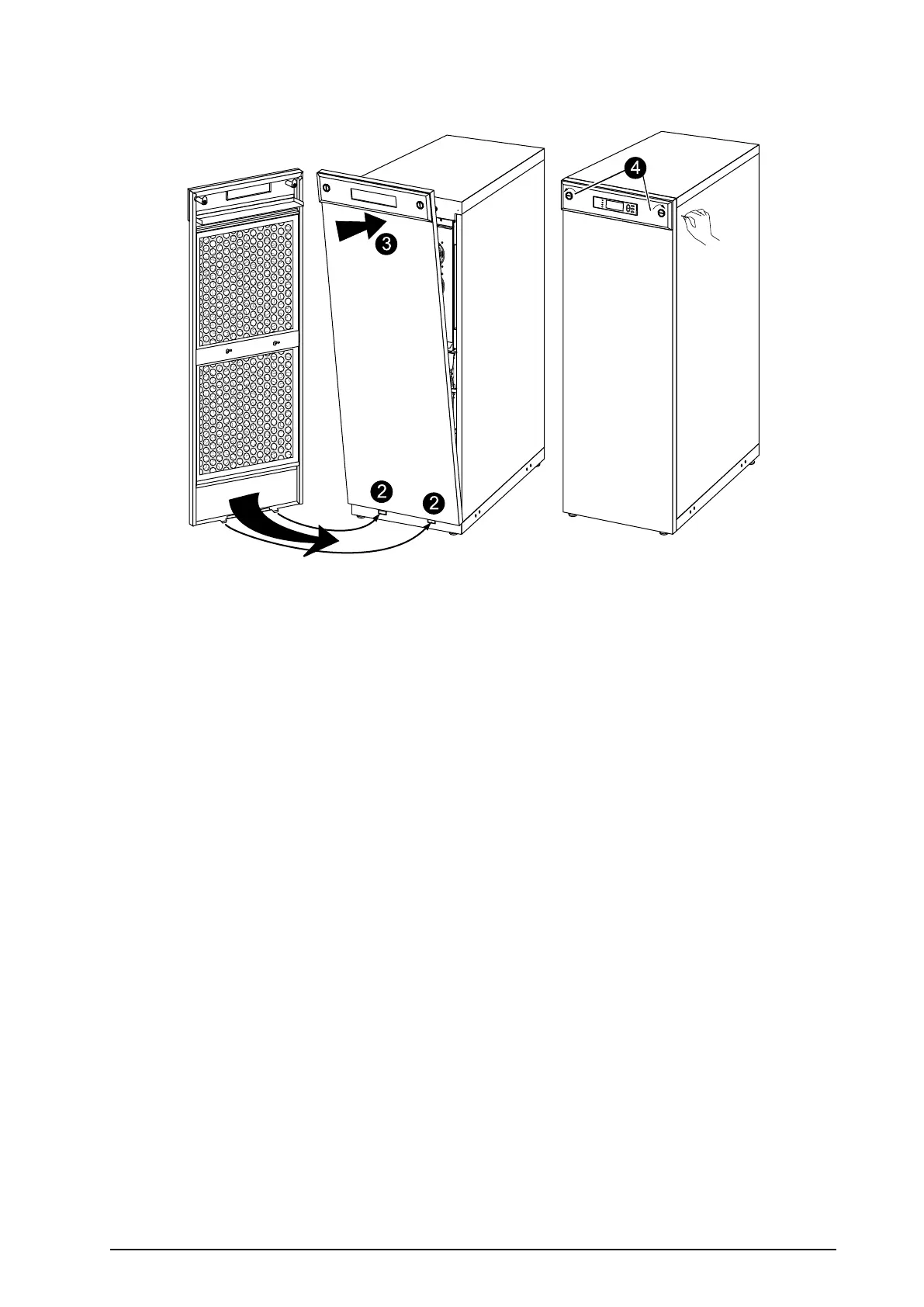
ReinstalltheTopCoverandtheFrontPanel
M
o
d
el
:
Se
rial
:
B
A
TTER
Y U
NI
T
M
o
d
el
:
Se
ria
l:
B
A
TT
ER
Y
U
NI
T
M
o
d
e
l
:
Se
r
i
al
:
B
ATTERY
U
NI
T
M
o
d
e
l
:
Se
ria
l:
B
ATTERY
UNIT
M
o
d
e
l
:
Se
ria
l:
BATTE
R
Y UNIT
M
o
d
e
l:
Se
r
ia
l:
B
A
TTE
R
Y
U
NIT
M
o
d
e
l:
Se
ria
l:
BAT
TER
Y
U
NIT
M
o
d
e
l:
Se
r
i
al
:
B
ATTER
Y UNIT
2
1.Reinstallthetopcoverbyfasteningthefourscrewsatthefrontandthetwoscrewsattheback.
2.Insertthetwotapsatthebottomofthefrontpanelintothetwoslotsatthebottomoftheenclosure.
3.Pushthefrontpanelforwarduntilitengagesthelockingdevicesatthetopoftheenclosure.
4.Useascrewdrivertosetthelockmechanismtothelockedposition.
990–1598E-001
Smart-UPS™VT10–30kV A208/220VSingleandParallelInstallation
45


 To Next Page
 Loading...


