ConnectCommunicationCablesinParallelSystem
Note:Thecablesmustberunbytheelectricianbutnotattached.Theeldserviceengineer
fromSchneiderElectricwillattachallcablestotheUPSunit(s)andinstalltheparallel
communicationbox.Thebelowisforoverviewonly.
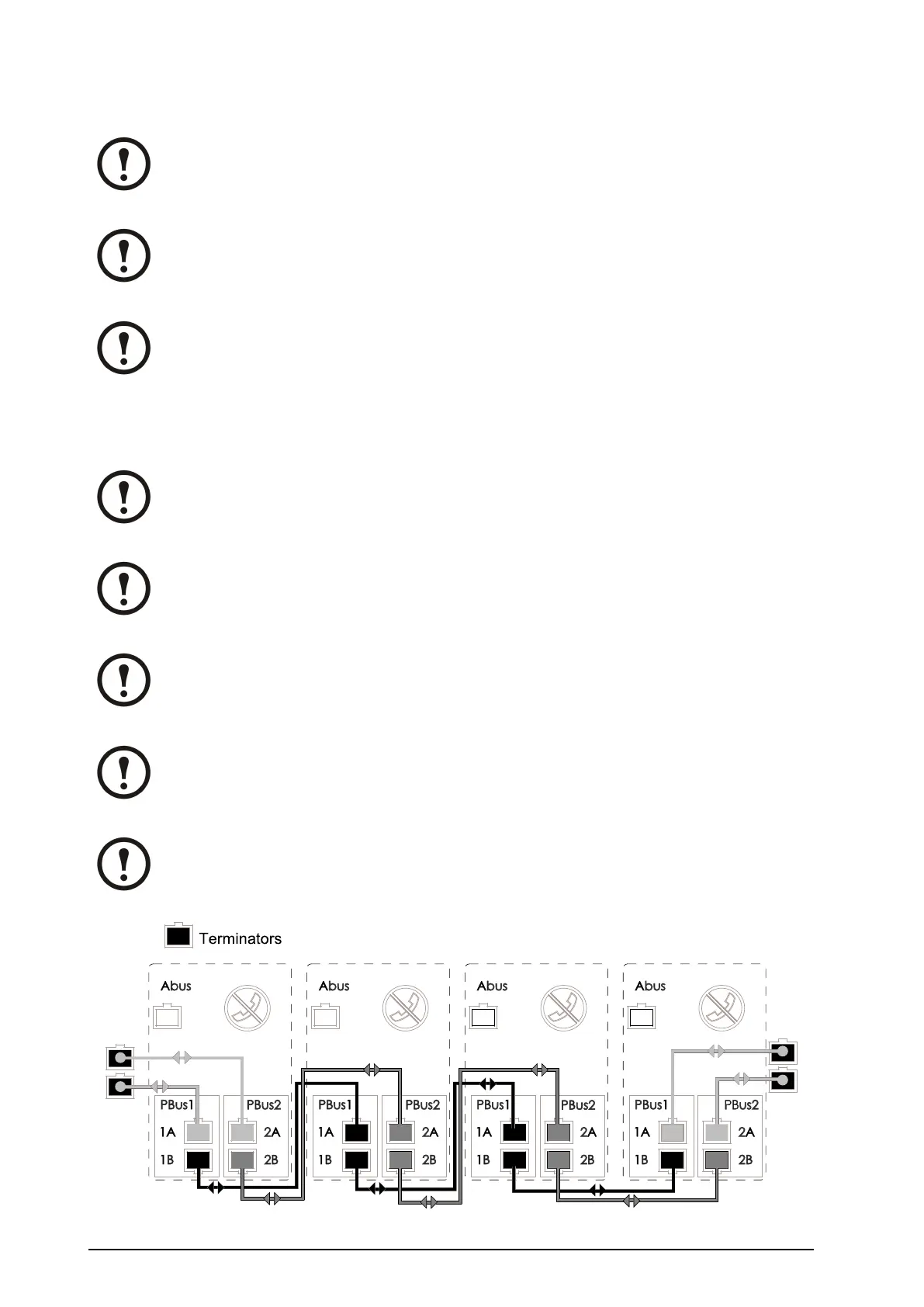
Note:ThePBuscablesrunfromUPS1toUPS2toUPS3andUPS4ifyourconguration
consistsof4UPSunits.
Note:ThePBuscablesarelabelledPBus1andPBus2.
OverviewofthePBusCables
Note:Thecablesmustberunbytheelectricianbutnotattached.Theeldserviceengineer
fromSchneiderElectricwillattachallcablestotheUPSunit(s)andinstalltheparallel
communicationbox.Thebelowisforoverviewonly.
Note:ThePBuscablesrunfromUPS1toUPS2toUPS3andUPS4ifyourconguration
consistsof4UPSunits.
Note:ThePBuscablesarelabelledPBus1andPBus2.
Note:PBus1cablesmustbekepttogether,andPBus2cablesmustbekepttogether.If
youbymistakerunacablebetweenaPBUS1terminalandaPBUS2terminal,youwill
benotiedbythedisplay.
Note:IfthecongurationconsistsofonlytwoUPSunits,theterminatorsmustbeinstalled
inUPS1and2.WiththreeUPSunits,theterminatorsmustbeinstalledinUPS1and3.
38
Smart-UPS™VT10–30kV A208/220VSingleandParallelInstallation
990–1598E-001



 To Next Page
 Loading...

