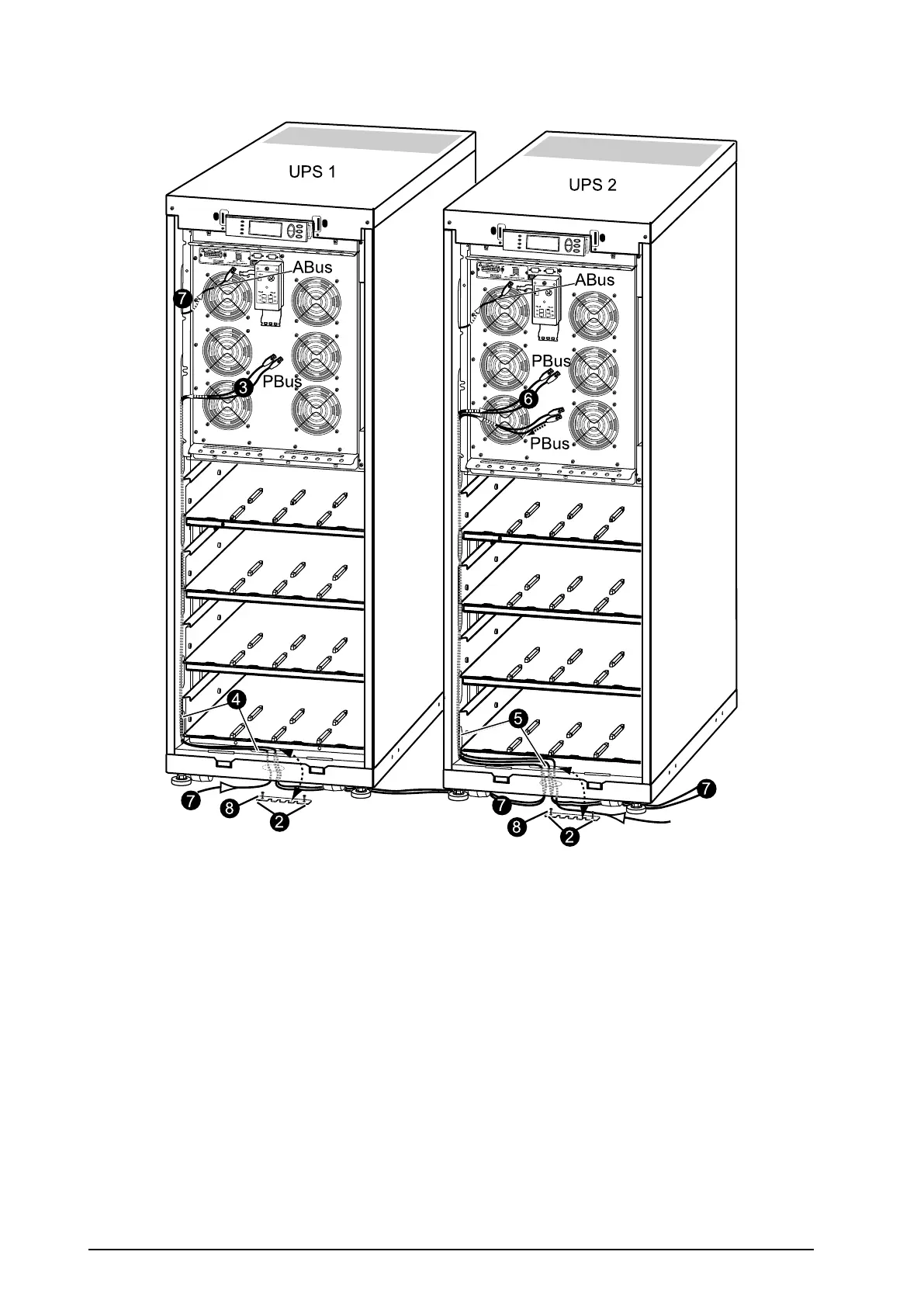
UPSUnitsApartwithoutConduitsandInterconnection
7
6
7
2
2
8
8
4
5
7
7
3
UPS 1
UPS 2
PBus
PBus
PBus
ABus
ABus
1.Removethefrontpanel(notshown).
2.Loosenthetwoscrewsfromthecable-inletplatesatthebottomplateofUPS1andUPS2and
thenremovetheplates.
3.FromUPS1:RunthetwoPBuscablestotheslotsontheleftsideoftheenclosureanddown
insidethepanel.
4.Fromthelowestslot,shoutthecablesfromthesidepanelandrunthesedownthroughthecable
inletandthroughtheroundholeatthebottom.
5.RunthePBuscablestoUPS2andtotheslotsontheleftsideoftheenclosureandupinside
thepanel.
6.TakeoutthePBuscablesandleavetheseunattachedtotheparallelbox.
7.RuntheABuscablefromthemaintenancebypasspaneltotheslotsontheleftsideoftheenclosure
andupinsidethepanelthesamewayasforthePBuscables.
8.Reattachthecable-inletcovers.
9.Fastenthecableswithcablesties.
40
Smart-UPS™VT10–30kV A208/220VSingleandParallelInstallation
990–1598E-001


 To Next Page
 Loading...


