PrepareforCables
BottomCableEntry
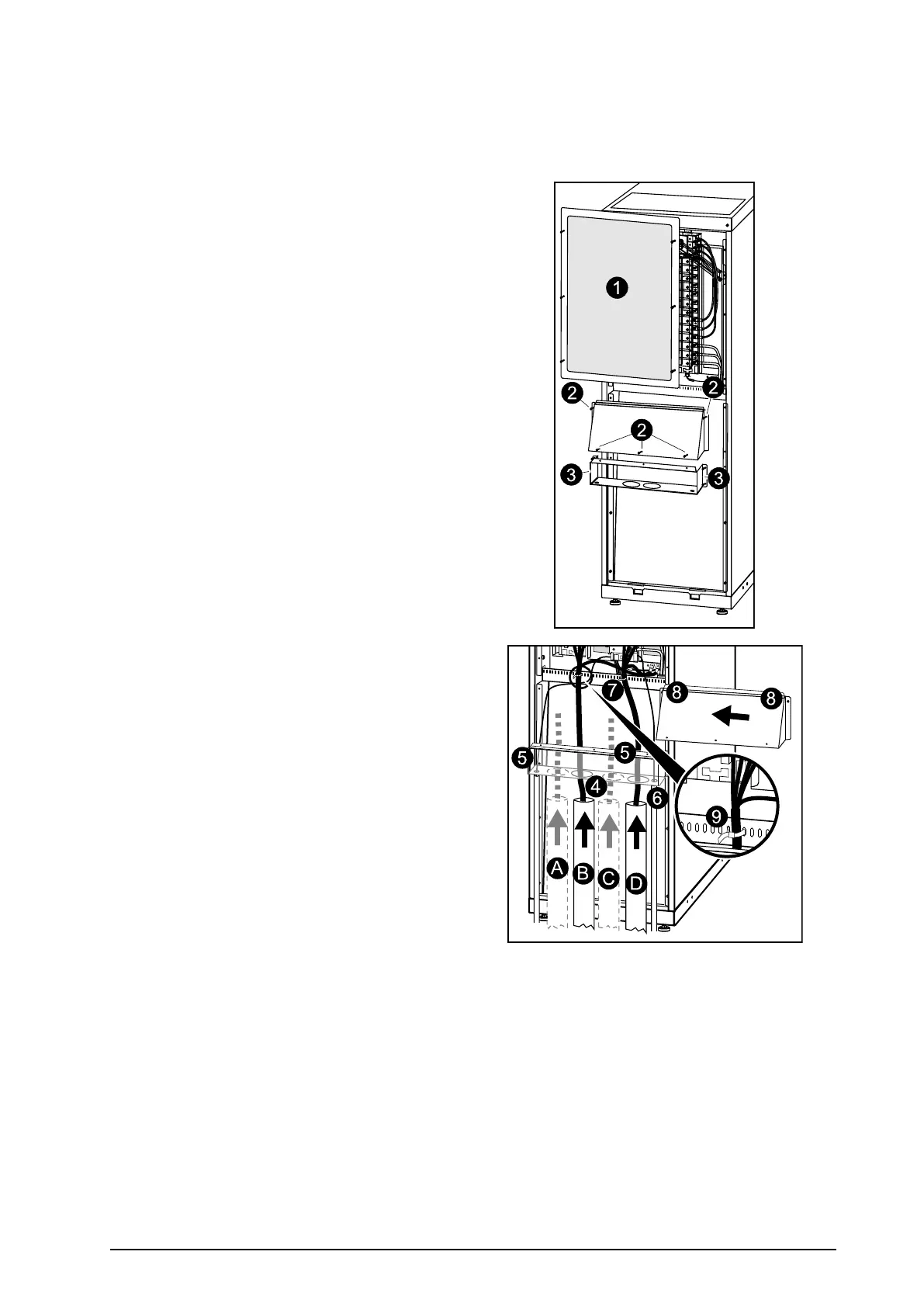
1.FromtherearoftheUPS,loosenthesixM4
screwsfromtheuppercover(thecablelanding
area),andremove.Savethescrewsforlater
use
2.LoosenthetwoM4screws(oneoneachside)
fromthetoppartoftheconduitbox.Loosen
theM4screwsattachingittothebottompart
(twoscrewsin352mm(13.8in)enclosure
threescrewsina523mm(20in)enclosure)
andremove.Savethescrewsforlateruse.
3.LoosenthefourM4screws(twooneachside)
fromtheconduitboxandremove.Savethe
screwsforlateruse.
4.Punchasmanyholesasneededinthemarked
areasofthebottomconduitbox.
5.Attachtheconduitboxbottomtotheenclosure
(reusethescrewsfromstep3).
6.Attachconduitstotheconduitbox.
7.Runthecablesthroughtheconduits,the
bottomoftheconduitbox,andupintothe
cablelandingarea.
A.Bypass
B.Output
C.Battery
D.Input
8.Attachconduitboxtoptotheconduitbox
bottomandtotheenclosurereusingthescrews
fromstep2.
9.Fastenthecableswithcableties.
990–1598E-001
Smart-UPS™VT10–30kV A208/220VSingleandParallelInstallation
29


 To Next Page
 Loading...


