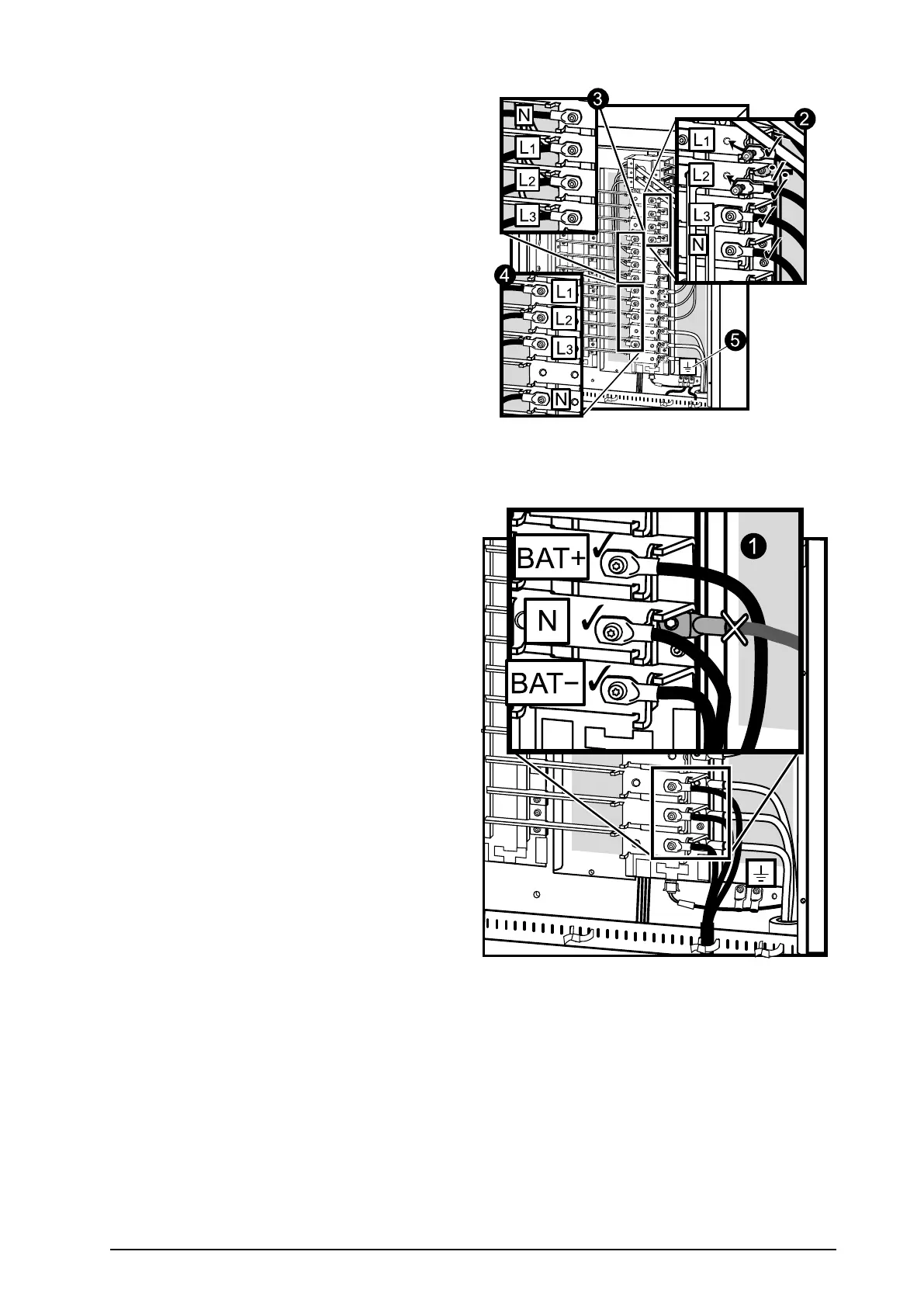
2.ConnecttheACinputcablesandtheneutralto
theinputcablelandings.
3.Connectthebypasscablesandtheneutralto
thebypasscablelandings.
4.Connecttheoutputcablesandtheneutralto
theoutputcablelandings.
5.Connectthegroundcablestothestuds(earth
symbolbeneath)usingascrew.
ConnecttheDCBatteryCables(ifapplicable)
1.ConnectbatterycablesBA T+,BA T-,andNto
thebatterycablelandings.Bundlethecables
usingthesuppliedcableties.
990–1598E-001
Smart-UPS™VT10–30kV A208/220VSingleandParallelInstallation
31


 To Next Page
 Loading...


