13
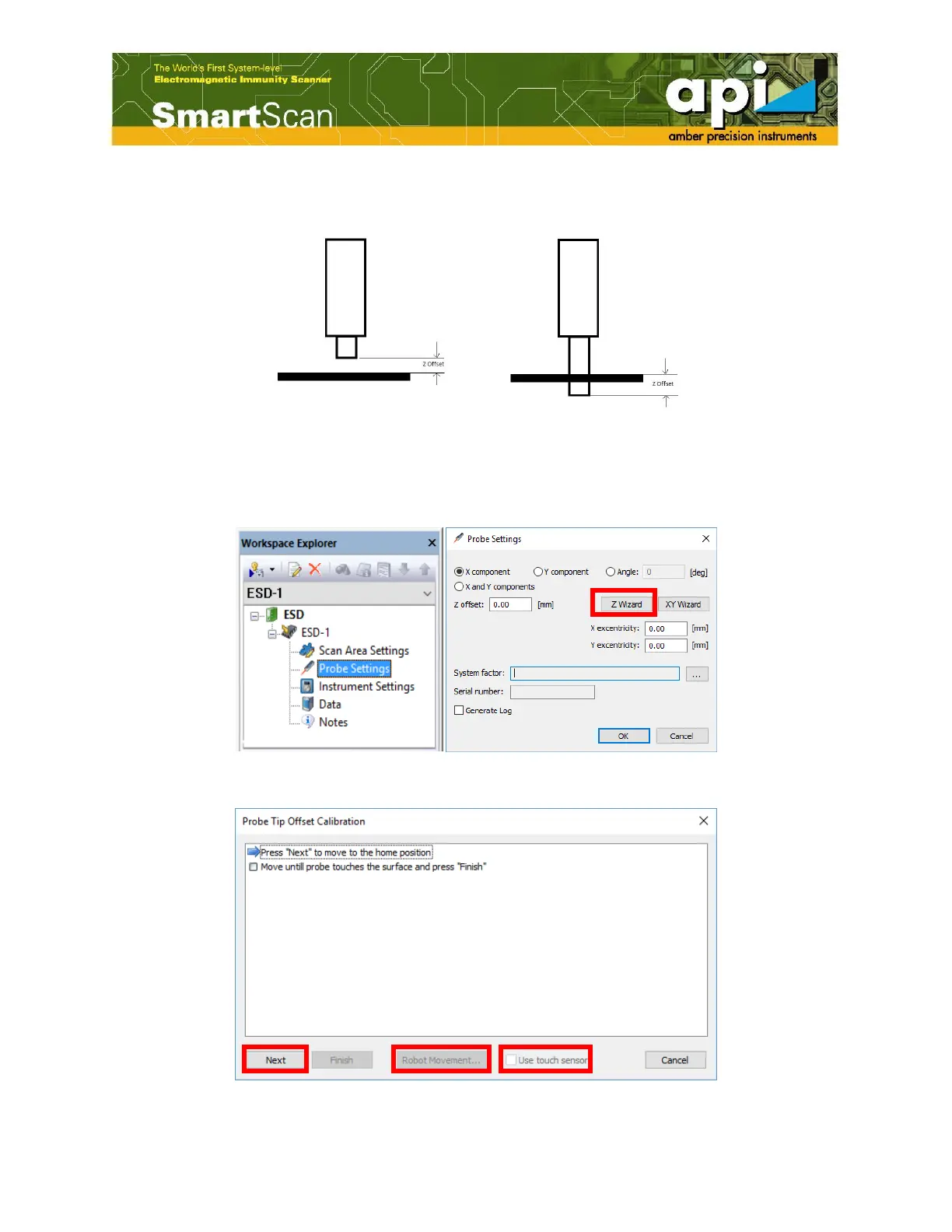
offset calibration is the procedure to give the slight variation to the software. An example of
probe Z offset is shown in Figure 6.
Figure 6: Probe Z offset example.
a. Double click on "Probe Settings" under project name on left pane, and select "Z wizard" after
the "Probe Settings" window pops up.
Figure 7:Open "Probe Settings" window.
Figure 8:"Probe Tip Offset Calibration" window for probe Z offset.



 To Next Page