37
b. The "Samples to read" and "Rate (Hz)" parameters are set to 100 by default. User can set
different values under different circumstances.
4.6.4. Start Monitoring
To have a better understanding of FD project, a touch sensor is connected to the "Optical" analog
input in the FD box. The channel address for "Optical" input is "ai5". "Samples to read" and
"Rate (Hz)" have been set to "200" and "1000". The monitoring window shows last 200 points
acquired.
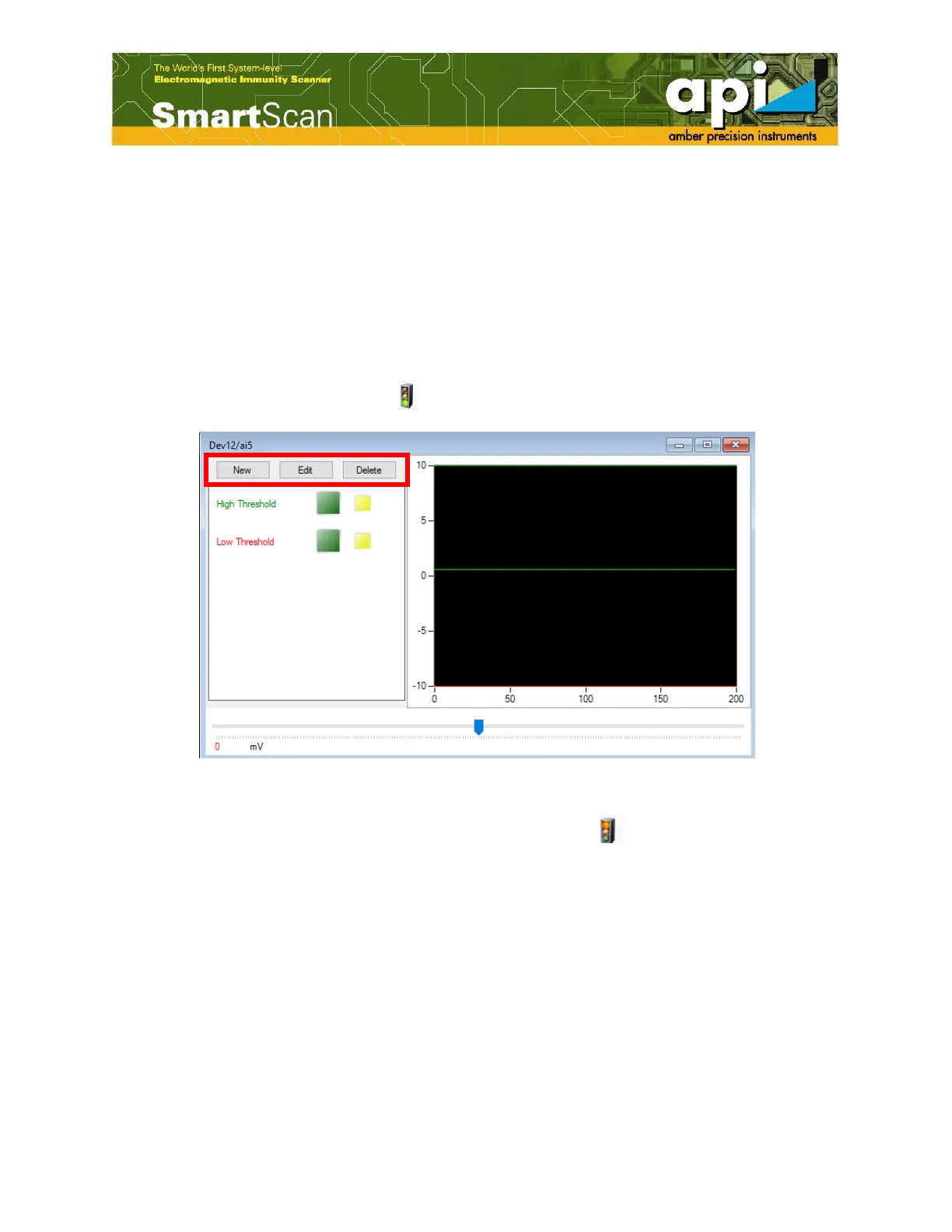
a. Click on "Start Monitoring" icon ( ), the monitoring window pops up.
Figure 60: Monitoring window.
b. To end monitoring motion, click on "Stop Monitoring" icon ( ).
4.6.5. Threshold
User needs to define a certain voltage limitation that is convenient to use as a failure indicator.
This value, as was mentioned above, is called here – threshold. By default, two thresholds are
generated: high threshold and low threshold. User can add, edit and delete threshold by selecting
"New", "Edit" or "Delete", as shown in Figure 60.
a. Click on "High Threshold" field, user activates the scroll bar that controls voltage values for
the upper (High) threshold magnitude. Move the scroll bar to the desired high threshold
voltage as shown in Figure 61.



 To Next Page