b.
Conrm that the dye plate or array card matches the dye selected in the
software, then load it into the plate holder.
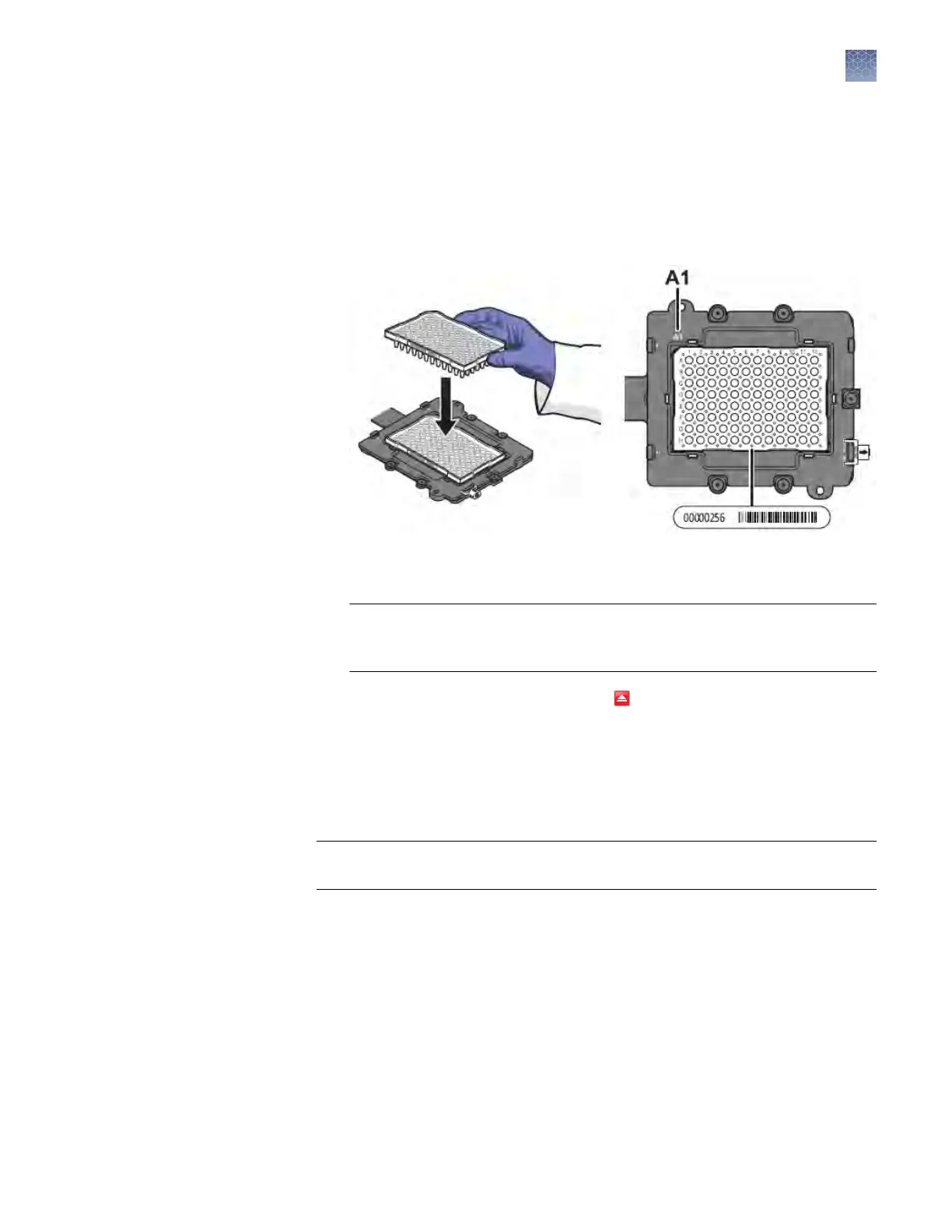
Load the plate or array card so that:
• Well A1 of the plate or array card is in the top-left corner of the plate
adapter.
• The barcode faces the front of the instrument.
Note: The name of the dy
e contained by the plate or array card is next to
the barcode on the front of it.
IMPORTANT! Plates or array cards should be loaded and unloaded by
operators who hav
e been warned of the moving parts hazard and have been
adequately trained.
c.
From the instrument touchscreen, tap to close the instrument tray.
7.
After loading the plate or array card, start the calibration:
a.
In the Dye Calibration screen, select Check the box when the dye
calibration plate has been loaded, then click Next.
b.
In the Run screen, click Start Run.
IMPORTANT! Do not aempt to open the access door during the run. The door
is locked while the instrument is in operation.
Note: Before starting the calibration, the instrument may pause (up to
10 minutes) to allow the heated cover to reach the required temperature.
Chapter 2 Calibrate the instrument
Dye calibration
2
QuantStudio
™
6 and 7 Flex Real-Time PCR Systems v1.6 Maintenance and Administration Guide
57












 To Next Page