Chapter 6
87
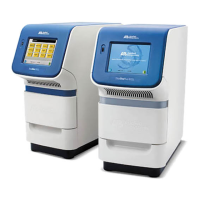
Applied Biosystems StepOne
™
and StepOnePlus
™
Real-Time PCR Systems
Installation, Networking, and Maintenance Guide
Notes
DRAFT
September 25, 2007 1:07 am, 4376782_Maintain_the_System.fm
Maintain the System
This chapter covers:
■ Regular Maintenance . . . . . . . . . . . . . . . . . . . . . . . . . . . . . . . . . . . . . . . . . . . . . . 88
Perform a Spatial Calibration . . . . . . . . . . . . . . . . . . . . . . . . . . . . . . . . . . . . . . . . 90
Perform a Background Calibration. . . . . . . . . . . . . . . . . . . . . . . . . . . . . . . . . . . . 94
Perform a Dye Calibration . . . . . . . . . . . . . . . . . . . . . . . . . . . . . . . . . . . . . . . . . 100
Archive and Back Up Data . . . . . . . . . . . . . . . . . . . . . . . . . . . . . . . . . . . . . . . . . 113
■ Infrequent Maintenance . . . . . . . . . . . . . . . . . . . . . . . . . . . . . . . . . . . . . . . . . . . 114
Decontaminate the Sample Block(s). . . . . . . . . . . . . . . . . . . . . . . . . . . . . . . . . . 115
Move the Instrument . . . . . . . . . . . . . . . . . . . . . . . . . . . . . . . . . . . . . . . . . . . . . . 118
Replace the External Fuses. . . . . . . . . . . . . . . . . . . . . . . . . . . . . . . . . . . . . . . . . 120
Ship the Instrument for Service . . . . . . . . . . . . . . . . . . . . . . . . . . . . . . . . . . . . . 122
Update the Windows Operating System . . . . . . . . . . . . . . . . . . . . . . . . . . . . . . . 124
Update the StepOne
™
Software . . . . . . . . . . . . . . . . . . . . . . . . . . . . . . . . . . . . . 125
Note: For more information about any of the topics discussed in this guide, access the
Help from within the Applied Biosystems StepOne
™
Real-Time PCR System Software
by pressing F1, or clicking in the toolbar, or selecting HelpStepOne Software
Help.




 To Next Page