DRAFT
September 25, 2007 1:07 am, 4376782_Maintain_the_System.fm
Chapter 6 Maintain the System
Infrequent Maintenance
Applied Biosystems StepOne
™
and StepOnePlus
™
Real-Time PCR Systems
Installation, Networking, and Maintenance Guide
122
Notes
Ship the Instrument for Service
If the instrument requires the attention of an Applied Biosystems service representative,
decontaminate the instrument and package it for transportation to Applied Biosystems.
Materials
Required
MicroAmp
™
Optical Reaction Plate
Prepare for
Shipment to
Applied
Biosystems
1. Contact the Applied Biosystems Customer Care Center (see “How to Obtain
Support” on page x) and request a Certificate of Decontamination.
2. Decontaminate the instrument according to the guidelines in the Certificate of
Decontamination.
3. Sign the completed Certificate of Decontamination and fax or e-mail it to the
Applied Biosystems Customer Care Center.
IMPORTANT! Do not dispose the completed Certificate of Decontamination. You
must include a copy in the package containing the instrument.
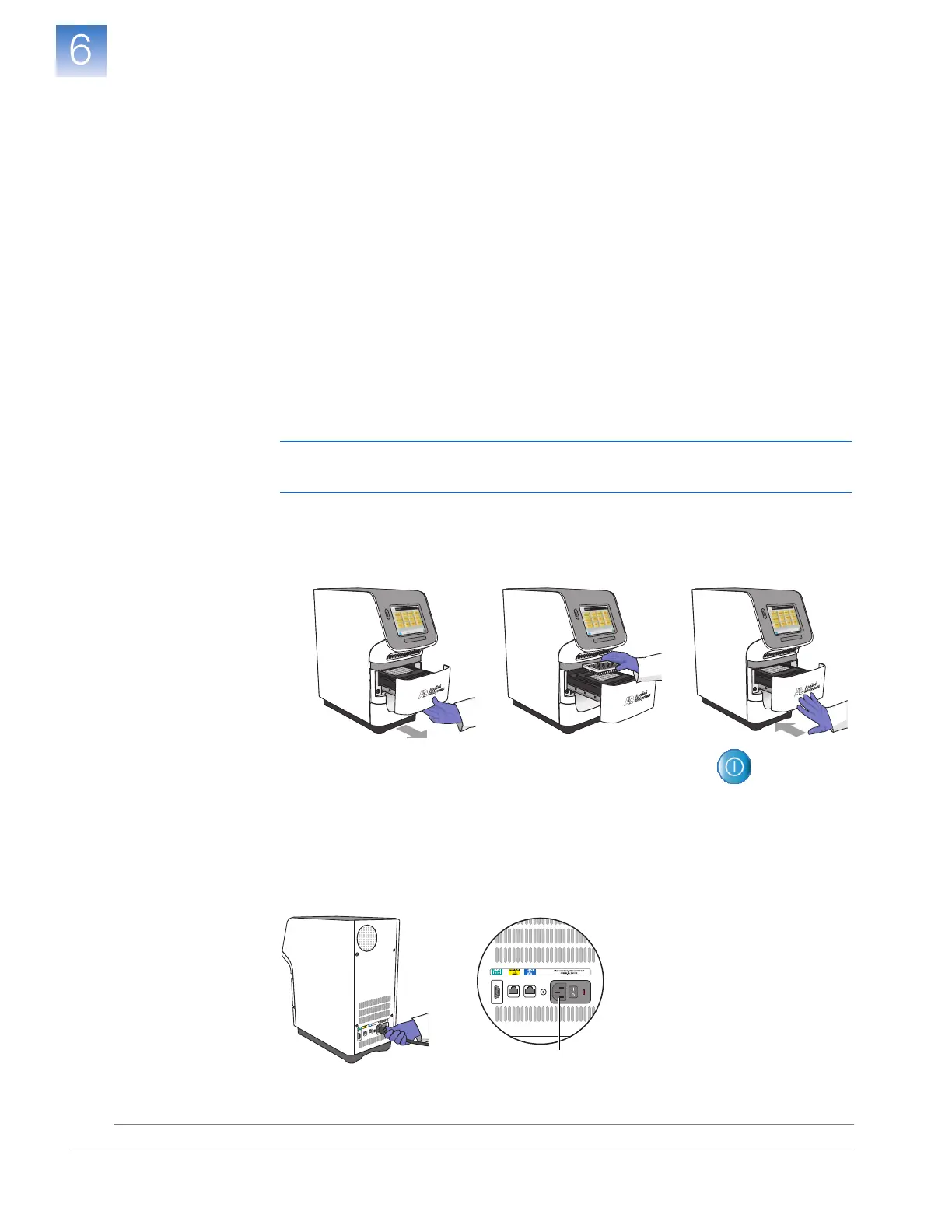
4. Raise the sample block(s) to secure it for transport:
a. Load the empty reaction plate into the instrument.
b. Touch the instrument touchscreen to awaken it, then touch .
c. In the Main Menu, touch Tools Me nu, touch Ship Prep, then touch Ship Prep.
d. Wait for the instrument to raise the sample block(s), then power off the
instrument when prompted.
5. Disconnect the power cord from the back of the instrument.
5












 To Next Page