DRAFT
September 25, 2007 1:07 am, 4376782_Maintain_the_System.fm
Chapter 6 Maintain the System
Regular Maintenance
93
Applied Biosystems StepOne
™
and StepOnePlus
™
Real-Time PCR Systems
Installation, Networking, and Maintenance Guide
Notes
Analyze the
Calibration Data
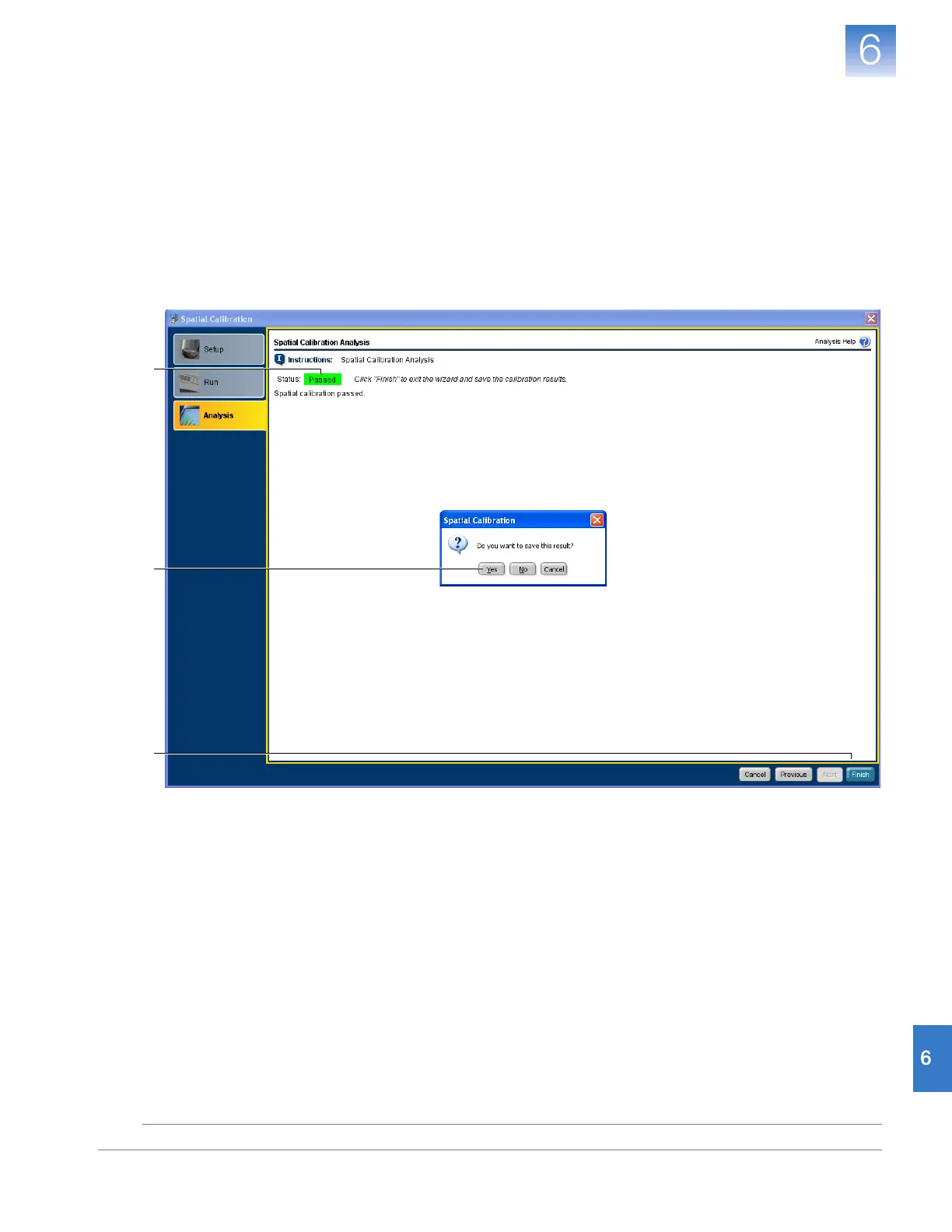
1. In the Analysis screen of the Spatial Calibration dialog box, confirm the status of the
calibration:
• Passed – The instrument passed the calibration. Go to step 2.
• Failed – The instrument failed the calibration. Contact Applied Biosystems as
described in
“How to Obtain Support” on page x
.
2. Click Finish.
3. When prompted to save the calibration, click Ye s .
1
2
3












 To Next Page